6. Configurator, General projector settings
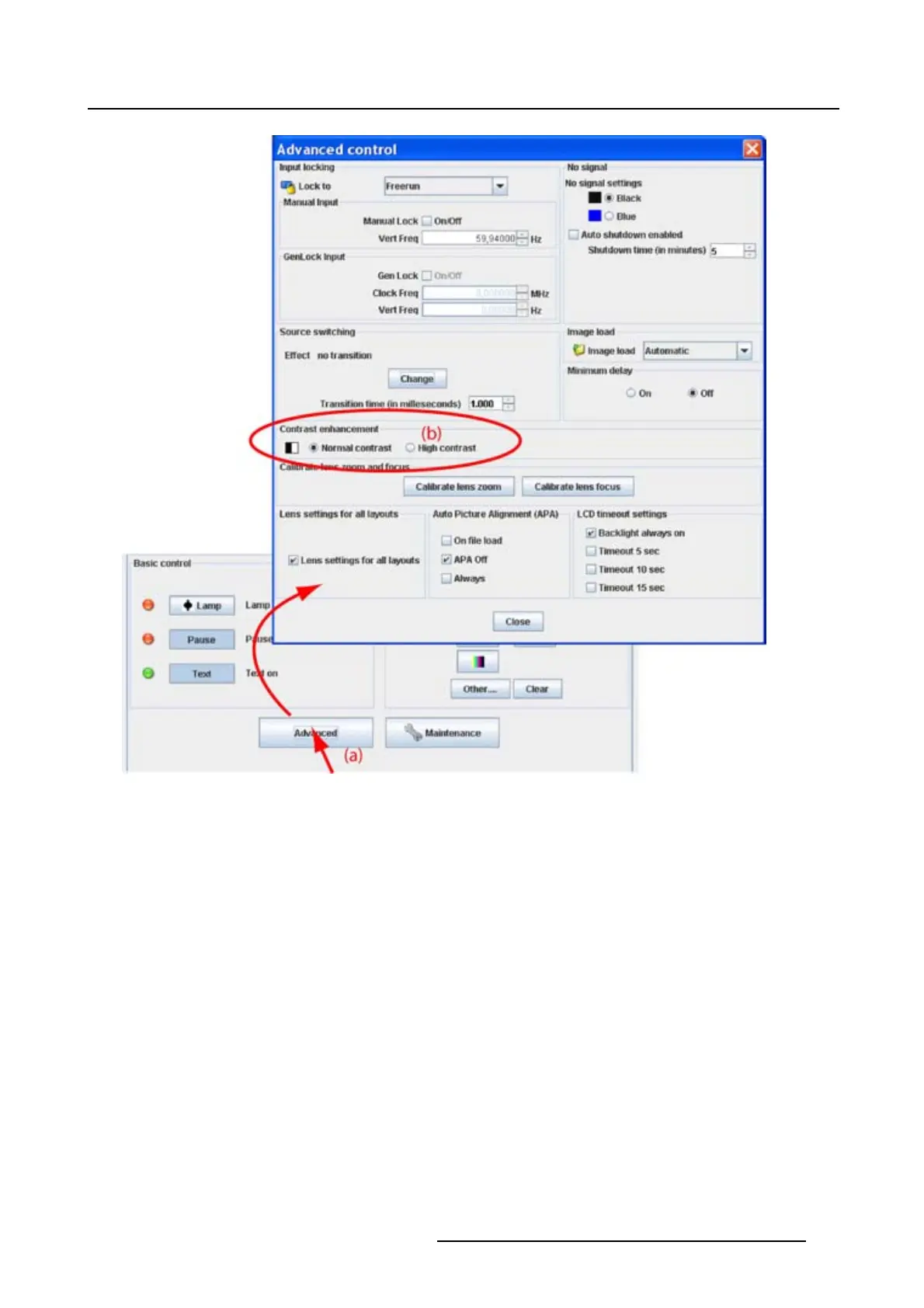
Image 6-18
Contrast enhancement
6.8.7 Calibrate lens zoom and focus
What can be done ?
With the calibration buttons, the lens is searching for its maximum and minimum zoom and focus. These
valuesarestoredasthezoomandfocuslimitsandwillbeusedtodeterminetheexactlenspositionwhen
a zoom or focus command is given.
How to calibrate
1. Click on Advanced (a). (image 6-19)
The Advanced control dialog box opens.
2. Click on Calibrate lens zoom to search for the minimum and maximum zoom values (b).
Note: This procedure can take a few minutes.
3. Click on Calibrate lens focus to search for the minimum and maximum focus values (c).
Note: This procedure can take a few minutes.
R5976924 PROJECTOR TOOLSET 16/04/2009
85



 To Next Page