13. Configurator, Warp User Interface
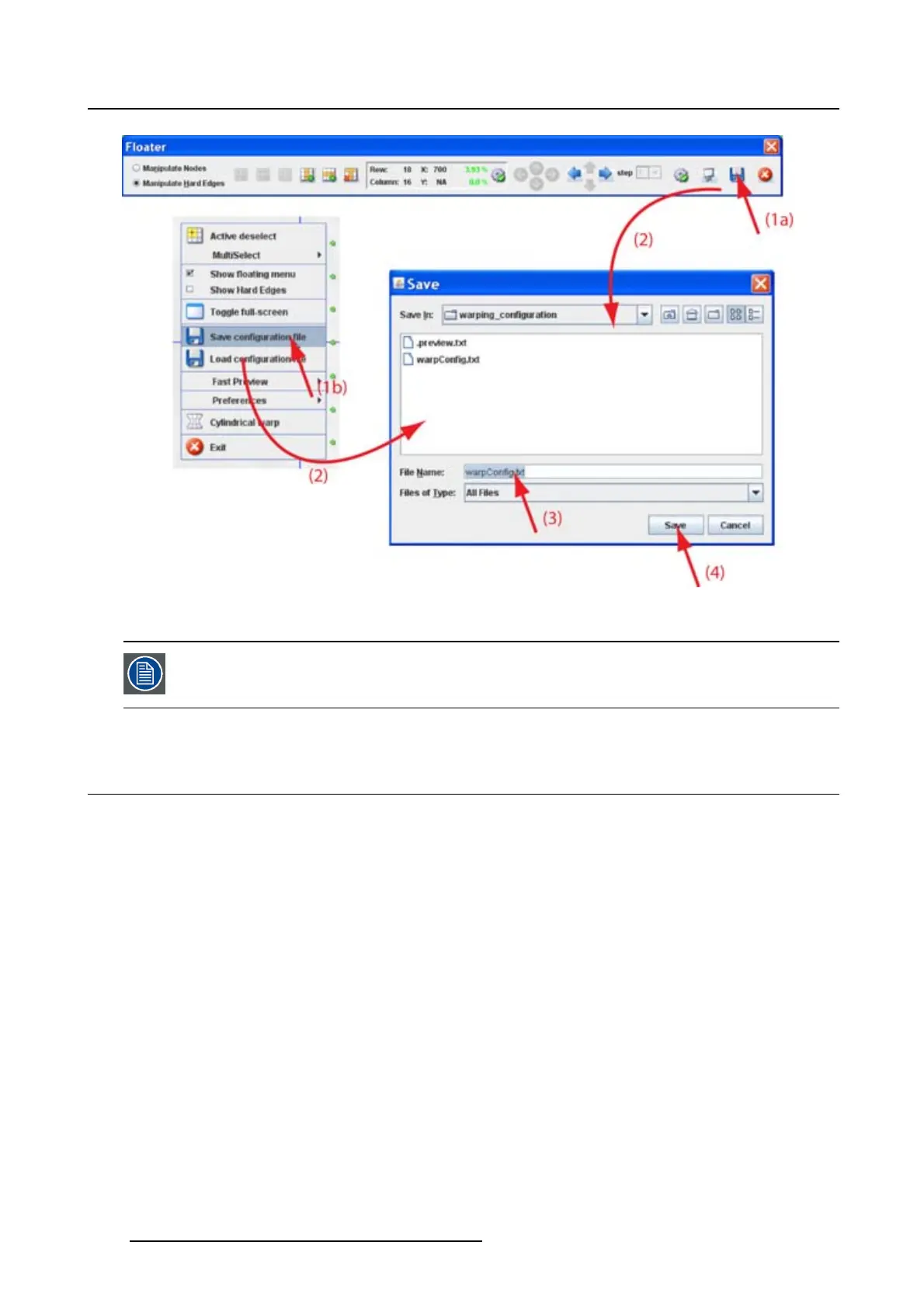
Image 13-19
Save configuration
The number of active nodes per row or column are not saved in the fi le.
13.13 Load a confi guration in the Warp UI
What is possible ?
Warp configuration files saved in [Projector Toolset install directory]/warping_config-
uration can be loaded in the Warp UI for editing purposes.
Howtoloadafile
1. Right click on the grid (image 13-20)
The context menu opens.
2. Click on Load configuration file.
An Open window opens. The files are normally stored in [Projector Toolset install direc-
tory]/warping_configuration.
3. Browse to the desired file and click on it to select.
4. Click Open to load the file.
200
R5976924 PROJECTOR TOOLSET 16/04/2009



 To Next Page