13. Configurator, Warp User Interface
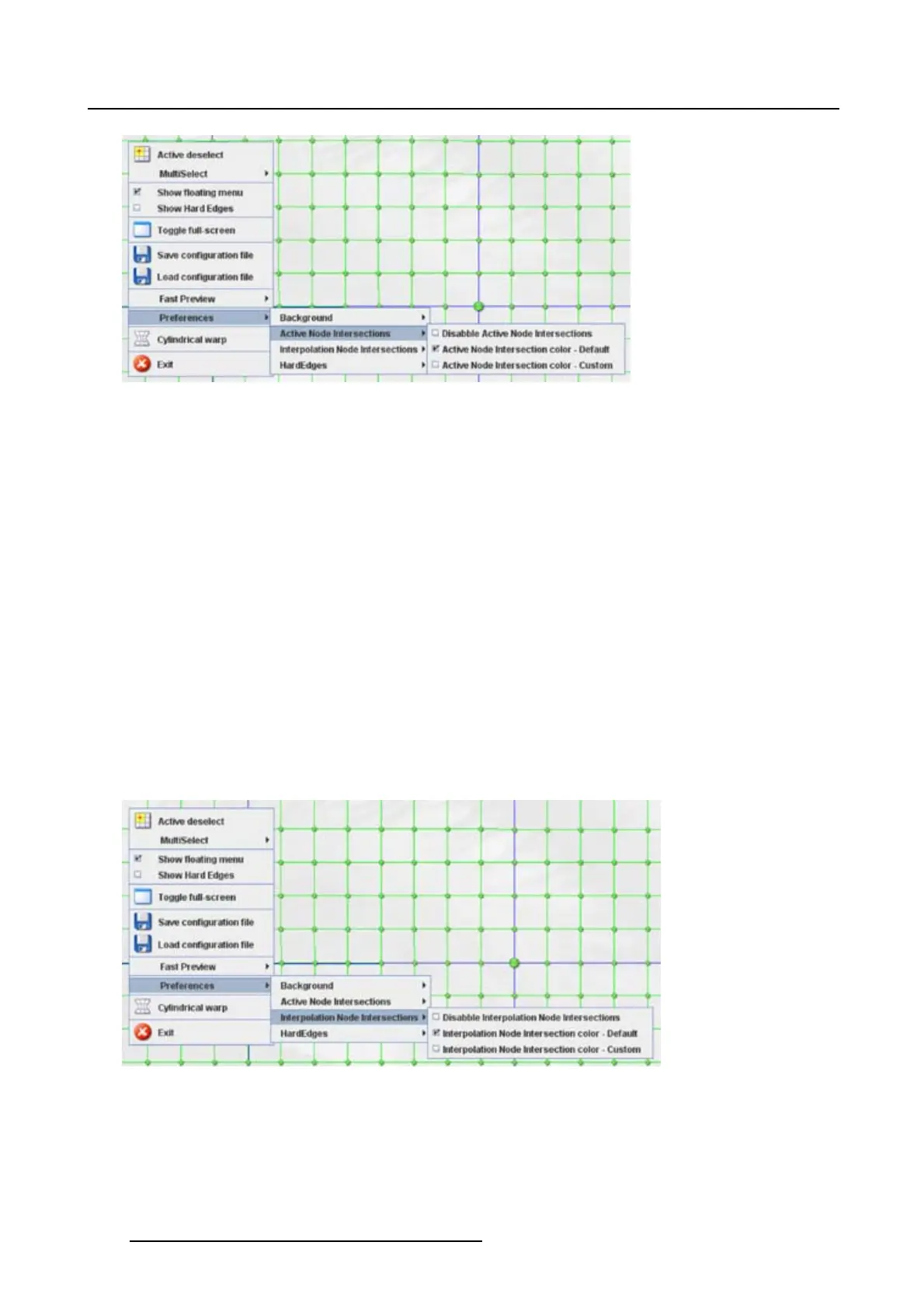
Image 13-33
Active node intersections lines
13.20.3 Interpolation node intersection
What can be done ?
The interpolation node intersection is the line which connects 2 nodes. This line can be disabled or en-
abled and when enabled, the color can be the default color (green) or a custom selected color.
How to make the selection
1. Right click on the grid. (image 13-34)
The context menu opens.
2. Select Preferences and move the mouse pointer to the right.
3. Select Interpolation Node Intersections and move the mouse pointer again to the right.
4. To disable the interpolation node intersection, select Disable Interpolation Node Intersections.
To use the default color, select Interpolation Node Intersection color - Default.
To use a custom color, select Interpolation Node Intersection color - Custom. See "Color selection",
page 209 for more information about how to select a color.
The check box in front of an item indicates which item is selected.
Image 13-34
13.20.4 Hard edges
What can be done ?
The color of the hard edges, in disabl
ed or enabled state can be selected.
208
R5976924 PROJECTOR TOOLSET 16/04/2009



 To Next Page