6. Configurator, General projector settings
Image 6-19
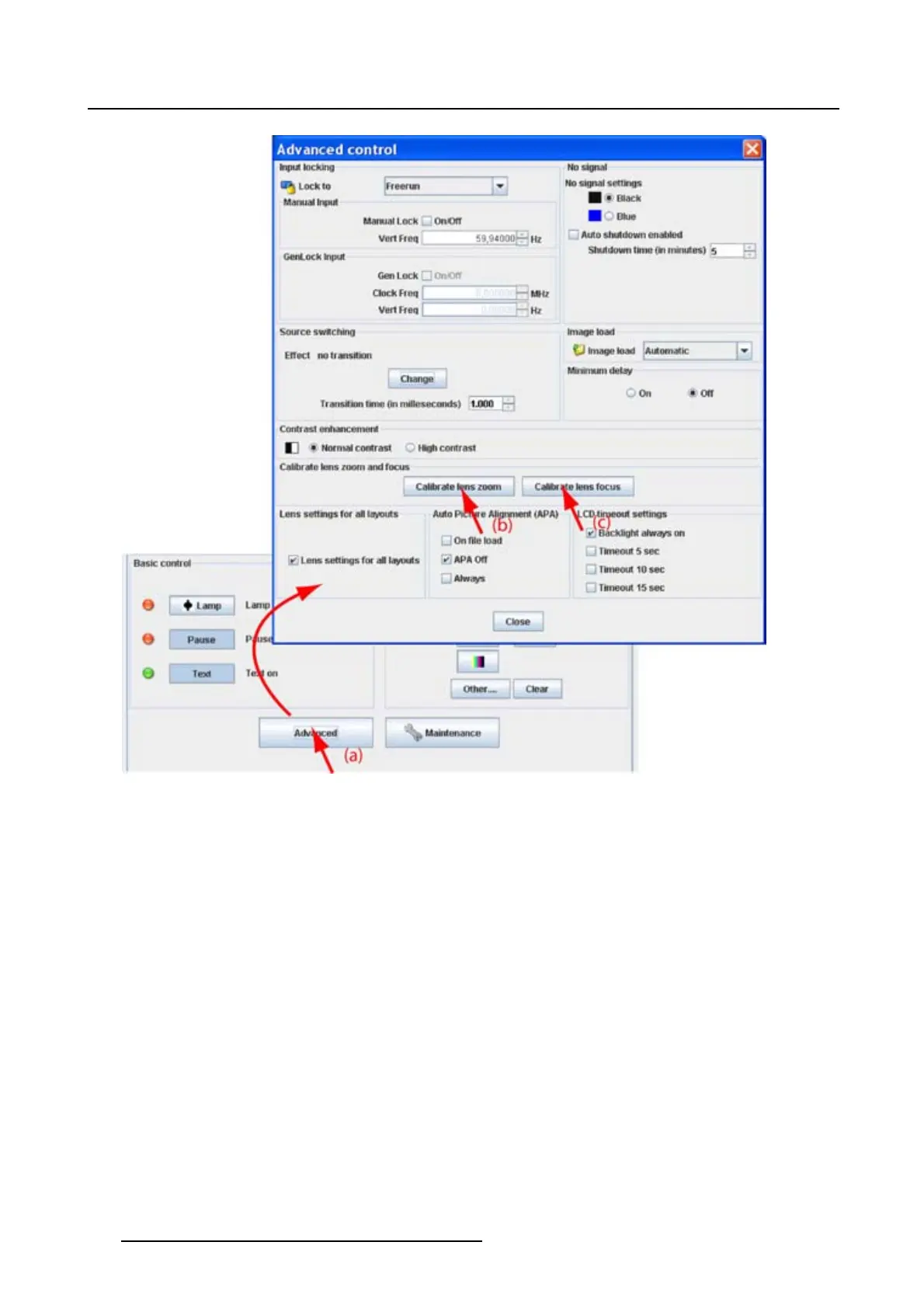
6.8.8 Lens settings for all layouts
Purpose
When changing from one layout to another, the zoom/focus settings can be different for each layout or
they can be kept the same for all l
ayouts
Howtosetthelenssettings
1. Click on Advanced (a). (image 6-20)
The Advanced control dialog box opens.
2. To set the lens settings for all layouts the same, check the check box before Lens settings for all lay-
outs.(b).
Not
checked
each layout will use its own zoom/focus settings.
Checked each layout will use the same zoom/focus settings. That means that the zoom/focus
settings of the previous
selected layout will be applied to the next selected layout.
86
R5976924 PROJECTOR TOOLSET 16/04/2009



 To Next Page