13. Configurator, Warp User Interface
How to re-size and center
1. While in preview mode, click on the re-size and center icon of the Cylindrical warping menu. (im-
age 13-30)
The image is re-sized on the projection area and sized in the middle of this area.
Image 13-30
Re-sizing and centering
13.19 Recover warping board
What can be done ?
Due to sending a warping configuration with errors via the fast preview to the warping board of a device,
it is possible that the warping board crashes. The recovery operation starts by clearing the sent configu-
ration and by sending a normal hatch pattern. Then the warping board is restarted.
How to recover
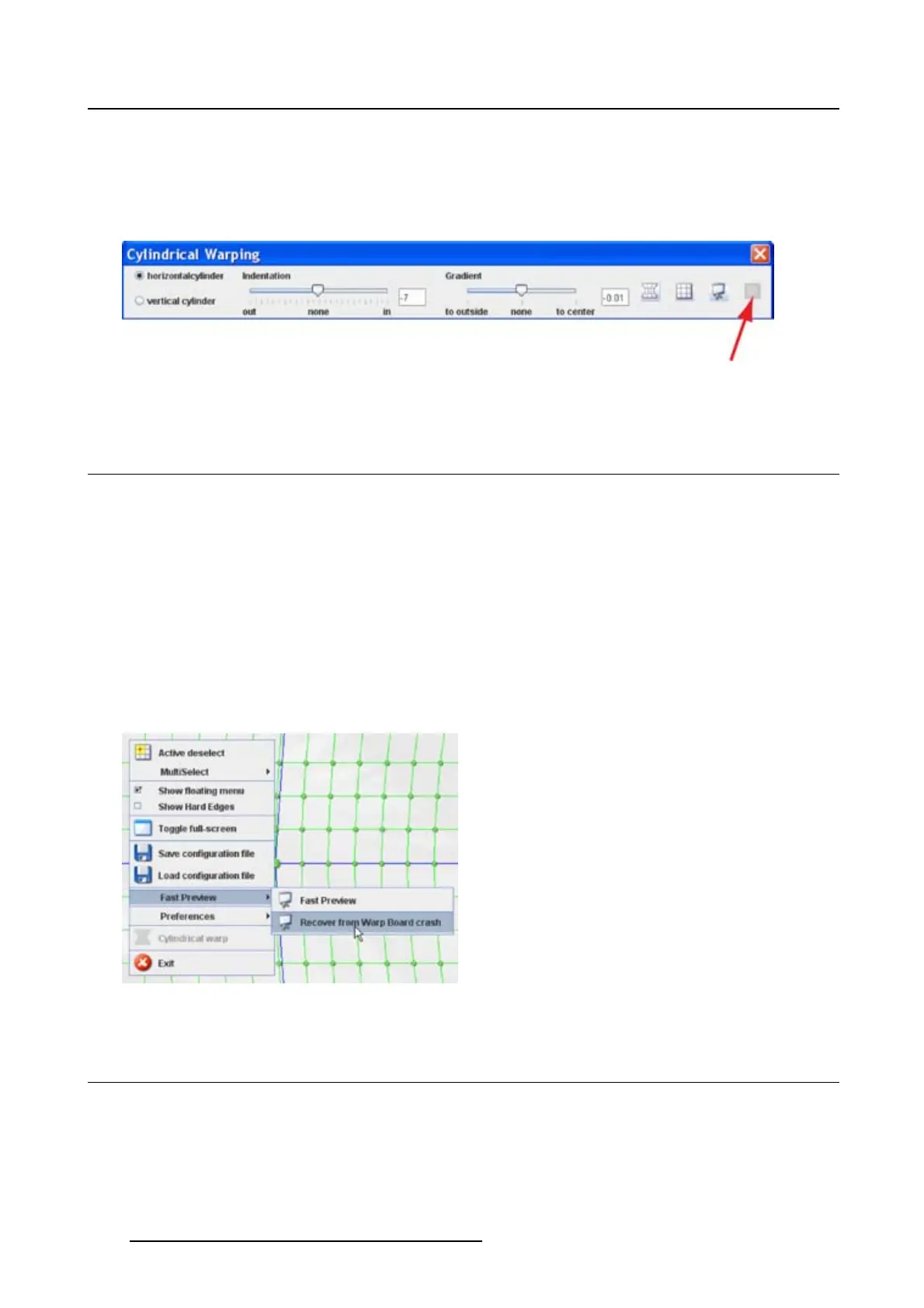
1. Right click on the grid. (image 13-31)
The context menu opens.
2. Select Fast Preview and move the mouse pointer to the right.
3. Select Recover from Warp b oard crash.
Image 13-31
13.20 Preferences
13.20.1 Background of the grid
What can be done ?
The background of the grid can be changed between:
206
R5976924 PROJECTOR TOOLSET 16/04/2009



 To Next Page