3. Menus
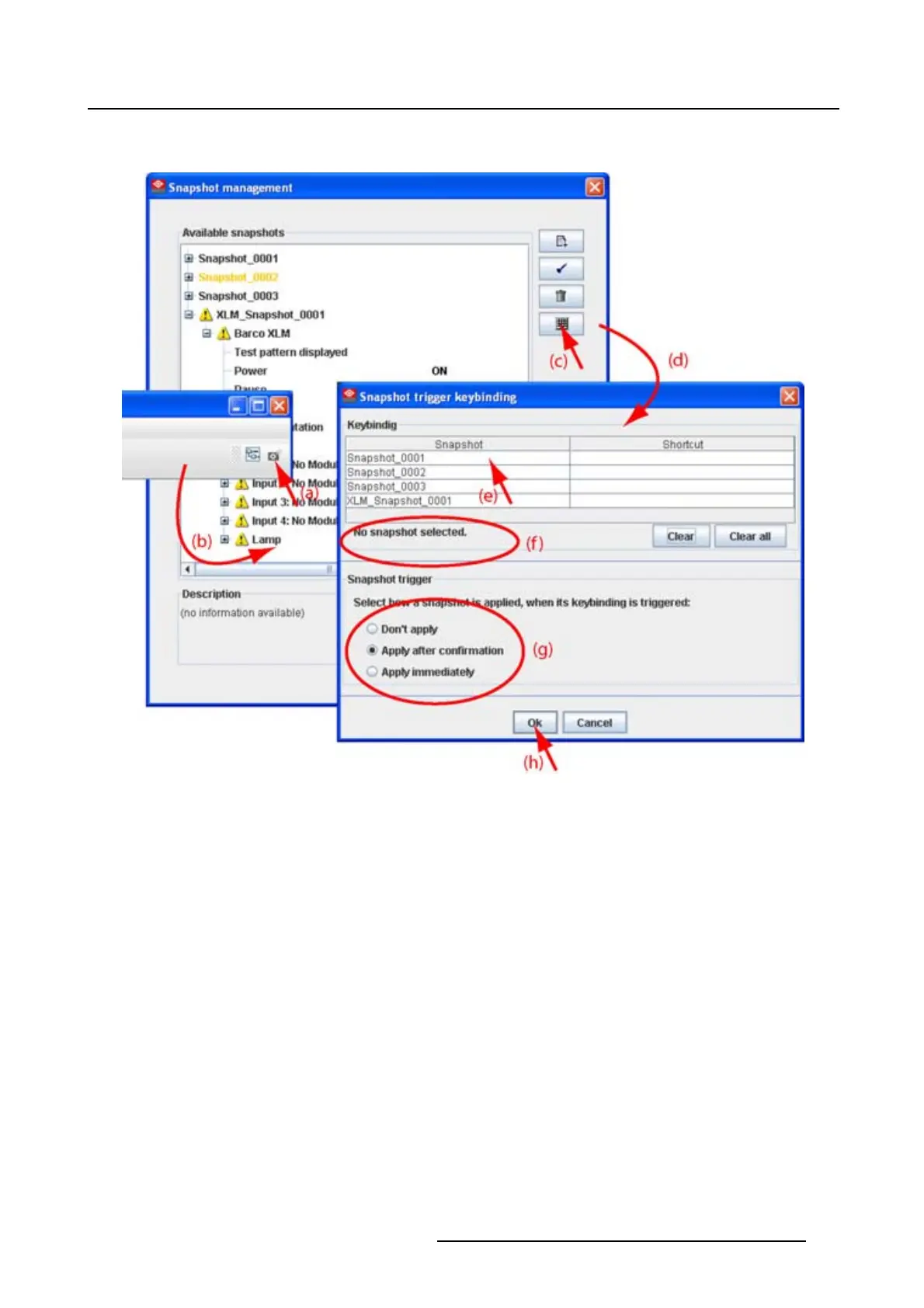
6. Click OK to save the new short cut status (h).
Image 3-14
Associate short cut to snapshot
3.8.7 Remove shot cut key association
How to remove a short cut
1. Click on the snapshot icon on the manage button bar (a) (image 3-15)
The Snapshot management dialog box opens with all available snapshots (b).
2. Click on the key bindings icon (c).
The Snapshot trigger keybinding dialog box opens (d).
3. To clear the key for a specific snapshot, select that snapshot (e) and click Clear (f1).
To clear all short cut keys at once, click on Clear all (f2).
4. Click OK to save the new short cut s
tatus (g).
R5976924 PROJECTOR TOOLSET 16/04/2009
33



 To Next Page