5. Configurator
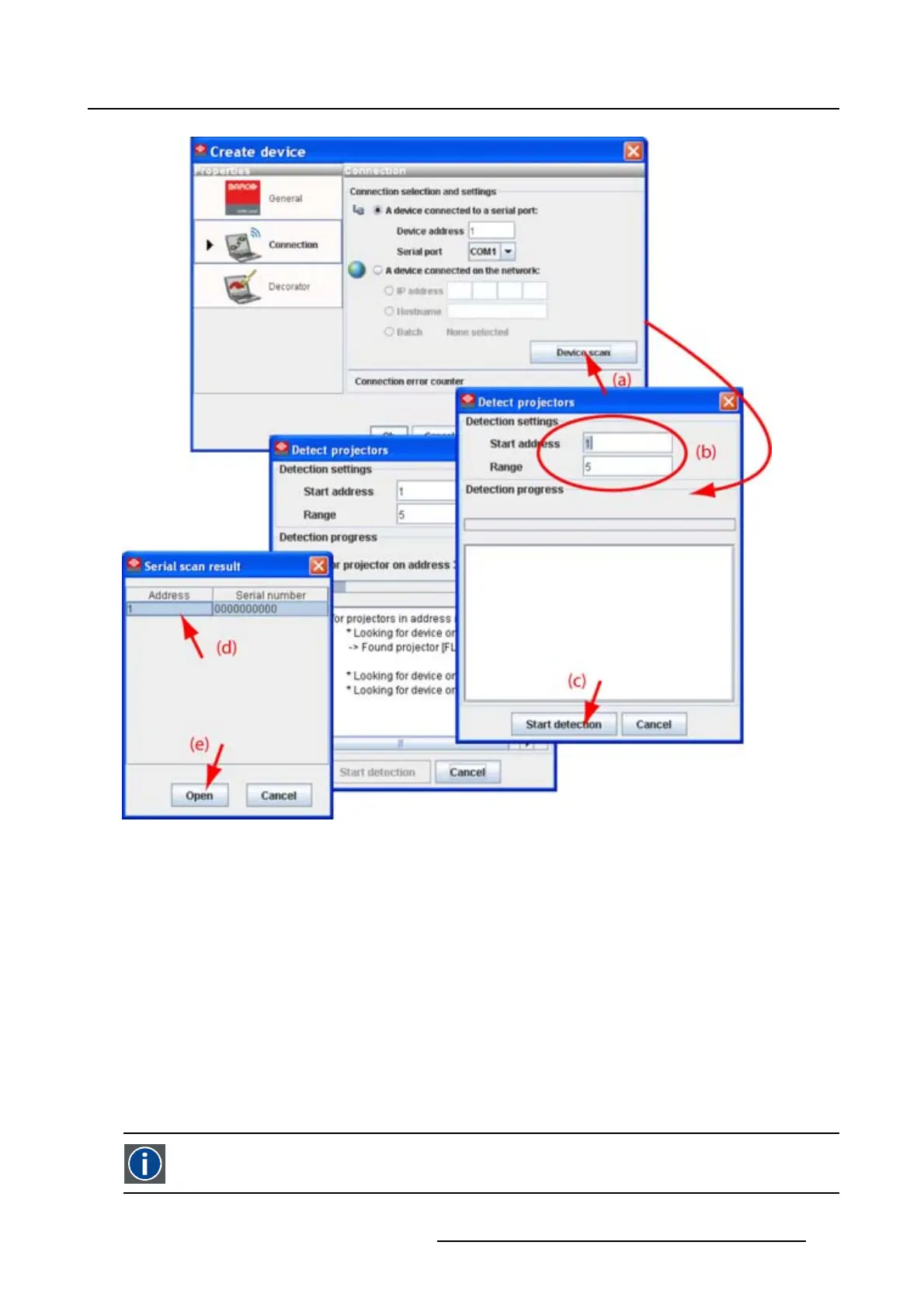
Image 5-6
Detect serial connected projectors
Fill out the address range (b) and click Start detection (c).
A Serial scan result dialog box opens.
Select the desired projector (d) and click Open (e). A connection is made with the selected projector.
5.4.3.2 Set up a Ethernet connection
Possibilities
To establish a Ethernet connection, the following ways are possible:
• Enter an IP address
• Enter a host name
• Scan the net work for the connected projectors
IP
Internet Protocol. The network layer of TCP/IP. Required for communication with the internet.
R5976924 PROJECTOR TOOLSET 16/04/2009 51



 To Next Page