6. Configurator, General projector settings
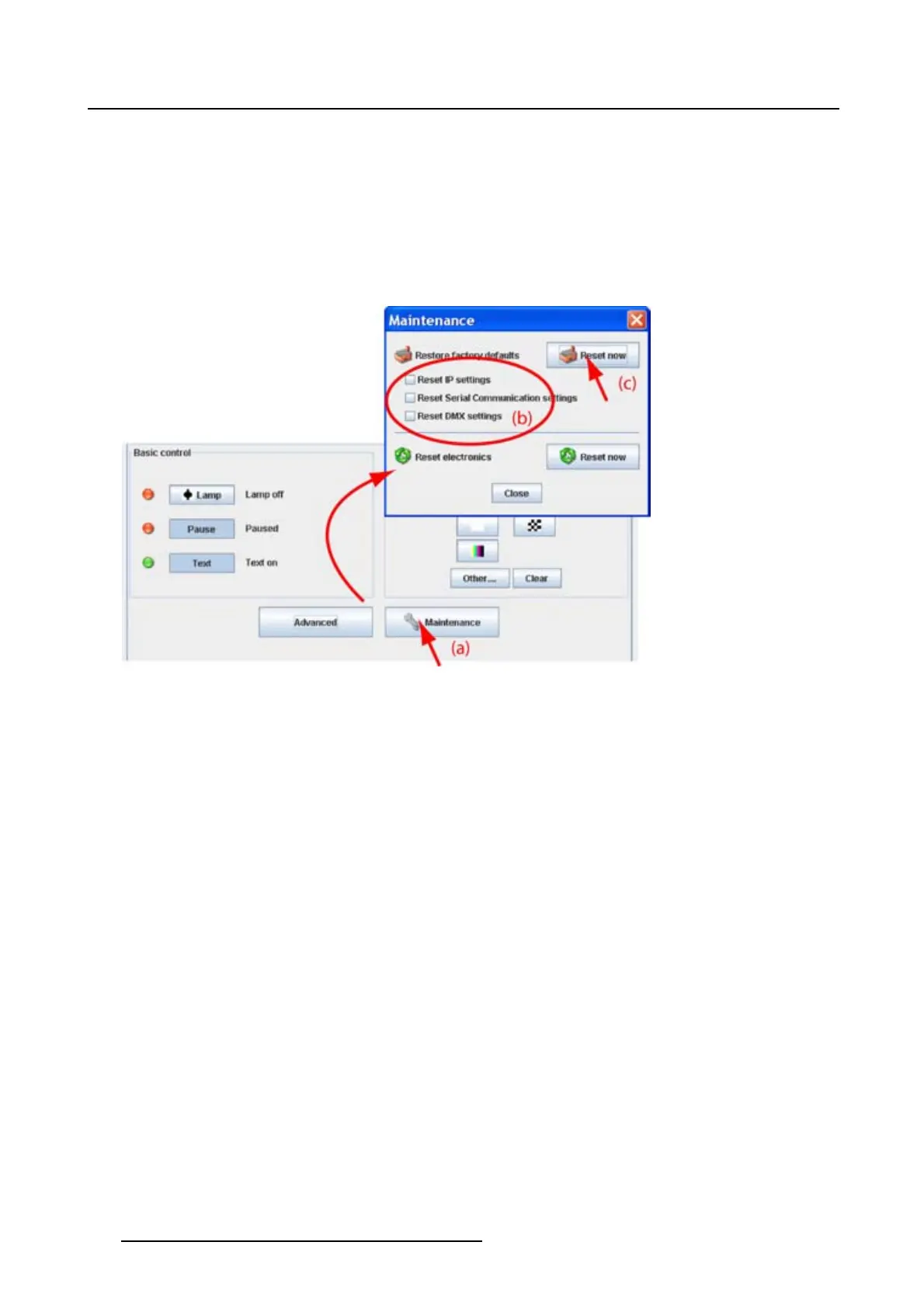
2. Check the items which may also be reset during the reset operation (b).
The following items are normally exclude during a reset operation:
-IPsettings
- Serial communication settings
- DMX settings
3. Click on the button Reset now next to Reset to factory defaults (c).
4. Click Close.
Image 6-23
Restore factory defaults
6.9.2 Reset electronics
How to reset
1. Click on Maintenance. (image 6-24)
The Maintenance dialog box is displayed.
2. Click on the button Reset now next to Reset electronics
.
3. Click Close.
90
R5976924 PROJECTOR TOOLSET 16/04/2009



 To Next Page