8. Configurator, Projector adjustment settings
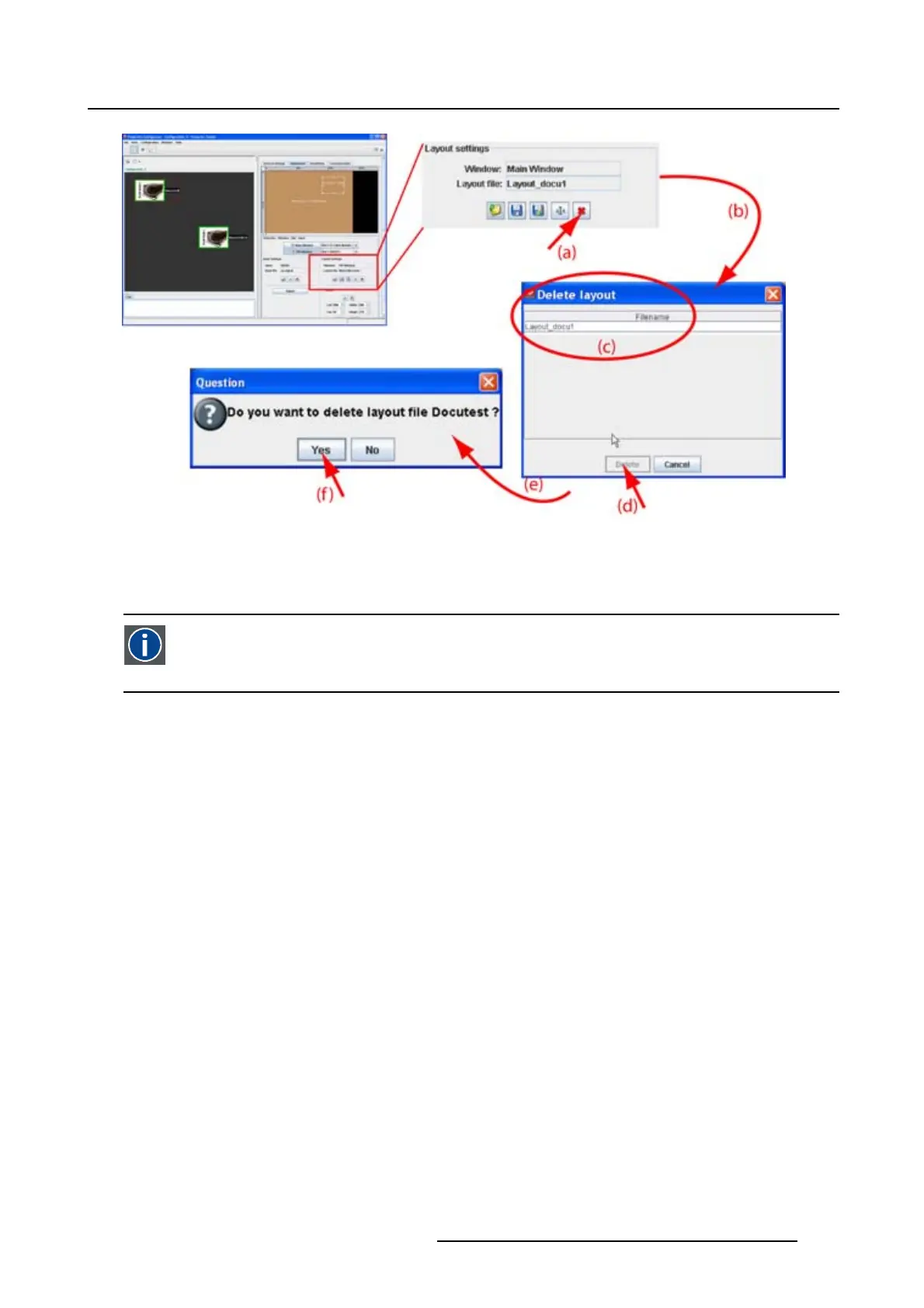
Image 8-46
Delete layout
8.7.13 Edit window texture
Window texture
Background of window representation in Layout preview. The texture can be a color or a pic-
ture.
Overview
•Startup
• Color fill
•Picture
8.7.13.1 Start up
Introduction
The rectangular which represents the window in the preview pane can have a colored filling or a picture as
filling. When using a picture as filling, the picture can be repeated to completely fill the window rectangular.
By giving other colors or pictures to the different windows a distinction between the sources can be made.
How to startup
1. Right click on the window to change the text
ure (a). (image 8-47)
A context menu opens.
2. Select Texture.
The Edit window texture dialog box opens (b).
R5976924 PROJECTOR TOOLSET 16/04/2009
147



 To Next Page