7. Configurator, Projector alignment settings
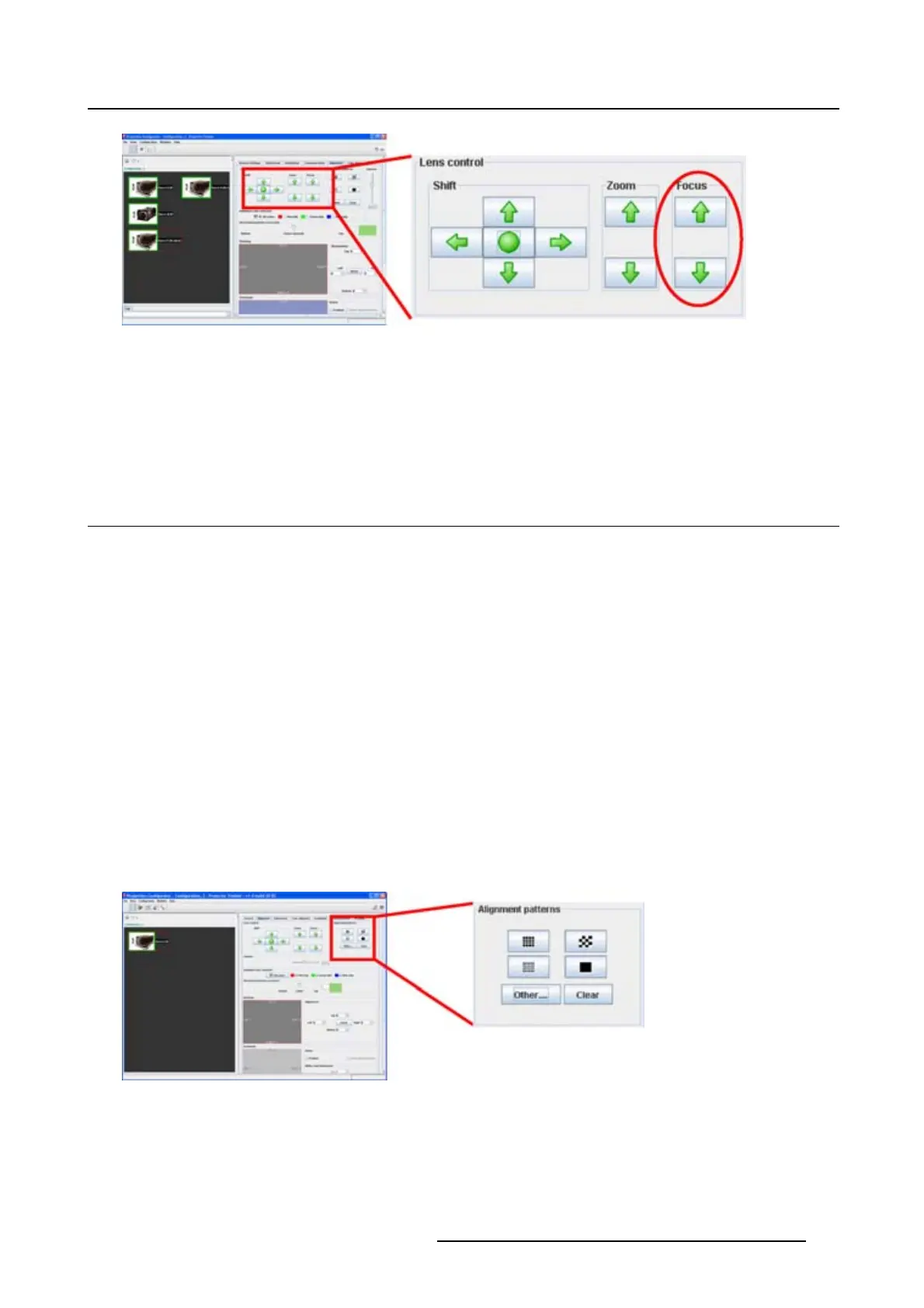
Image 7-4
Lens focus
How to focus
1. Click on the up or down arrow button in the focus pane.
Click until the correct focus is obtained.
7.2 Alignment pattern
What can be done?
A predefined pattern can be set immediately on the projection screen and cleared again. This can be
done via short cuts or via other internal patterns.
To select a short cut pattern
1. Click on one of the predefined buttons. (image 7-5)
The selected pattern is displayed by the projector when the lamp is on and the shutter is open (not
paused).
The following patterns are available:
- Focus
-Hatch
- Checkerboard
- Outline
For more patterns, click on Others.
2. To clear a projected pattern, click Clear.
Image 7-5
Test pattern selection
To select other test patterns
1. Click on Others (a). (image 7-6)
R5976924 PROJECTOR TOOLSET 16/04/2009
95



 To Next Page