8. Configurator, Projector adjustment settings
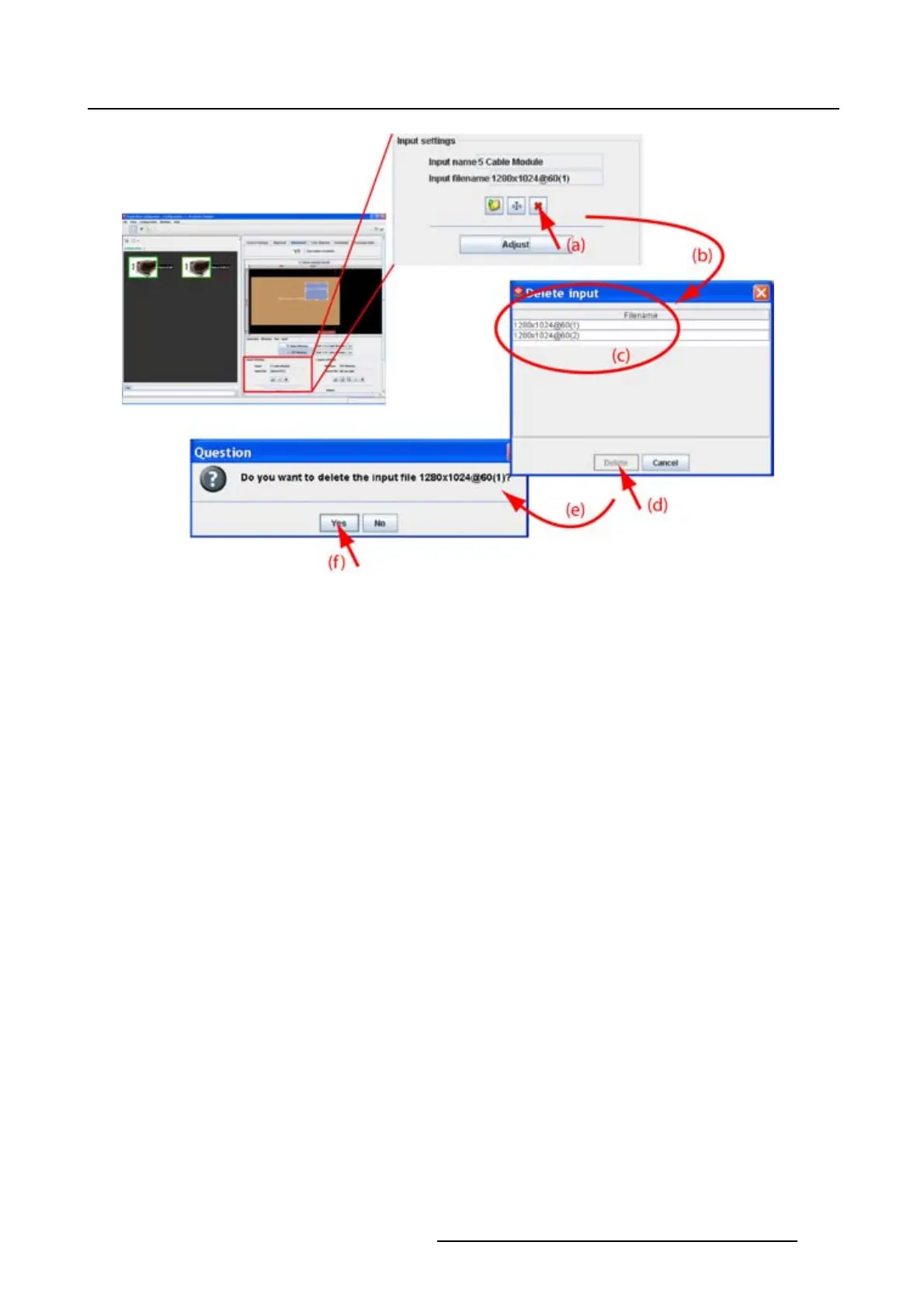
Image 8-17
Delete custom file via icon
How to delete, way 2
1. Click on Adjust.(image8-18)
The Input dialog box opens.
2. Click on File and select Delete.
The Delete input dialog box opens.
3. Select the file to delete from the list and click Delete.
A Question dialog box opens to ask if you are sure to delete the selected file.
4. Click Yes.
The selected file is deleted.
R5976924 PROJECTOR TOOLSET 16/04/2009
125



 To Next Page