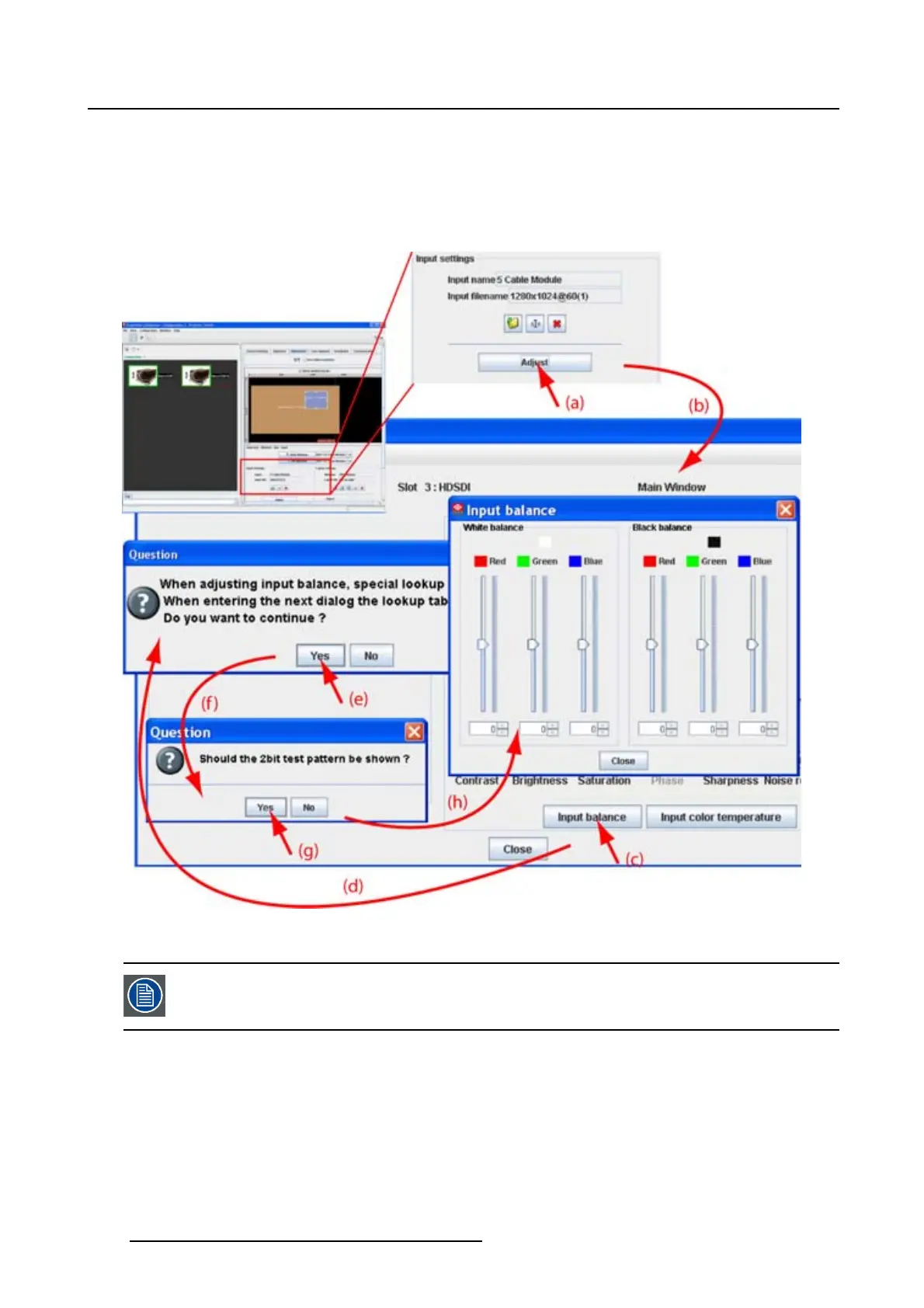
8. Configurator, Projector adjustment settings
6. Select Black balance green and adjust the Green black level until bright spots appear on the screen.
7. Select Black balance blue adjust the Blue black level until bright spots appear on the screen.
8. Select Black balance red adjust the Red black level until bright spots appear on the screen.
The projected image should now be noisy full black
Image 8-27
Input balance adjustment
If one uses a gray scale pattern, the bright spots should appear in the black bar.
Performing White input balance
1. Connect the source you want to project.
2. Select a white pattern (or gray scale as alternative) or use the suggested 2 bit pattern.
3. Adjust the red white level (gain) on a minimal value
132
R5976924 PROJECTOR TOOLSET 16/04/2009



 To Next Page