Using BD FocalPoint™ Slide Profiler Reports
113
12.1.4 Print Summary Statistics
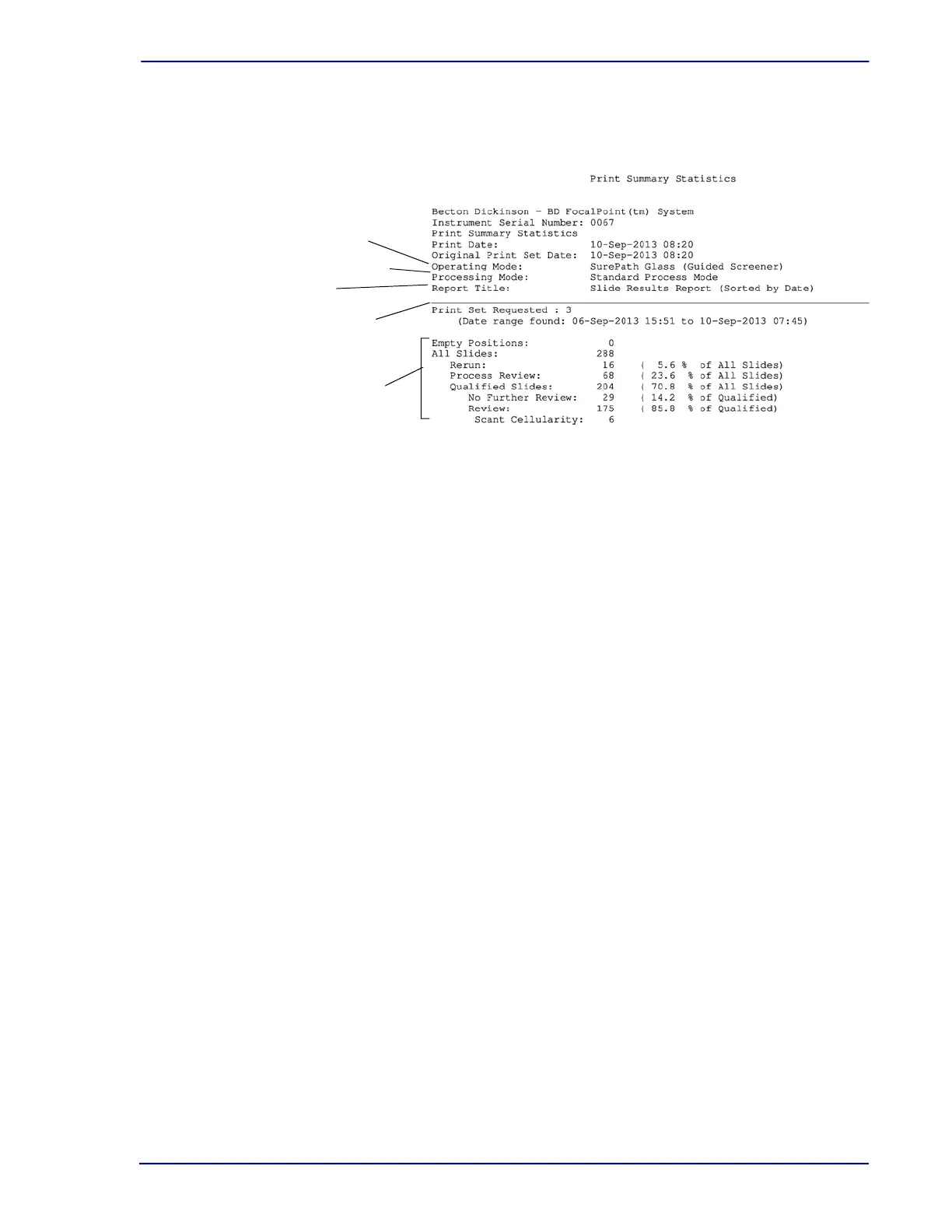
When the reports from the printer are collected, a Print Summary Statistics sheet accompanies
each set of reports. An example of such a report is illustrated in Figure 12-1.
Figure 12-1 – Print Summary Statistics
Review the contents of this report as it summarizes the data for the print set. Present on this
report are:
• the operating mode (SurePath Glass or SurePath Plastic)
• the processing mode (Standard Process Mode)
• the report title that indicates the type of report printed
• the print set number assigned to this slide set
• the number of qualified slides in the selected print set
• the summary of slide results
12.2 Report Options
This section discusses the various types of reports and the rationale for selecting certain types of
reports and options. Because each laboratory handles their cytology work flow differently, it is
impossible to standardize a single report that meets each lab’s needs. Thus, we’ve provided
several types of reports with sorting and layout options that allow the user to print slide result
reports that best suit the workflow in your laboratory.
12.2.1 Report Types
There are six types of report available:
• Slide Results: Lists results for all slides by Rank, Barcode or Date. (See Section 12.3.1 for an
example of this report).
• Review Report: Lists all slides designated
Review. (See Section 12.3.2 for an example of
this report).
• QC Review Report: Lists all slides selected for
QC Review plus a limited number of Review
slides. When report type is selected, the same options are available as for the other reports,
but the feature that allows selecting the portion of slides to print for QC review becomes
active (no longer dimmed). (See Section 12.3.3 for an example of this report). For additional
information, see Section 14.2.
• Archive Report: Lists all slides that were designated to
No Further Review (See Archive
Report in Section 12.3.4 for an example of this report).
Number of qualified slides
and a summary of the results
for the selected slide set
Print set number (assigned
at time of printing)
Report title
Processing Mode
Operating Mode



 To Next Page