87
9 Customizing BD FocalPoint™ GS Review
Station Lists
The BD FocalPoint™ GS Administration Tool allows the customization of the appearance and
performance of the Archive and Lists functions. Managing the BD FocalPoint™ GS Review
Station Server details how to use the archive portion of this utility. This section describes how to
customize the lists that are used in the BD FocalPoint™ GS Review Station user interface.
9.1 Editing BD FocalPoint™ GS Review Station Lists
The BD FocalPoint™ GS Review Station provides an extensive list of entries to use when
evaluating a slide image. This list was designed to conform to the 2001 Bethesda System.
However, to configure the selections to better suit your needs, the Administration Tool can be
used to change them.
The three following lists (Organisms/Other Non-Neoplastic Findings, Specimen Adequacy, and
Interpretation/Results) are used when entering an evaluation for a slide image.
9.1.1 To access the list revision controls
This section details how to access the utility to revise lists and how to use the controls.
1 From the Windows Start menu, select Programs†
FocalPoint™
GS†
FocalPoint™
GS - Tools†
FocalPoint™
GS - Administration.
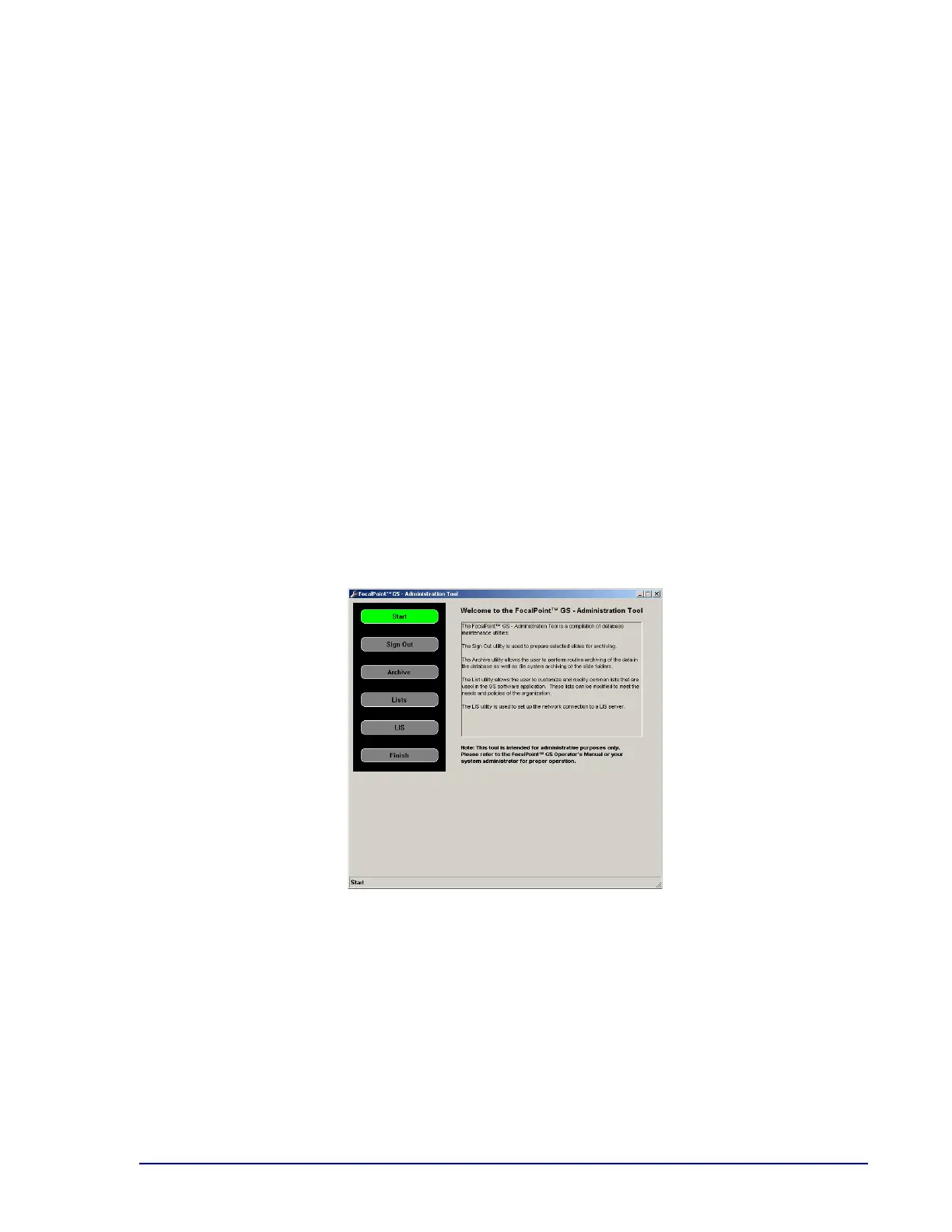
The Administration Tool is displayed.
Figure 9-1 – BD FocalPoint™ GS Administration Tool (instructions)
2 On the BD FocalPoint™ GS Administration Tool control panel, click the Lists button.
The utility displays the controls used to update the lists.



 To Next Page