Managing the BD FocalPoint™ GS Review Station Server
71
7.4.1 Viewing Archived Slide Data
Once the slides have been archived (removed from the database on the server), they might need
to viewed again. This can be done by opening the Archive Application at the BD FocalPoint™
GS Review Station.
First, ensure that the BD FocalPoint™ GS Review Station has been properly mapped on the
network to receive this information.
BD Service personnel will complete these steps.
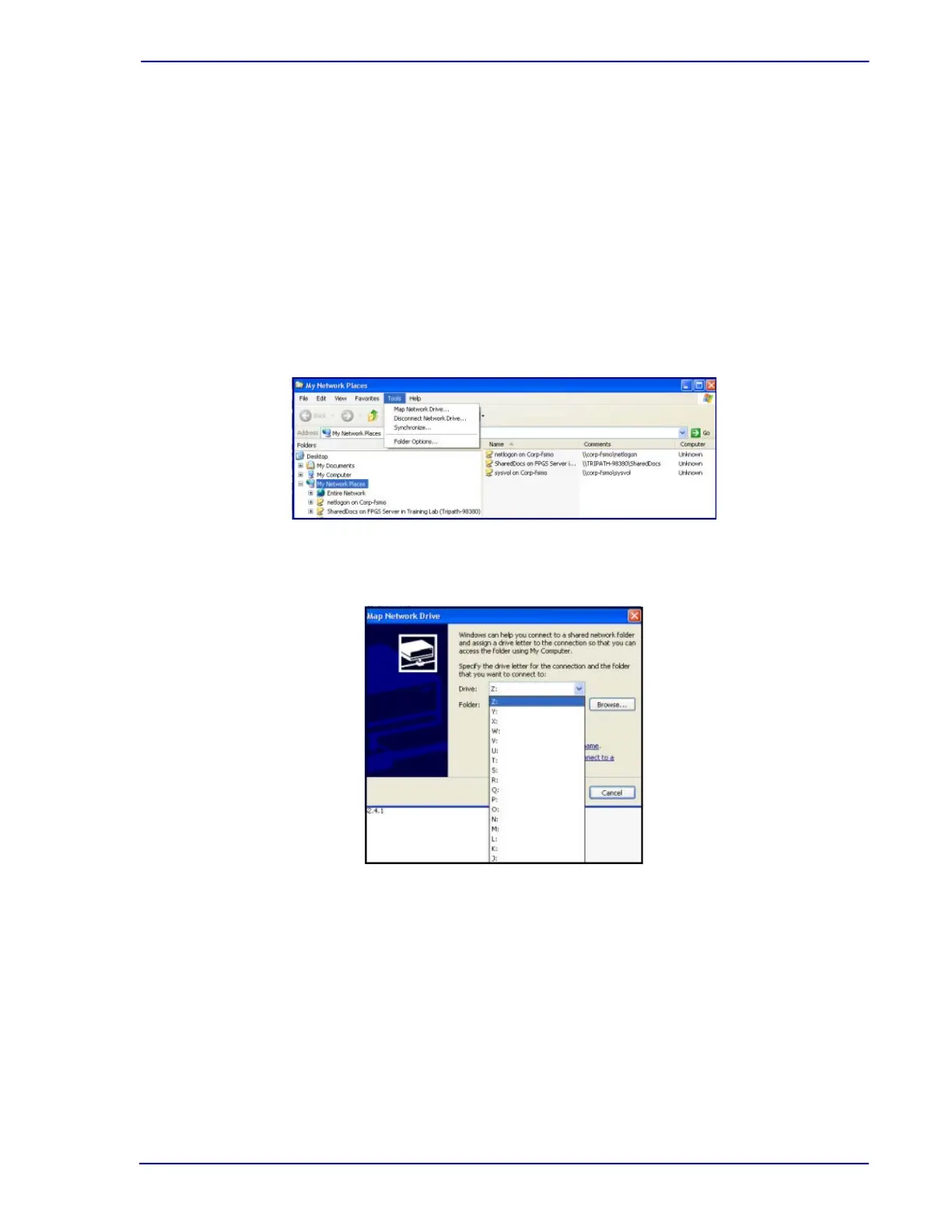
1 From the Windows desktop, right click the My Network Places icon.
2 Select Explore.
3 Select Tools.
4 Select Map Network Drive.
Figure 7-19 – My Network Places menu
5 In the Map Network Drive window click on the arrow for the Drive: dropdown menu.
Figure 7-20 – Map Network Drive menu
In the figure above, the archive folder is not mapped. If it were mapped, there would be an IP
address followed by the drive and folder name after one of the letters. To map the archive
folder, call your primary BD FocalPoint™ GS administrator or BD Technical Service and
Support.



 To Next Page