BD FocalPoint™ GS Imaging System Instrument User’s Manual
34
3.6.1 Full Slide Manual Review
To perform a full slide review, use the manual stage controls on the microscope and perform a
full slide manual review. If a full slide review is required, it should be performed immediately
following the FOV review.
3.7 Finishing a Slide
Finishing a slide is a two-step process:
1 Select the Eval or No Eval function.
2 Assign a slide status.
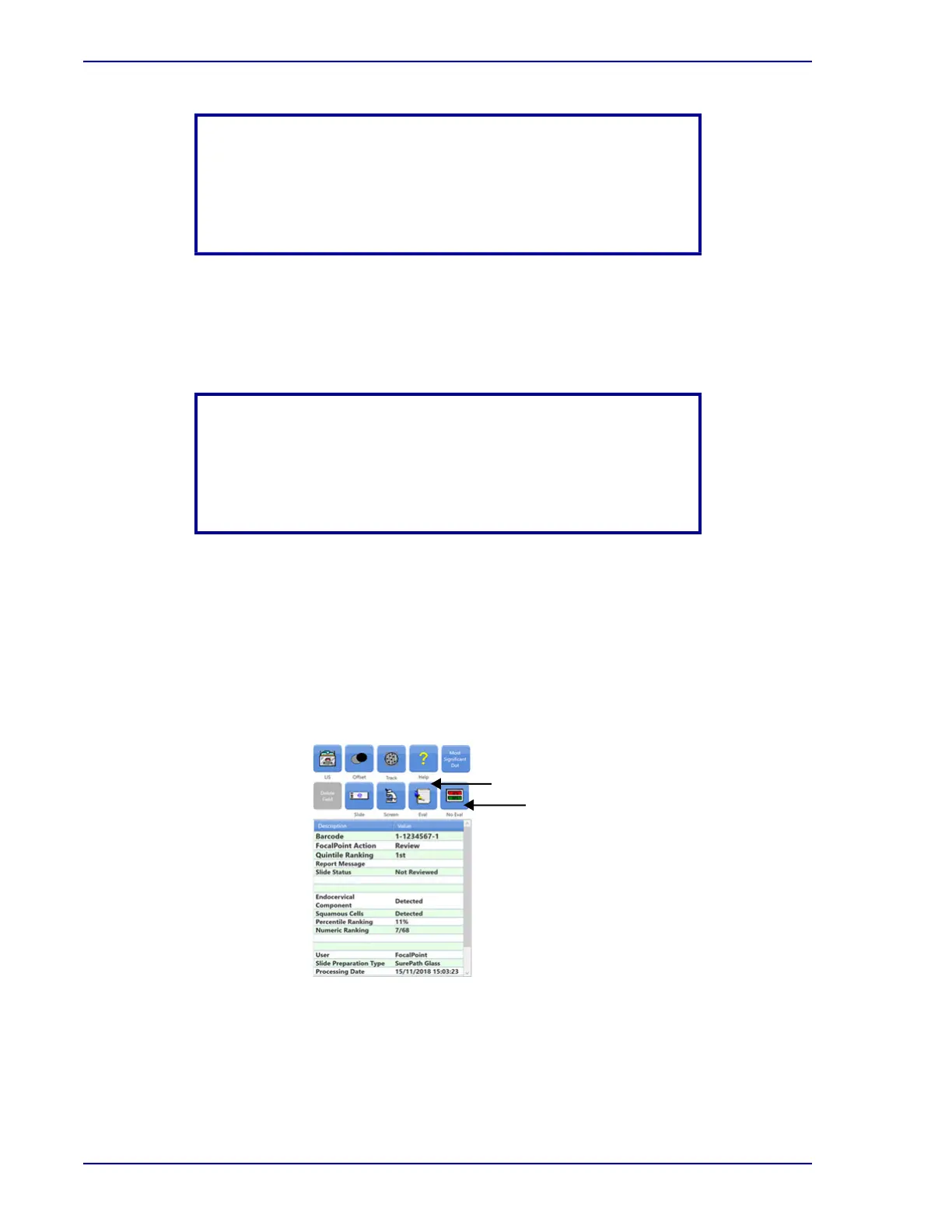
The two buttons that initiate the process of finishing a slide are called Eval or No Eval. These
buttons are found in the control panel.
Figure 3-12 – Evaluation dialog box
NOTE
Samples of low or inadequate squamous cellularity must be
considered at increased risk for harboring a significant lesion, and
thus deserve additional attention during the screening process.
(Refer to the BD FocalPoint™ GS Imaging System product insert.)
NOTE
Manual dotting of cells of interest is performed according to your
laboratory's current procedure. GS Review software allows for
electronic dotting and screening. Refer to Screening Slides in
Section 4.
Eval
No Eval



 To Next Page