BD FocalPoint™ GS Imaging System Instrument User’s Manual
42
3 Use the microscope stage controls to screen the slide. FOVs marked by the Profiler display
as black dots on the slide map.
4 If additional areas of interest need to be dotted, use the electronic dotting function as
described in Section 4.
5 When slide evaluation is complete, proceed to Section 3.7.
4.3.2 Other Types of Slides
There are two options to screen slides not processed on the BD FocalPoint™ Slide Profiler:
• Manual screening with manual dotting
• Manual screening with electronic dotting and annotation
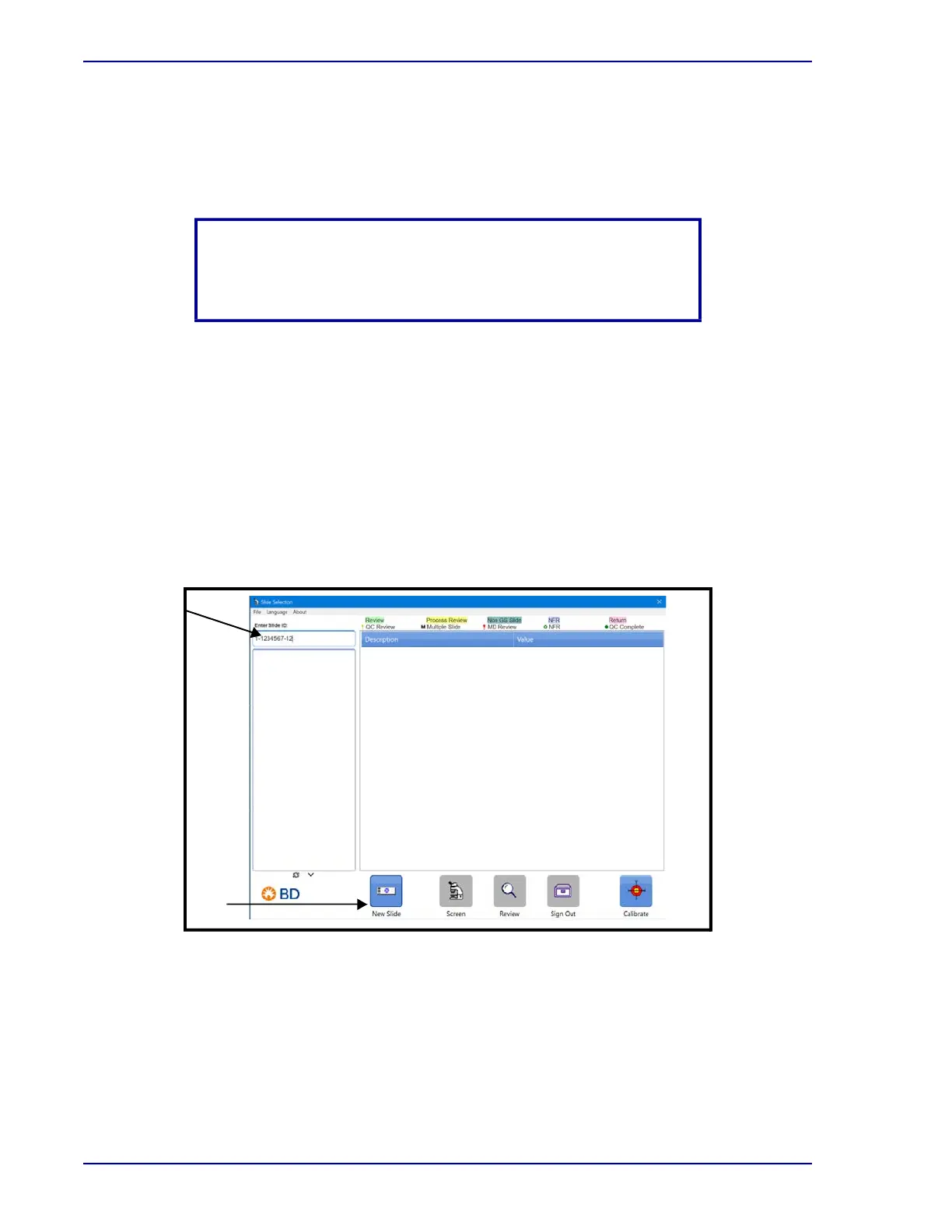
1 Enter the slide accession number in the input box at the top of the slide list or scan the slide
barcode. Once the number is accepted, the BD FocalPoint™ GS Review Station notes that
slide information is not in the database and the New Slide button is enabled.
.
Figure 4-5 – Slide Selection window
NOTE
Return to Review mode and click on the Review button to annotate
an FOV. Refer to Annotating an FOV in Section 5.
New Slide
Button
New
Accession
Number



 To Next Page