BD FocalPoint™ GS Imaging System Instrument User’s Manual
52
5.3.1 Slide Status Information
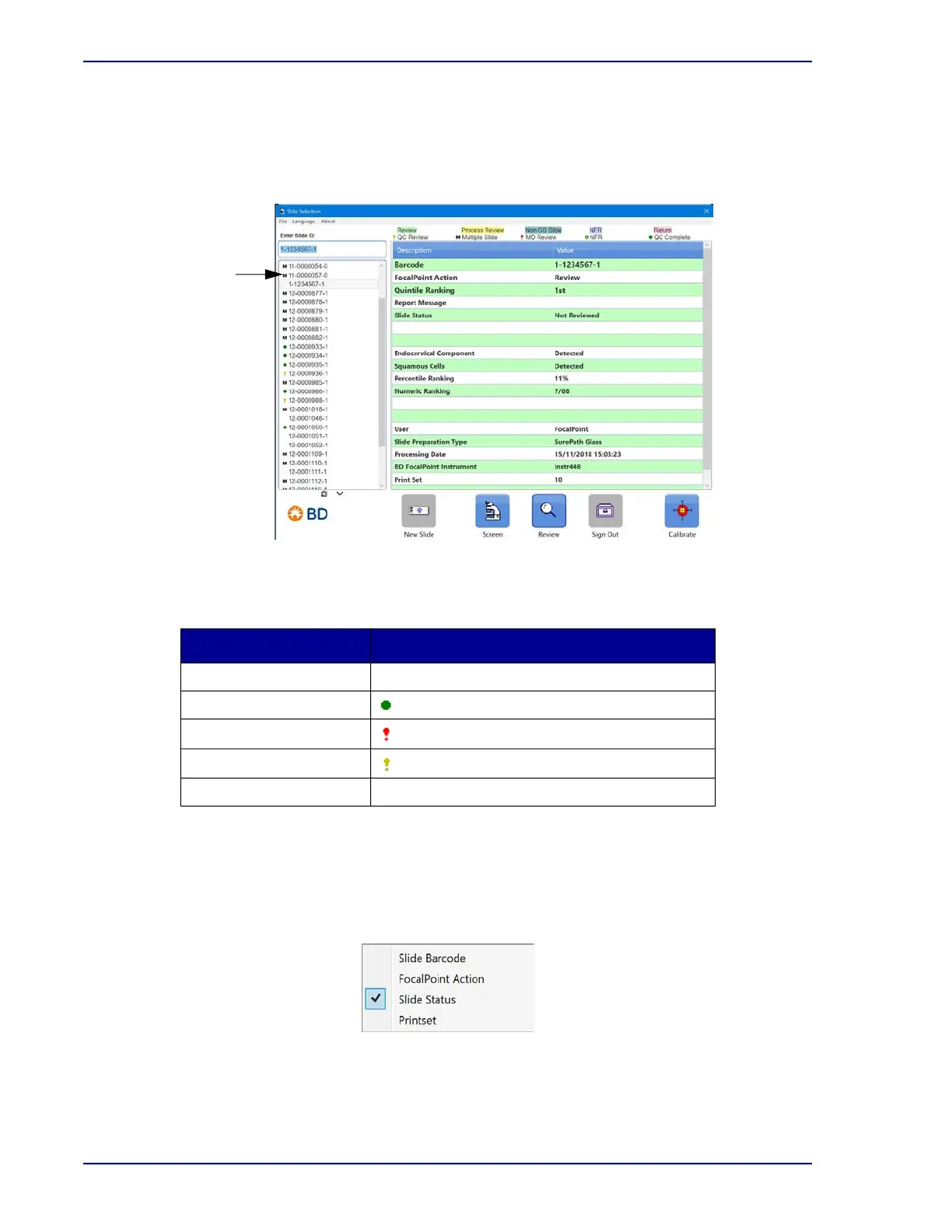
Slides are assigned different icons with associated colors based on their processing and
interpretation status. As illustrated in Figure 5-14, these icons are displayed just to the left of the
slide list.
.
Figure 5-14 – Slide List (emphasized)
Table 5-3 details the slide status icons that are used in the slide list.
Table 5-3 – Slide Status Icons
The slide list automatically sorts according to slide status; however, the barcode accession
numbers displayed in the slide list can be sorted in different ways. To bring up the sort menu,
right click the mouse button while the cursor is over the slide information portion of the window.
The following drop down menu is displayed.
.
Figure 5-15 – Slide Status window
Slide Status ICON
Not Reviewed No icon
Ready For Signout
Awaiting Further Review
Awaiting QC Review
Multiple Runs M
Slide List



 To Next Page