BD FocalPoint™ GS Imaging System Instrument User’s Manual
88
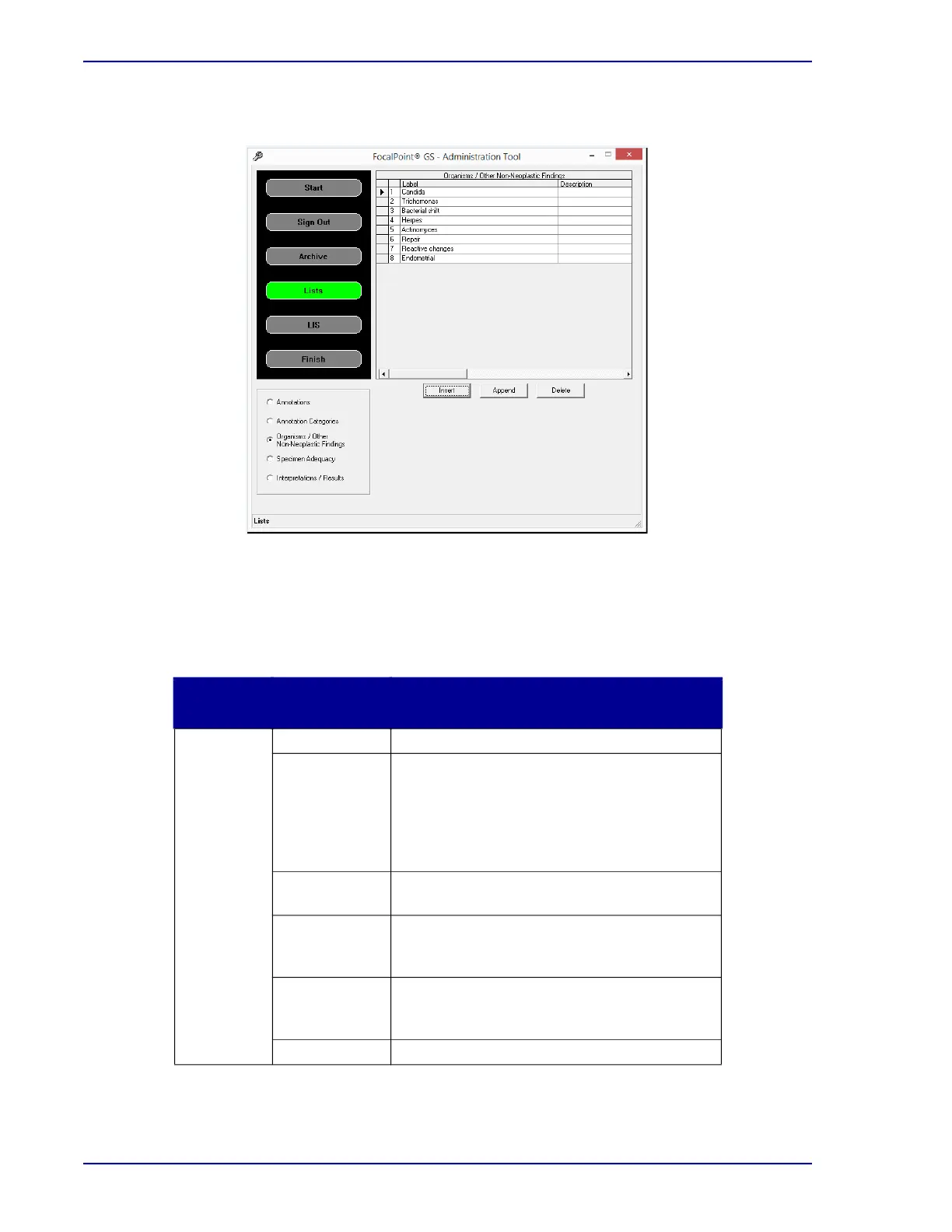
3 Figure 9-2 illustrates the basic controls used to work with lists.
Figure 9-2 – BD FocalPoint™ GS Administration Tool (list controls)
List controls
The following table details the functions of the controls available on the BD FocalPoint™ GS
Administration Tool when working with lists.
Group
Name
Control Associated Function
Control
Panel
buttons
Start Click to display summary instructions for use.
Sign Out Click to display the controls needed for
signing out slide data (used to select the
slides to be archived). Also contains some
Administrative-level options related to
BD FocalPoint™ GS Review Station workflow
(Discussed in Section 7).
Archive Click to display the controls needed for
archiving slide data (Discussed in Section 7).
Lists Click to display the controls needed for
customizing BD FocalPoint™ GS Review
Station lists.
LIS Click to configure the network settings for
linking the BD FocalPoint™ GS Review
Station Server with your LIS.
Finish Click to close the utility.



 To Next Page