Managing the BD FocalPoint™ GS Review Station Server
75
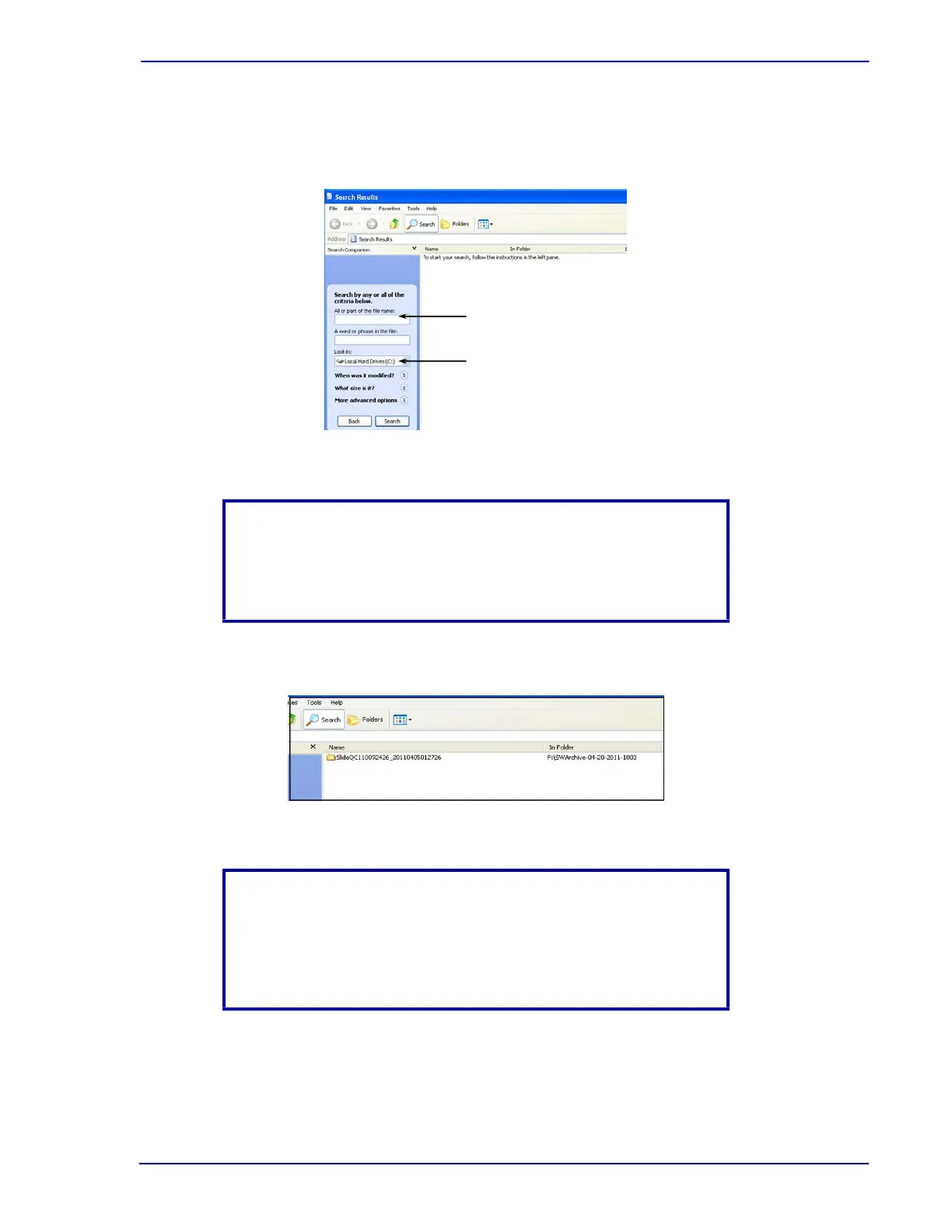
3 Fill in the desired slide number in the All or part of the file name: field and the location of
the archived data in the Look in: field.
Figure 7-28 – Search menu (enter search criteria)
4 The located slide will appear along with the location of the folder.
Figure 7-29 – Search menu (located file)
NOTE
When searching for a slide, the drive being searched can be
changed. For example, with an external drive, change the Look in:
to the external drive location.
NOTE
If the search is performed at a BD FocalPoint™ GS Review Station,
click over the located slide and click Send to My Documents on the
Review Station. To review the FOV for that slide, browse My
Documents located on the Review Station.
Slide number
Drive information



 To Next Page