My BERNINA
2 Introduction 13
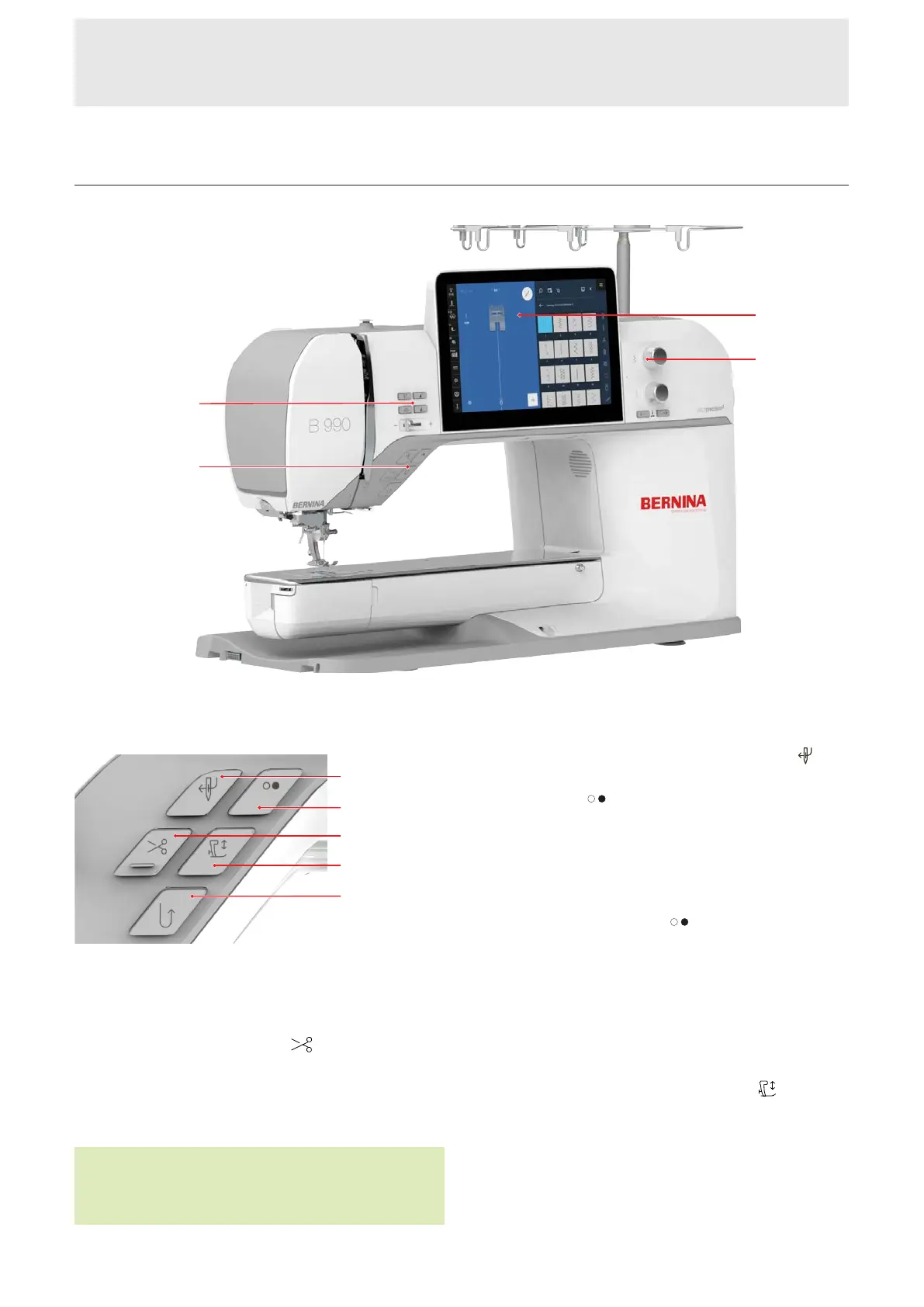
Controls
1External Buttons above the Needle 2Left Controls 3Display 4Right Controls
External Buttons above the Needle
1Automatic Needle Threader 2Start/Stop 3Thread
Cutter 4Presser Foot Up/Down 5Quick Reverse
Thread Cutter
You can use the Thread Cutter
button to cut the
upper thread and the bobbin thread automatically.
If necessary, the machine is stopped, the needle and
presser foot are lowered, the upper thread and lower
thread are cut.
TIP
In the Sewing Settings External Buttons, you can
assign additional functions to the button.
Automatic Needle Threader
You can use the Automatic Needle Threader
button to thread the needle automatically.
The Start/Stop
button is deactivated and lights up
red. The upper thread is threaded into the needle.
If the needle is in the incorrect position, the needle will
first be moved to the correct position.
Start/Stop
You can use the Start/Stop
button to start or stop
the machine.
n Lights up green when the machine is ready.
n Lights up red when the machine is not ready.
n Does not light up when the machine is sewing or
embroidering.
Presser Foot Up/Down
You can use the Presser Foot Up/Down
button to
raise or lower the presser foot.
Depending on the starting position, the presser foot is
either raised all the way up or lowered to the hover
position.
You can define the hover position height in the
Settings.










 To Next Page