My BERNINA
2 Introduction 20
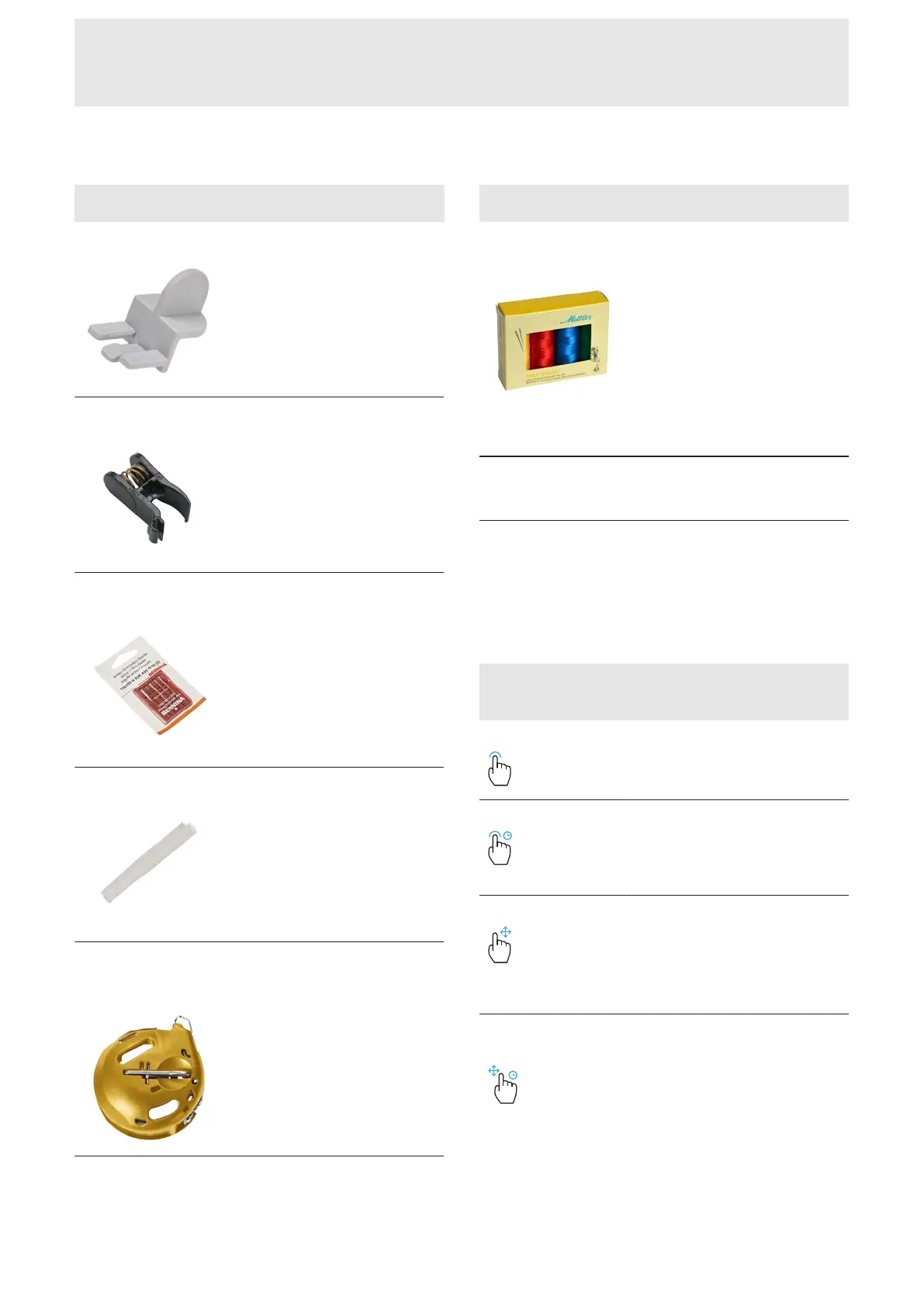
Accessories Purpose
6x Template Holder
To fix the template in the
embroidery hoop.
4x Fabric Clamp
For fixing the fabric to the outer
frame of the Giant Hoop.
Embroidery Needle
Assortment
For embroidering.
Thread Spool Net
To regulate threads that unwind
too quickly from the spool, e.g.
nylon, rayon, silk or metallics.
High Thread
Tension Bobbin
Case
Increase the lower thread tension
for machine embroidery and free-
motion quilting.
Accessories Purpose
Embroidery Thread
Set
For embroidering.
2.3 User Interface Overview
User Interface Operation
Operation with Touch Gestures
The software can be operated with the touch-sensitive
screen using touch gestures or the included touch-
screen pen.
Gestures with
One Finger
Application
Tap
n Select functions, stitch
pattern or embrodery
design
Tap and Hold n Open context menu in the
File Manager and
Embroidery Design
Overview
Drag n Scrolling in menus,
windows and bars
n Draw stitches in the Stitch
Designer
n Move Hoop View
Tap and Hold and
Drag
n Move or delete selected
stitches in Combi Mode
n Move selected layers in
Embroidery Mode
n Delete layers from the
layer bar in Embroidery
Mode










 To Next Page