My BERNINA
2 Introduction 22
Home Screen
Main Menu
►
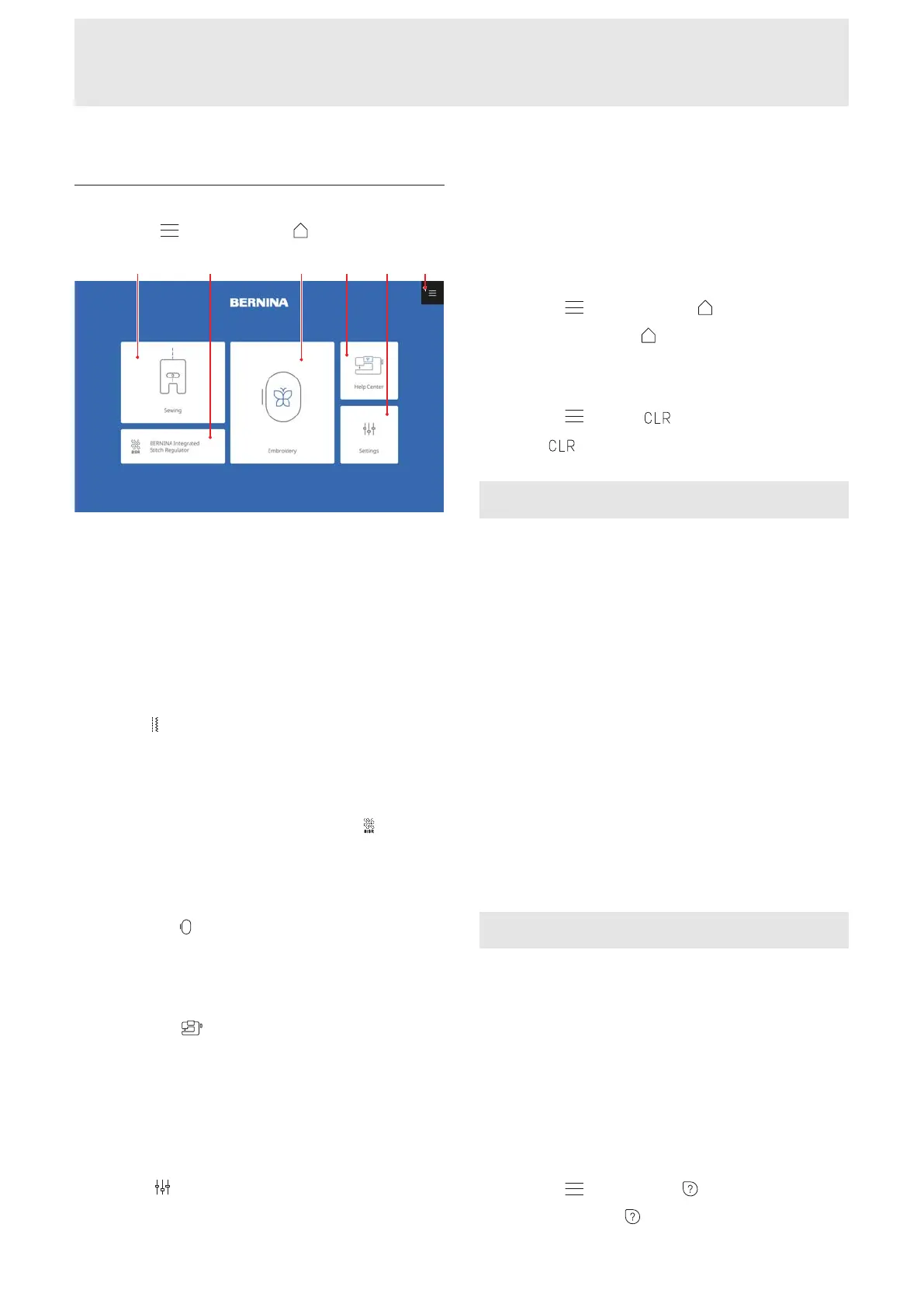
Home Screen
1Sewing 2BERNINA Integrated Stitch Regulator
3Embroidery 4Help Center 5Settings 6Main
Menu
Modes
The main modes give you quick access to the most
important functions of your machine.
Sewing
In Sewing
mode, you will find the functions you
need for practical and creative sewing. [}see
page49]
BERNINA Integrated Stitch Regulator
In BERNINA Integrated Stitch Regulator
mode,
you can sew and quilt with the integrated stitch
regulation. [}see page72]
Embroidery
In Embroidery
mode, you will find functions for
creative machine embroidery and computerized
quilting. [}see page79]
Help Center
In Help Center
mode, you will find frequently
requested instructions and information, the Onboard
Manual and Creative Consultant for various sewing,
embroidery and quilting techniques. Connect to your
device with WiFi connectivity to use the Help Center on
an external device. [}see page24]
Settings
In Settings
mode, you can adjust various functions
in sewing and embroidery, carry out simple
maintenance operations and update the machine
firmware.
Main Menu
The Main Menu provides shortcuts to quickly navigate
to the following modes from any screen.
Home Screen
Main Menu
►
Home Screen
With the Home Screen menu entry, you can return
to the Home Screen. [}see page22]
Clear
Main Menu
►
Clear
The Clear menu entry resets the following settings
to the default values:
Sewing Mode
n Stitch Length and Stitch Width of the Selected
Stitch
n Needle Position
n Mirroring
n Long Stitch
n Pattern Repeat
n Balance
n Directional Sewing
n Jumbo Stitch
n Stitch Density
n Upper Thread Tension
n Programmed Buttonhole Length
n Darning Program Settings
n Tapering Stitches
n Backstepping
n Stitches with Stitch Counter
n Presser Foot Selection
Embroidery Mode
n Design Position
n Rotation
n Scaling
n Mirroring
n Stitch Density
n Presser Foot Selection
n Shape Designer
n Thread Color Modifications
Quick Help
Main Menu
►
Quick Help
With the Quick Help function, you can tap any
screen element and receive help on its use. [}see
page24]










 To Next Page