Sewing
6 Prepare and Edit Stitch Pattern 70
TIP
You can also drag and drop selected stitch patterns
out of the combination bar to the left to remove
them.
6.7 Save
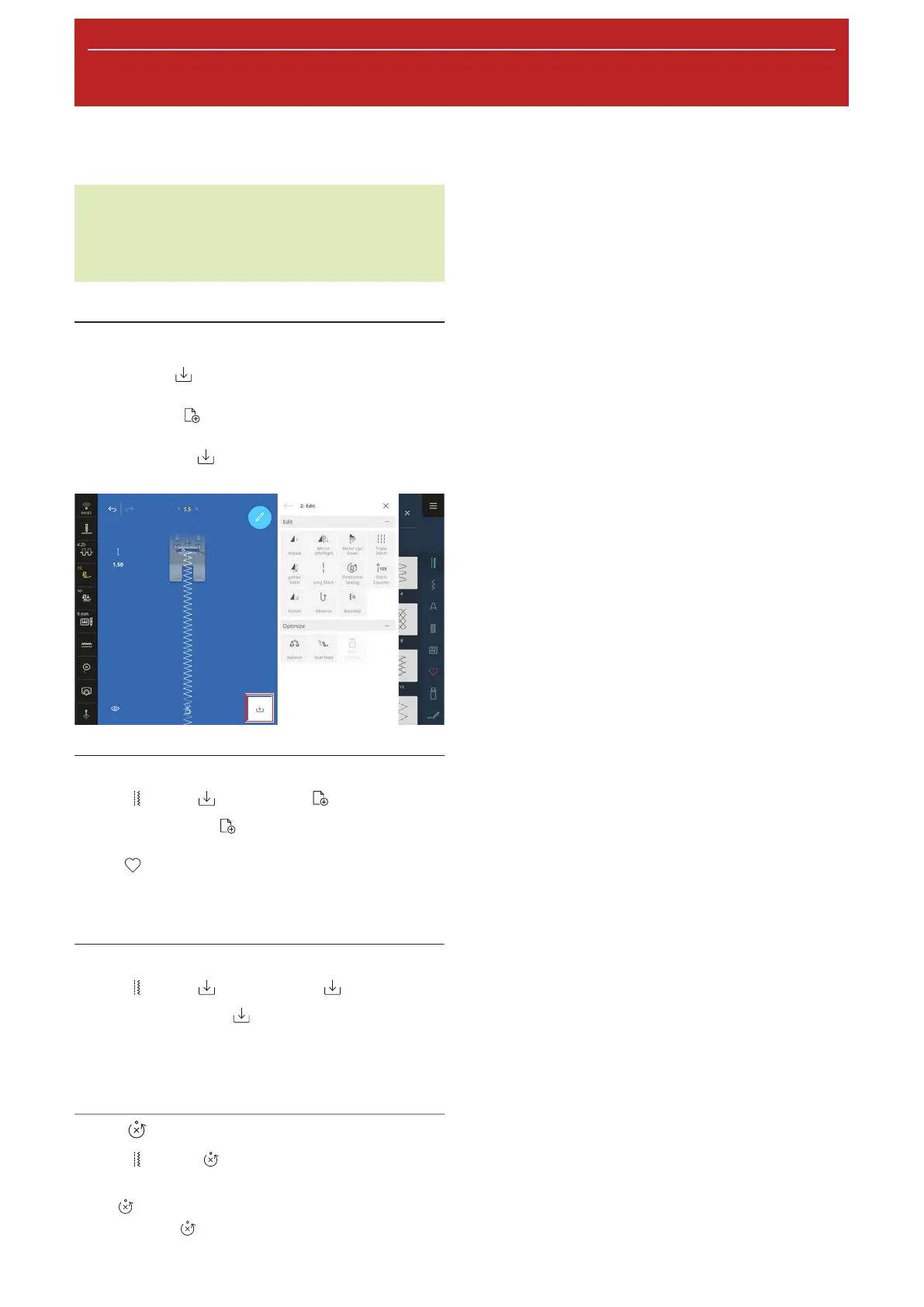
With the Save function, you can save a modified
stitch pattern as follows:
n New Stitch
: Save stitch pattern as new stitch
pattern. [}see page70]
n New Default
: Save stitch pattern with new
default settings. [}see page70]
New Stitch
Sewing
►
Save
►
New Stitch
With the New Stitch function, you can save
modified stitch patterns in the folder Personal
Folder
or on a USB stick. To do so, you need to
name the new stitch and select the folder in which it
should be saved. [}see page51]
New Default
Sewing
►
Save
►
New Default
With the New Default function, you can save a
modified stitch pattern as the new standard setting.
Each time you select the stitch pattern in the File
Manager, it will be opened with the new settings.
Reset
Sewing
►
Reset
If you load a stitch with new default settings, the
Reset
function is displayed on the Sewing Screen.
With the Reset
function, you can reset the saved
settings to the factory default.










 To Next Page