Embroidery
11 Embroidery Screen 79
Main Menu
►
Embroidery
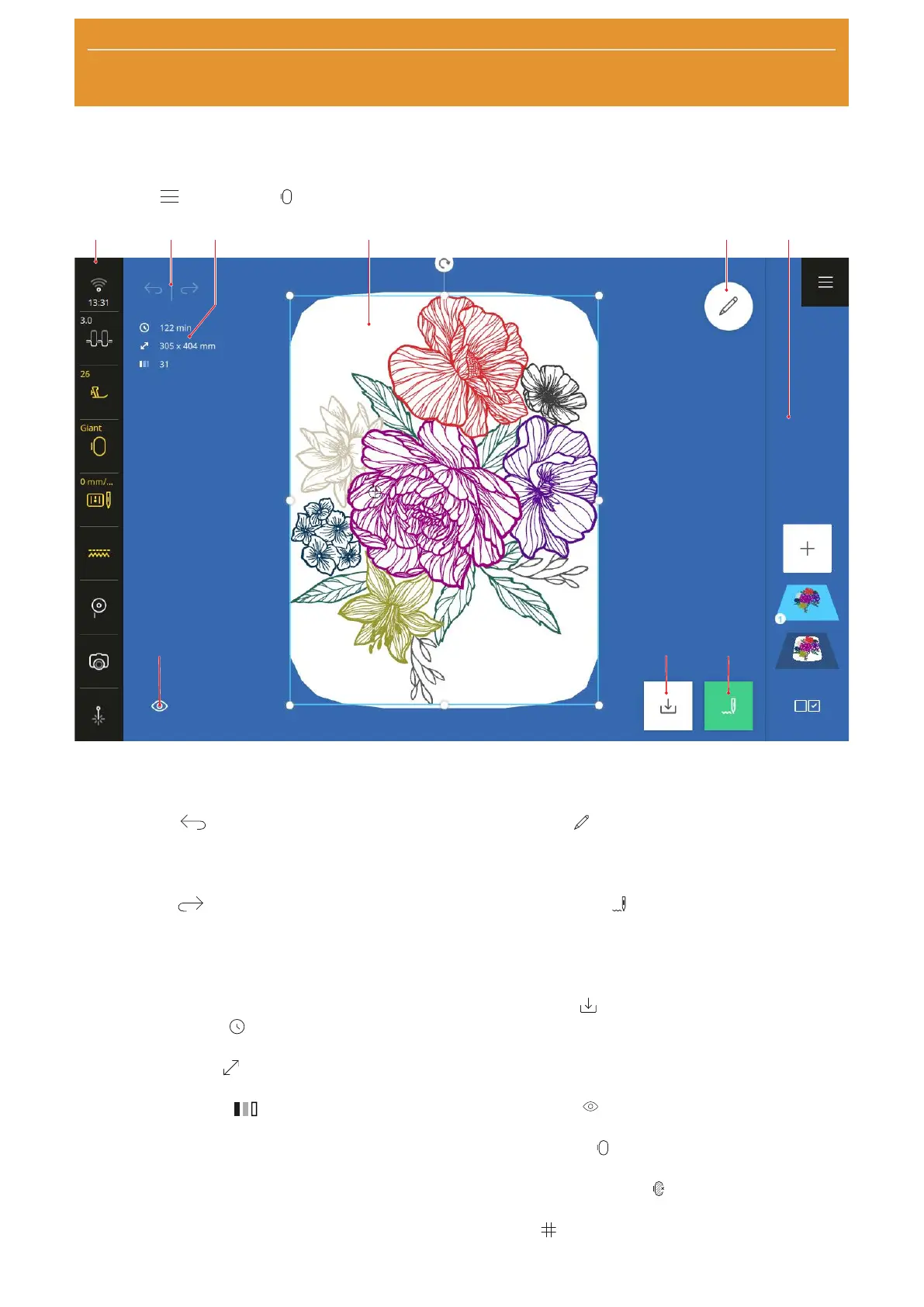
1Status Bar 2Undo/Redo 3Info Box 4Design Preview 5Edit 6Layer Bar 7Stitchout 8Save 9View
Undo
With the Undo
function, you can undo the most
recent actions.
Redo
With the Redo
function, you can redo undone
actions.
Info Box
In the Info Box, you can find the following information
about the embroidery design:
n Embroidery Time
: Estimated time required to
stitchout the selected layer(s).
n Embroidery Size
: Overall width and height of
selected layer(s).
n Number of Colors
: Number of colors used in
the selected layer(s).
Design Preview
The Design Preview shows a preview of the current
embroidery designs in the attached or selected hoop.
Edit
With the Edit
function, you can show editing
functions for the embroidery designs. [}see page84]
Stitchout
With the Stitchout
function, you can open the
Stitchout Summary window und start stitchout.
[}see page94]
Save
With the Save
function, you can save the
embroidery design in your Personal Folder or on a USB
stick. [}see page93]
View
With the View
function, you can adjust the view on
the Embroidery Screen.
n Background
: Adjust the background of the
hoop. [}see page83]
n Background On/Off
: Display or hide the
background of the hoop.
n Grid
: Display the center of the hoop, display a
grid and hide the center point and grid.










 To Next Page