Maintenance
14 Care and maintenance 99
Cleaning the Screen
1. Lock screen and sewing functions.
2. Wipe down the screen with a soft, slightly damp
microfiber cloth.
Cleaning the Feed Dog
Thread residue accumulates under the stitch plate over
time. Remove the thread residue on a regular basis.
1. Raise the needle and presser foot.
2. Lower feed dog.
CAUTION
Electronically Driven Components
Risk of injury near the needle and the hook.
►
Switch off the machine and disconnect it from the
power supply.
3. Remove the needle and presser foot.
4. Remove the stitch plate.
NOTICE
Dust and thread remnants inside the machine
Damage to mechanical and electronic components.
►
Use a brush or a soft cloth.
►
Do not use compressed air spray.
5. Clean the feed dog with the brush.
Cleaning the Hook
CAUTION
Electronically Driven Components
Risk of injury near the needle and the hook.
►
Switch off the machine and disconnect it from the
power supply.
1. Open the bobbin cover.
2. Remove the bobbin case.
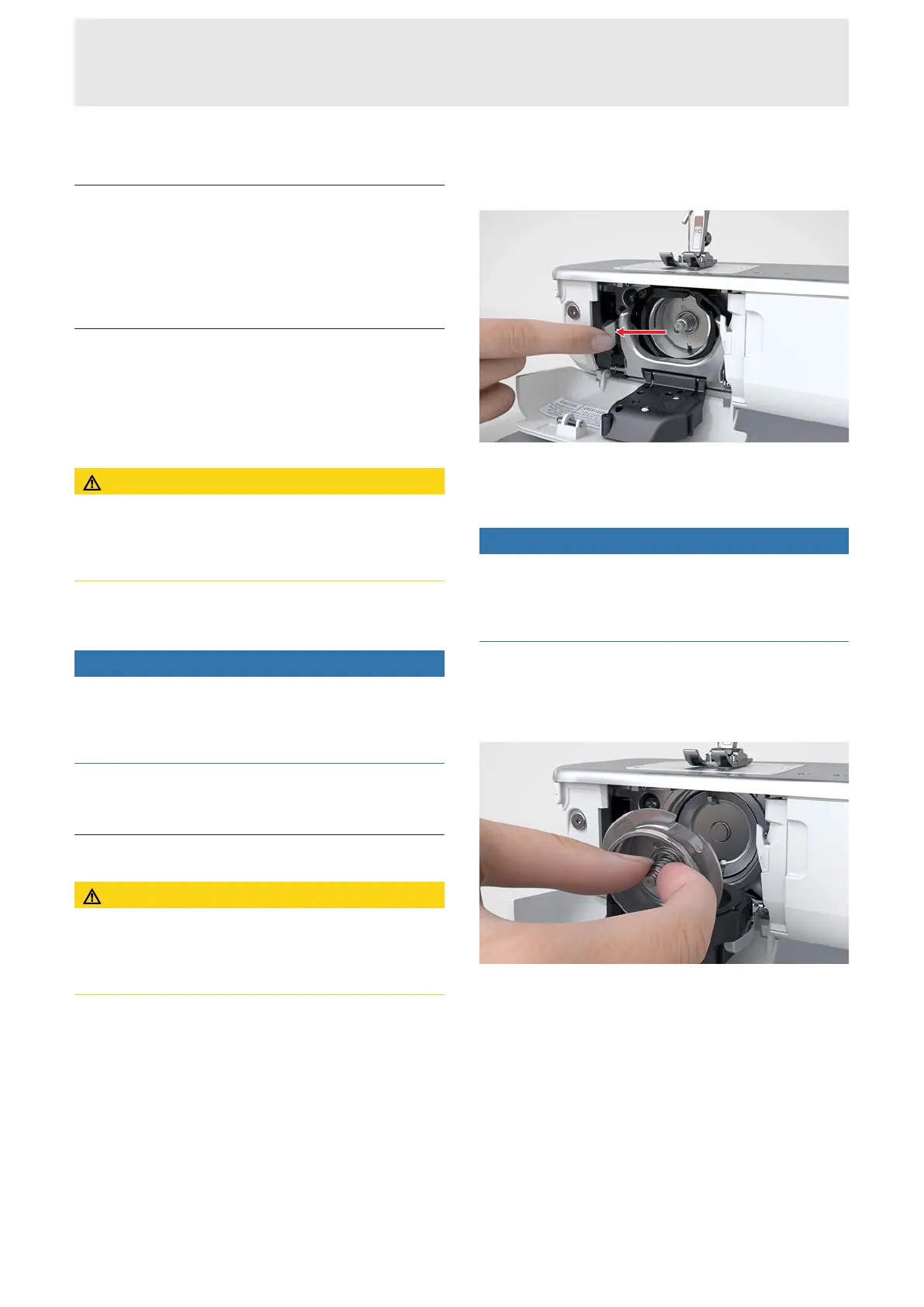
3. Push the release lever to the left.
4. Fold down the bobbin case holder with the black
bobbin cover.
5. Remove the hook.
NOTICE
Dust and thread remnants inside the machine
Damage to mechanical and electronic components.
►
Use a brush or a soft cloth.
►
Do not use compressed air spray.
6. Clean the hook race area with a brush and a soft
cloth. Never use any sharp instruments.
7. Hold the hook at the pin in the center with two
fingers.
8. Guide the hook with the lower edge diagonally
from the top to the bottom behind the bobbin
cover.
9. Position the hook with the two lugs on the hook
driver meeting the corresponding openings in the
hook. The gray marking on the hook driver must be
visible in the hole of the hook.
10. Insert the hook.
ð The shuttle is magnetic and therefore pulled
into the correct position.
11. Close the bobbin cover and the fastening bracket
until the release bracket engages.
12. Turn the handwheel to check.
ð The hook will rotate.










 To Next Page