Embroidery
12 Prepare and Edit Embroidery Designs 92
Creating Lettering
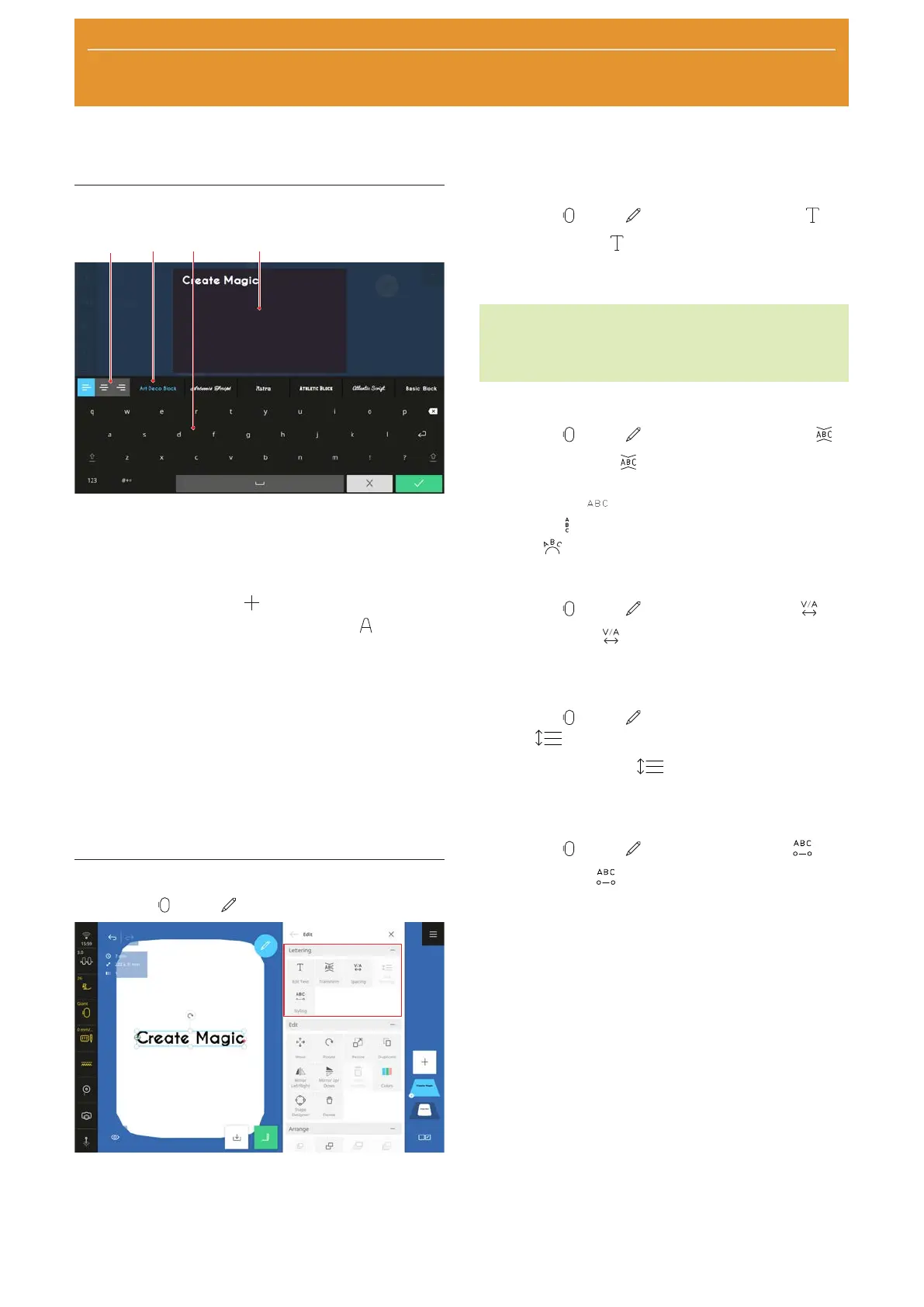
1Justification 2Font Selection 3Keyboard 4Text
Preview
You can design single-line or multi-line lettering.
1. Tap the Add Design
icon in the layer bar.
2. In the File Manager, tap the Lettering
tab and
select a font.
3. Type in the text using the on-screen keyboard. You
can adjust the font, orientation and line breaks to
suit your preferences when doing so.
ð The changes are displayed in the preview.
4. Confirm the completed text.
Access special characters by long pessing on the
keyboard character, e.g. "È", "É" etc. when you press
the letter "E".
Editing Functions
Embroidery
►
Edit
You can edit lettering using special functions. These are
grouped together in the Lettering submenu.
Edit Text
Embroidery
►
Edit
►
Lettering
►
Edit Text
With the Edit Text function, you can edit the
lettering. This enables you to correct text, insert line
breaks or modify the alignment.
TIP
You can also access this function by pressing and
holding an embroidery design.
Transform
Embroidery
►
Edit
►
Lettering
►
Transform
With the Transform function, you can reshape
single-line text as follows:
n Horizontal
: Arrange text horizontally.
n Vertical
: Arrange text vertically.
n Arch
: Reshape horizontal text into an arch.
Spacing
Embroidery
►
Edit
►
Lettering
►
Spacing
With the Spacing function, you can modify the
character spacing.
Line Spacing
Embroidery
►
Edit
►
Lettering
►
Line
Spacing
With the Line Spacing function, you can modify
the spacing between lines for multi-line lettering.
Styling
Embroidery
►
Edit
►
Lettering
►
Styling
With the Styling function, you can modify the
stitches in the lettering with the following settings:
n Stitch Density: Modify the density of the lettering.
n Pull Compensation: Compensate for the fabric
contracting when stitching.
n Satin Value: Transform satin stitches that are
longer than the set value into step stitches.
The lettering is recalculated and the changes are only
shown in the design preview when you confirm the
settings.










 To Next Page