Embroidery
13 Embroidering the Embroidery Design 95
Thread Cutting
With the Thread Cutting
function, you can switch
automatic cutting of the thread on and off. The
following options are available:
n Off: The thread is not automatically cut.
n On Thread Change: The thread is automatically
cut on thread changes.
n On Jump Stitch: The thread is automatically cut
when connecting stitches are made.
If this option is selected, you can define the length
of the connecting stitch at which the thread is to
be cut.
Fabric Thickness
With the Fabric Thickness
function, you can set
the thickness of the fabric. The set value affects the
embroidery speed. The higher the value, the slower the
machine embroiders so that the needle does not get
stuck in thicker fabrics.
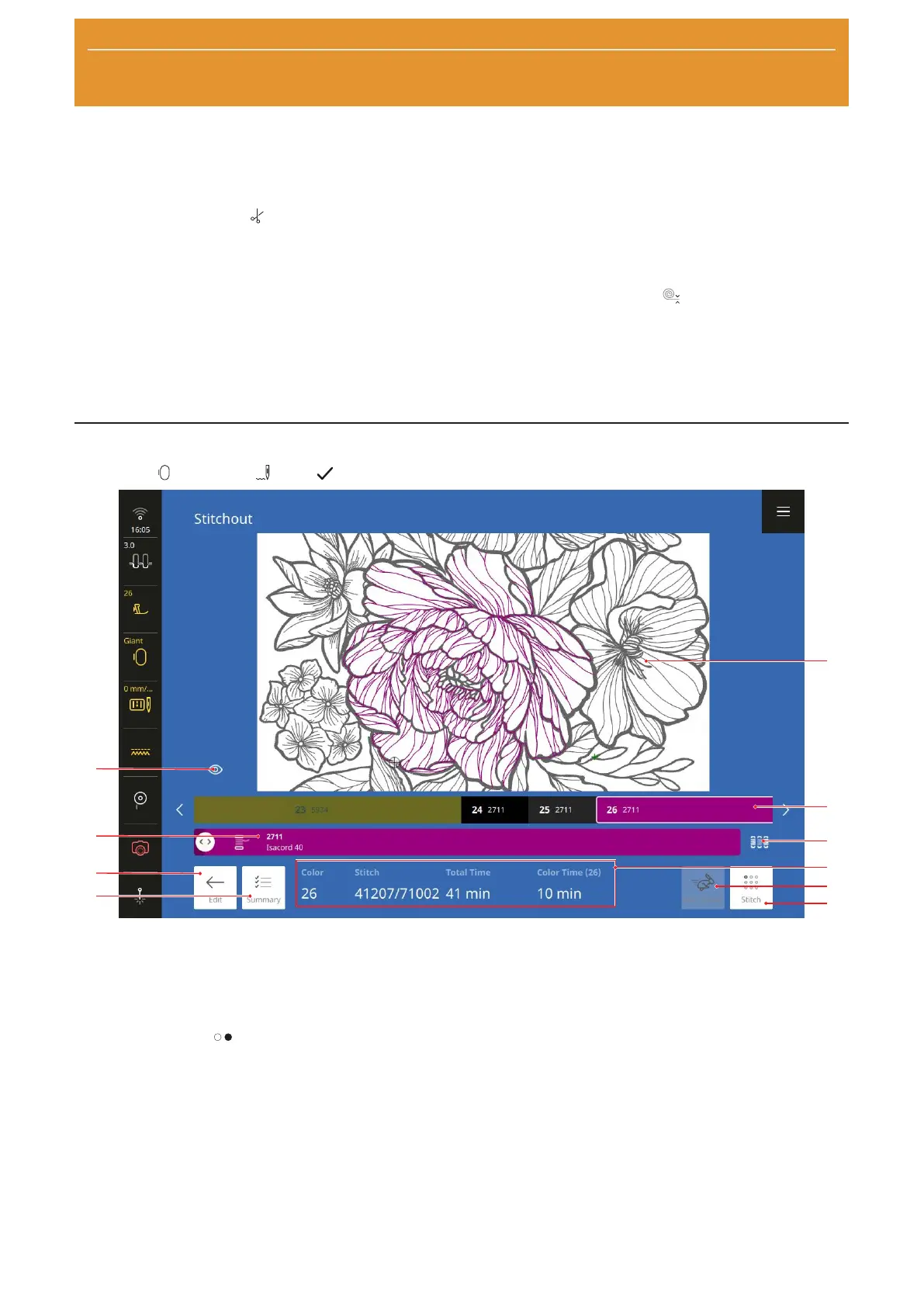
13.2 Stitchout
Embroidery
►
Stitchout
►
OK
1Design Preview 2Color Bar 3Color Change 4Embroidery Information 5High Speed 6Stitch 7Summary
8Edit 9Current Color 10View
The Stitchout screen appears when the embroidery
design is ready for stitching out. You can start stitching
with the Start/Stop
button.
Design Preview
The design preview shows the embroidery design as it
will be stitched out. When it is opened, the current
color layer is adjusted in the preview. You can adjust
the preview with finger gestures or the view slider.
Color Bar
The color bar shows the color layers in the order in
which they will be stitched out. The length of the
individual color sections corresponds to the count of
stitches in that color – the more stitches, the longer the
section.
You can scroll left and right in the color bar using the
two arrow keys, in order to display other colors in the
embroidery design.
If you select a color, that color is displayed in the
Current Color bar and in the design preview. At the
same time, the hoop is moved to the starting position
for the selected color. The embroidery information is
also adjusted.










 To Next Page