My BERNINA
3 Set Up the machine 42
3.16 Fabric Feed
Feed Dog
The feed dog moves the fabric under the presser foot.
The feed dog can be lowered for applications in which
the fabric is to be guided freely.
In sewing mode, you can lower and raise the feed dog
manually using the Feed Dog
icon in the Status
Bar. In embroidery, BISR and BSR mode, the feed dog is
lowered automatically.
Dual Feed
The BERNINA Dual Feed feeds the upper fabric while
the feed dog controls the bottom layer. This ensures a
more even feed for many applications, including:
n Sewing seams and zippers
n Managing difficult fabrics such as: velvet, satins
n Matching pattern repeats, stripes and checks
n Knits and Fleece
n Patchwork: Accurate piecing, quilting and binding
Note: The BERNINA Dual Feed can only be used with
presser feet with the designationD.
Switching On/Off the BERNINA Dual Feed
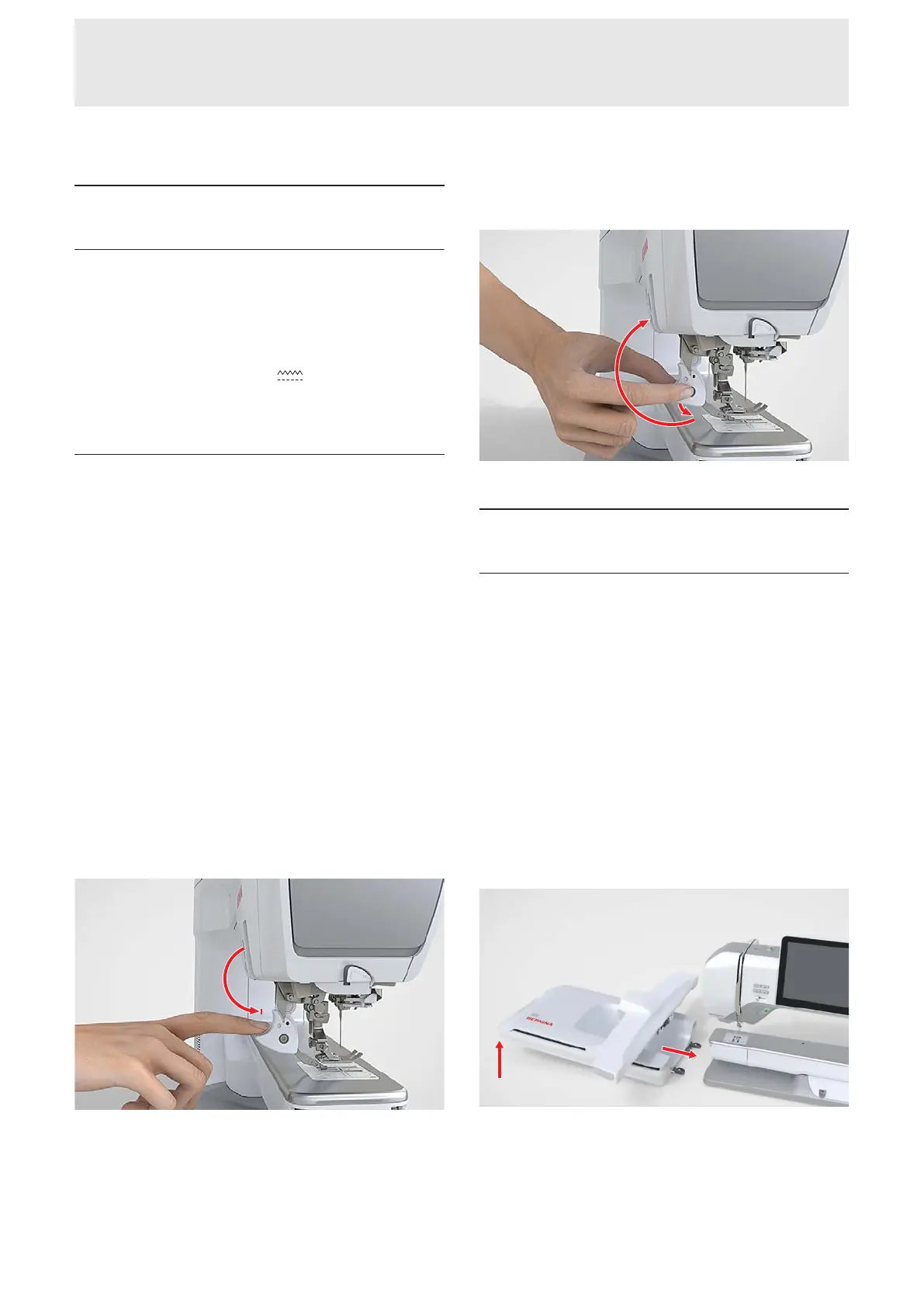
Engaging the BERNINA Dual Feed
1. Raise the presser foot.
2. Attach aD presser foot.
3. Push the dual feed down until it engages.
Disengaging the BERNINA Dual Feed
1. Raise the presser foot.
2. Pull the dual feed downward and let it slide
backward and up.
3.17 Embroidery Module
Connecting and Removing the
Embroidery Module
Connecting the Embroidery Module
Prerequisite:
n The work area is large enough and has sufficient
load-bearing capacity for the machine and the
embroidery module.
n There is enough space for the embroidery arm to
move freely.
1. Lift the embroidery module on the left side.
2. Push and lower the embroidery module carefully
from left to right into the embroidery module
connection of the machine.










 To Next Page