Sewing
6 Prepare and Edit Stitch Pattern 68
Record the Darning Length in mm
Sewing
►
Edit
►
Darning Options
►
Darning
Length
►
Record mm
With the Record mm function, the machine
measures the sewn length of the first row and saves it.
The machine finishes the darning program automat-
ically.
Prerequisite:
n The Darning ProgramNo.23 is loaded.
n Buttonhole Foot#3A is attached.
1. Tap the Record mm
icon.
ð The Reverse
icon flashes on the Sewing
Screen.
2. Sew the first row and press the Quick Reverse
button at the desired length.
ð The machine will complete the darning
program.
ð The darning length remains saved until it is
overwritten, cleared or the machine is switched
off.
Sew the Darning Length Automatically
Sewing
►
Edit
►
Darning Options
►
Darning
Length
►
Auto Length
With the Auto Length function, you can adjust
the darning length in mm. The machine automatically
finishes the darning program with the set darning
length.
Prerequisite:
n The Darning ProgramNo.23 is loaded.
n Buttonhole Foot#3A is attached.
1. Tap the Auto Length
icon.
2. Set the darning length.
3. Sew the darning program.
ð The machine will complete the darning
program.
ð The darning length remains saved until it is
overwritten, cleared or the machine is switched
off.
6.6 Stitch Pattern Combination
Combi Mode
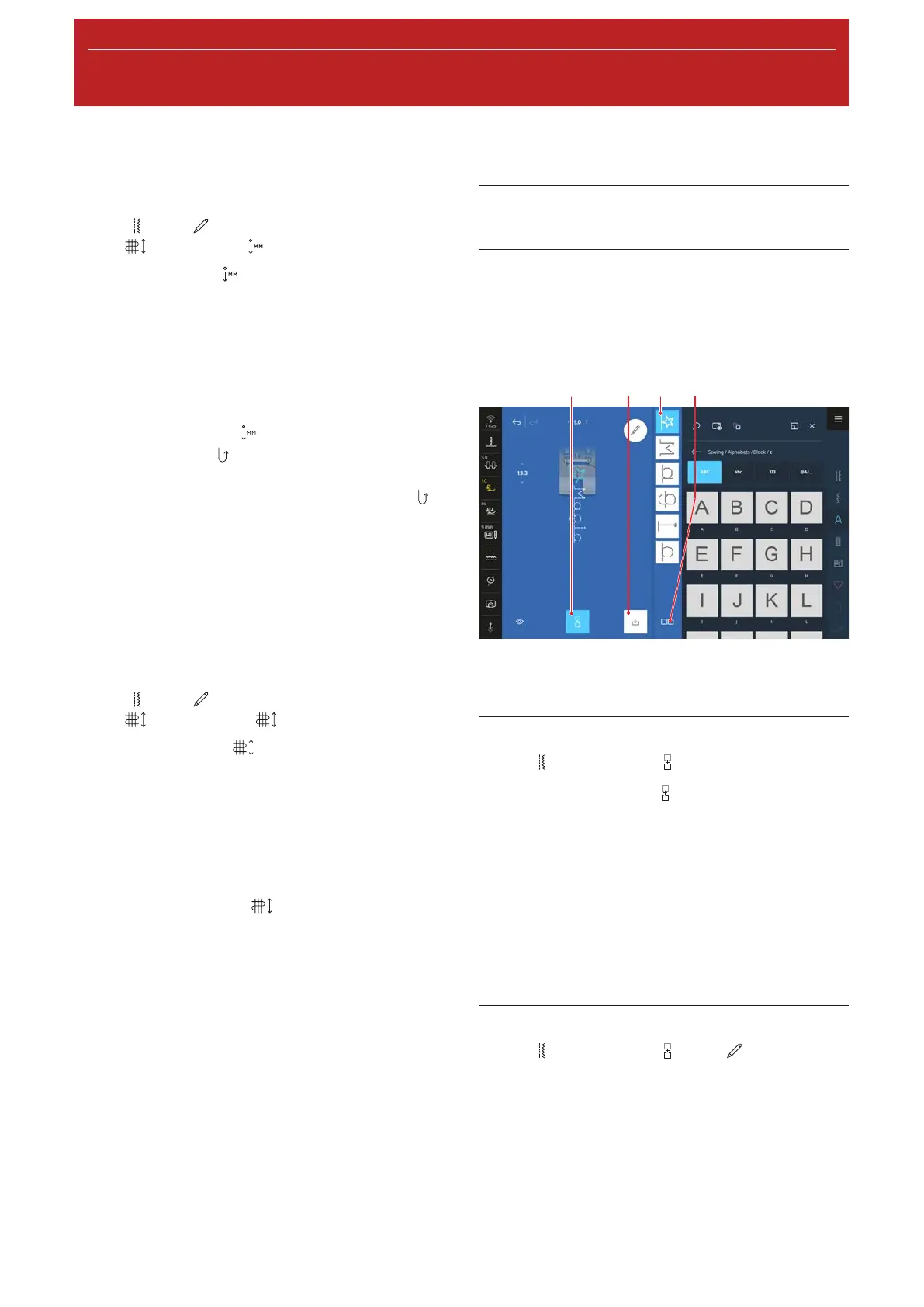
In Combi Mode, you can combine stitch patterns and
letters to form stitch pattern combinations or lettering.
Stitch pattern combinations can be saved and sewn as
one stitch pattern.
1Combi Mode 2Save 3Combination Bar
4Selection Options
Creating Stitch Pattern Combinations
Sewing
►
Combi Mode
1. Tap the Combi Mode icon in the Sewing
Screen.
2. Combine the desired stitch patterns or letters from
the File Manager, in sequence to form a combi-
nation.
ð The stitch patterns are inserted in the combi-
nation bar, after the stitch selected, and
displayed in the Stitch Preview.
ð The combination can be sewn and/or saved.
Editing Functions
Sewing
►
Combi Mode
►
Edit
In the Edit Menu the Combination Options submenu
contains additional functions for editing individual
stitch patterns, multiple stitch patterns or the entire
stitch pattern combination.










 To Next Page