Embroidery
12 Prepare and Edit Embroidery Designs 84
12.3 Embroidery Design Editing
Embroidery
►
Edit
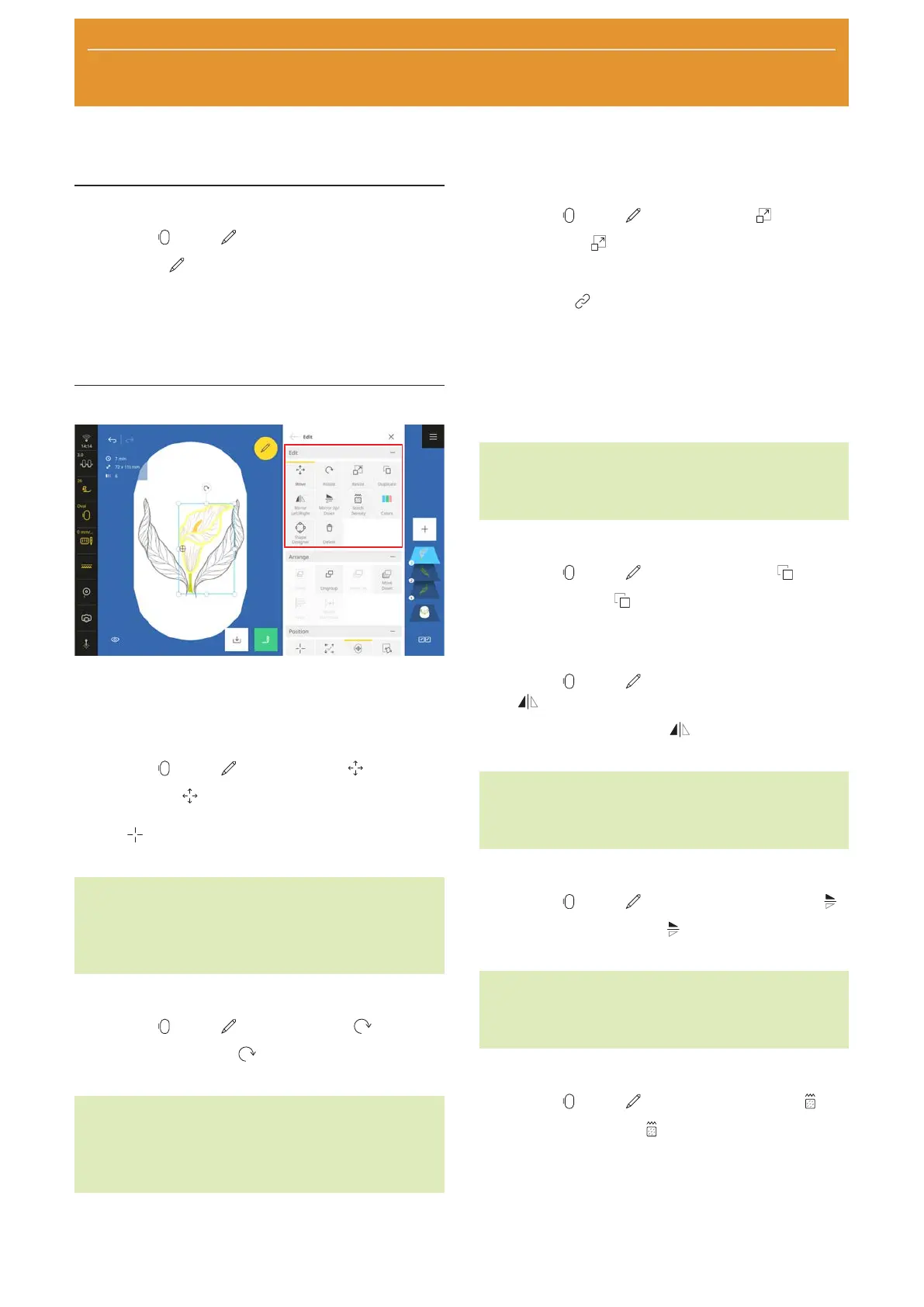
With the Edit function, you can view the editing
functions. The editing functions are summarized in the
Edit, Arrange and Position submenus.
The results of editing are shown in real time in the
design preview in the selected hoop.
Editing Functions
The editing functions for embroidery designs are
grouped together in the Edit submenu. The editing
functions are applied to the currently selected layers.
Move
Embroidery
►
Edit
►
Edit
►
Move
With the Move function, you can move the
selected layers horizontally and vertically. With the
Center
function, you can position the layers in the
center of the hoop.
TIP
You can also move the layers directly in the design
preview, e.g. using finger gestures or the multi-
function buttons.
Rotate
Embroidery
►
Edit
►
Edit
►
Rotate
You can use the Rotate function to rotate the
selected layers in 1° or 45° increments.
TIP
You can also rotate the layers directly in the design
preview, e.g. using finger gestures or the multi-
function buttons.
Resize
Embroidery
►
Edit
►
Edit
►
Resize
With the Resize function, you can modify the size
of the selected layers. With the default setting, the
length and width is changed proportionally. With the
Proportional
function, you can unlink the length
and width, enabling you to set the values separately.
You can also modify the size of the layers directly in the
design preview. Moving the corner points will change
the size of the layers proportionally. Moving the side
points will change the size of the layers non-propor-
tionally.
TIP
For best results, do not enlarge or reduce the layers
by more than 20%.
Duplicate
Embroidery
►
Edit
►
Edit
►
Duplicate
With the Duplicate function, you can duplicate the
selected layers.
Mirror Left/Right
Embroidery
►
Edit
►
Edit
►
Mirror Left/
Right
With the Mirror Left/Right function, you can
mirror the selected layers along the vertical axis.
TIP
You can also access this function by pressing and
holding an embroidery design.
Mirror Up/Down
Embroidery
►
Edit
►
Edit
►
Mirror Up/Down
With the Mirror Up/Down function, you can mirror
the selected layers along the horizontal axis.
TIP
You can also access this function by pressing and
holding an embroidery design.
Stitch Density
Embroidery
►
Edit
►
Edit
►
Stitch Density
With the Stitch Density function, you can set the
density of stitches in the selected layers. This change is
only shown in the design preview once you have
confirmed the modified value. Depending on the size
and complexity of the embroidery design, processing
time to calculate the preview may be required.










 To Next Page