Embroidery
12 Prepare and Edit Embroidery Designs 86
Match Start/Stop
Embroidery
►
Edit
►
Arrange
►
Match Start/
Stop
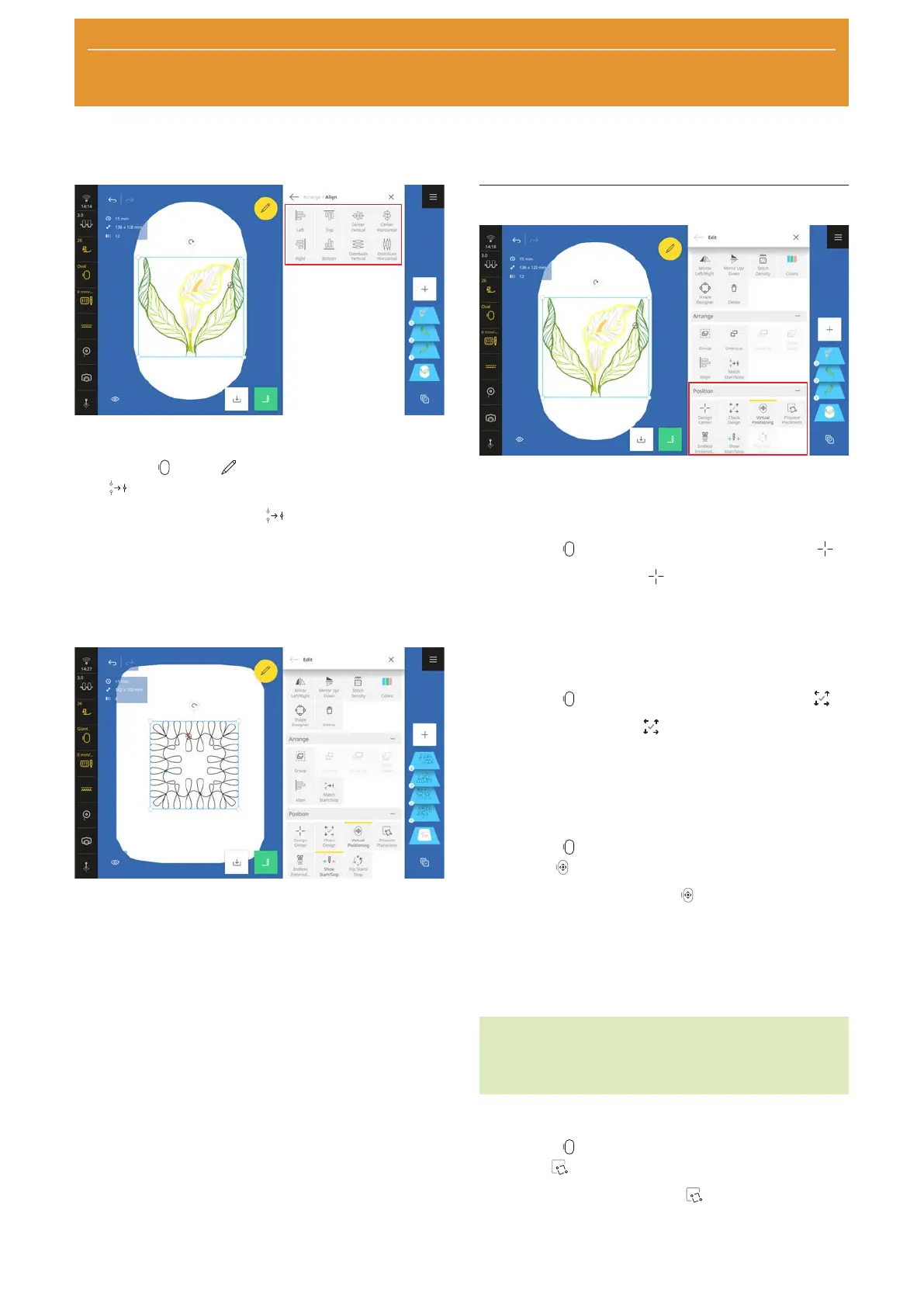
With the Match Start/Stop function, you can
combine two embroidery designs, e.g.BQM Quilt
Designs or sewing stitches. The last stitch of a selected
embroidery design is merged with the first stitch of the
next selected embroidery design in the layer bar. The
second embroidery design is moved to the last stitch of
the first embroidery design.
This function is particularly useful in the following
applications:
n Borders
n Shape Designer
n Duplicate
n Assembling Customizable Quilt Designs
In combination with the Reduce Thread Changes
function, the embroidery designs are joined together
without sewing stitches and stitched out seamlessly.
Positioning Functions
The positioning functions for embroidery designs are
grouped together in the Position submenu.
Center Design
Embroidery
►
Edit
►
Position
►
Center Design
With the Center Design function, the needle
position is moved to the center of the embroidery
design.
This function is only active if a hoop is attached.
Check Design
Embroidery
►
Edit
►
Position
►
Check Design
With the Check Design function, you can check
the four corners and the center of the selected layer
and move the embroidery design if necessary. [}see
page88]
Virtual Positioning
Embroidery
►
Edit
►
Position
►
Virtual
Positioning
With the Virtual Positioning function, you can
move the hoop such that the needle is at the selected
position in the design preview. With this function you
can check the position of an embroidery design stich-
by-stitch.
This function is only active if a hoop is attached.
TIP
You can use the laser to precisely check the virtual
positioning.
Pinpoint Placement
Embroidery
►
Edit
►
Position
►
Pinpoint
Placement
With the Pinpoint Placement function, you can
position an embroidery design at a specific position in
the hoop. You can also rotate and modify the size of










 To Next Page