My BERNINA
2 Introduction 14
Quick Reverse
You can use the Quick Reverse
button to sew in
reverse while the button is pressed.
In the Settings, you can program whether the Reverse
option or the Backstep option should be executed.
In the following applications, you can program the
length by pressing the Quick Reverse
button:
n Buttonhole Programs
n Darning Programs
n Tapering Stitches
n Stitch Counter Program
n Stitches with Securing Program
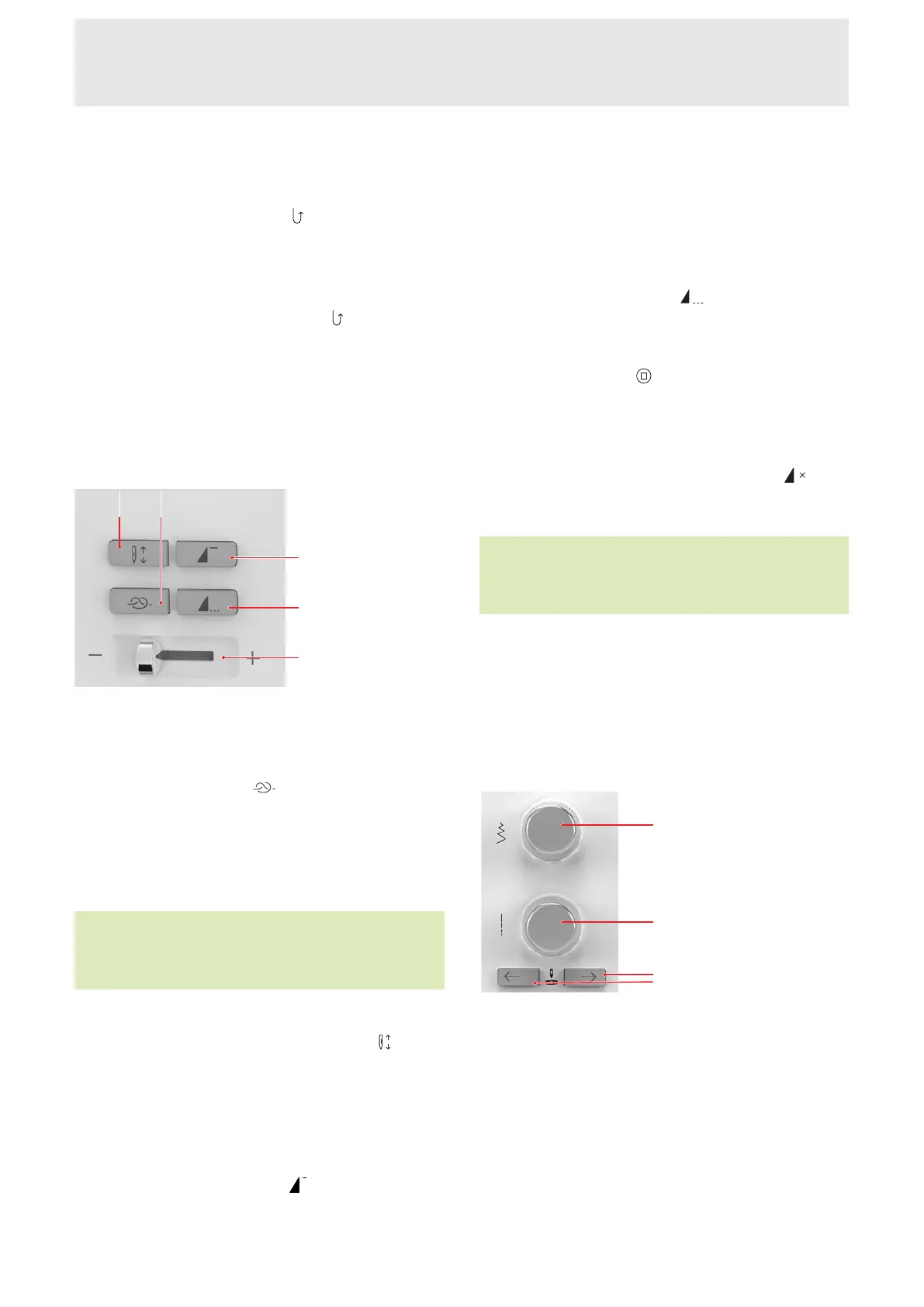
Left Controls
1Needle Position Up/Down 2Securing 3Pattern
Begin 4Pattern End 5Speed Control
Securing
You can use the Securing
button to sew a
programmable number of securing stitches.
If you press the button before sewing, securing stitches
will be sewn at the beginning of the seam.
If you press the button during sewing, securing stitches
will be sewn immediately and the machine will stop.
TIP
In the Sewing Settings External Buttons, you can
assign additional functions to the button.
Needle Position Up/Down
You can use the Needle Position Up/Down
button
to raise or lower the needle.
Depending on the starting position, the needle will be
raised or lowered. If the presser foot is raised, the
presser foot will first be lowered.
Pattern Begin
You can use the Pattern Begin
button to return to
the beginning of a stitch pattern or a stitch pattern
combination.
With some functions, e.g., buttonholes, darning,
tapering, the machine starts the pattern at the first
segment.
Pattern End
You can use the Pattern End
button to stop the
machine automatically at the end of a stitch pattern or
a stitch pattern combination.
If you press the button before sewing, the button is
activated and the Stop
icon is displayed in the stitch
preview.
If you press the button during sewing, the machine will
stop at the end of the pattern. If the machine is
stopped in the middle of a pattern the pattern will
complete when sewing is resumed. If Repeat
has
been set, the machine will stop at the end of the set
repeat.
TIP
In the Sewing Settings External Buttons, you can
assign additional functions to the button.
Speed Control
You can use the speed control to regulate the sewing
speed.
Limit the maximum speed in Settings for more control
while sewing.
Right Controls
1Upper Multi-function Knob 2Lower Multi-function
Knob 3Needle Position Left/Right
Upper Multi-function Knob
You can use the Upper Multi-function Knob for setting
the Stitch Width and the values of a function.
Lower Multi-function Knob
You can use the Lower Multi-function Knob for setting
the Stitch Length and the values of a function.










 To Next Page