Embroidery
12 Prepare and Edit Embroidery Designs 88
2. To change the thread marker for an individual
color, select the color, tap the Change Color
►
Change Palette
icon, select the thread
marker from the list and tap the desired color.
Arranging Embroidery Designs
Embroidery
►
Edit
►
Edit
►
Shape Designer
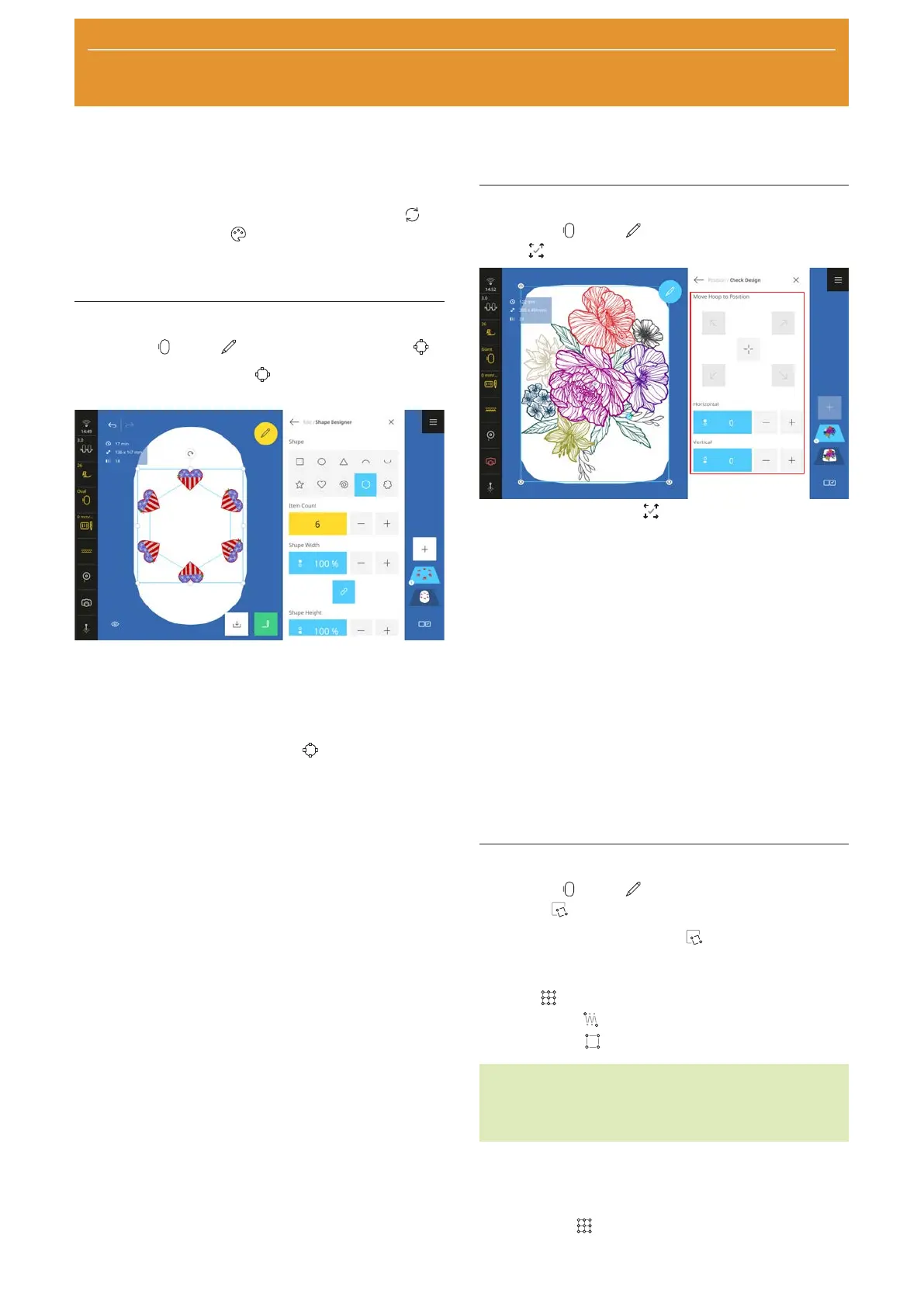
With the Shape Designer function, you can create
unique embroidery design combinations.
Prerequisite:
n A layer or multiple layers are loaded.
n The size and colors of the embroidery designs have
been adjusted.
1. Activate the Shape Designer
function.
2. Select the shape form for arranging the motifs.
3. Set the number of motifs.
4. Set the size of the shape.
5. Align the motifs with the shape.
6. Mirror motifs and/or rotate in 45° steps if required.
ð Every second motif is mirrored.
7. To reset the arrangement, tap the selected shape
again.
Check Design
Embroidery
►
Edit
►
Position
►
Check
Design
With the Check Design function, you can check
the intended position of your embroidery design in the
hoop before you start stitching out.
Prerequisite:
n A hoop with the hooped project is attached.
1. Tap an arrow in the Move Hoop to Position area.
ð The hoop moves until the needle is located at
the selected point of the embroidery design, as
long as the point is within the area to be
embroidered.
2. Check whether the position is correct.
3. If necessary, move the embroidery design
horizontally and vertically.
4. If necessary, check other positions.
Pinpoint Placement
Embroidery
►
Edit
►
Position
►
Pinpoint
Placement
With the Pinpoint Placement function, you can
position the embroidery design with the following
options:
n Grid
n Free Point
n Four Point
TIP
Using the Laser function, you can position the point
precisely at the desired location on the fabric.
Positioning the Embroidery Design by 2 Grid
Points
With the Grid
option, you can position embroidery
designs precisely on the fabric using 2 grid points.










 To Next Page