Sewing
4 Sewing Screen 49
Main Menu
►
Sewing
1 2 93 5 6 74 8
10
10
11
11
13
13
12
12
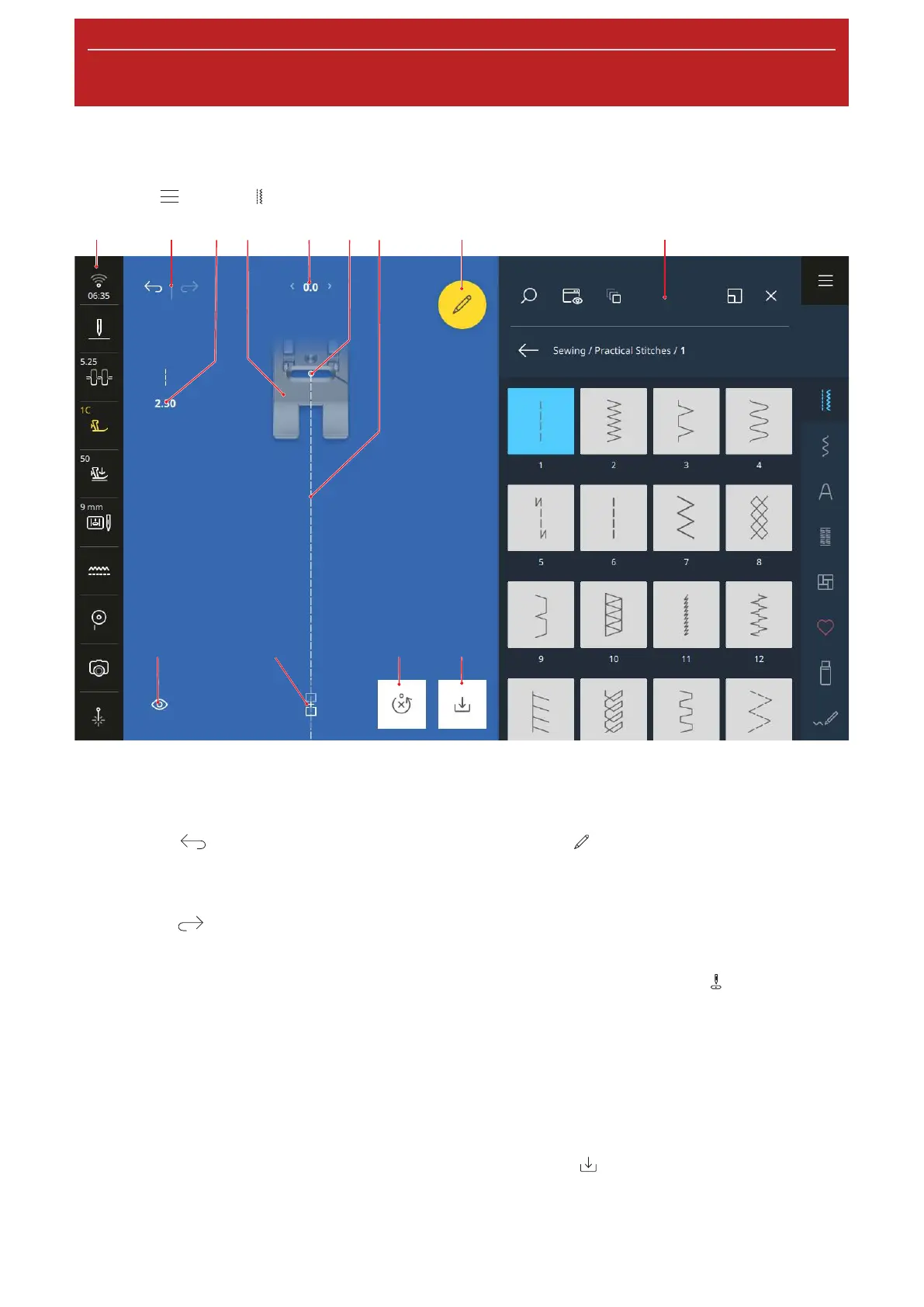
1Status Bar 2Undo/Redo 3Stitch Length 4Presser Foot Preview 5Stitch Width 6Needle Position 7Stitch
Preview 8Edit 9File Manager 10Save 11Reset 12Combi Mode 13View
Undo
With the Undo
function, you can undo the most
recent actions.
Redo
With the Redo
function, you can redo undone
actions.
Stitch Length
With the Stitch Length function, you can adjust the
length of the current stitch. [}see page61]
Presser Foot Preview
A preview of the recommended or selected presser foot
is displayed in the presser foot preview.
Stitch Width
With the Stitch Width function, you can adjust the
width of the current stitch. [}see page61]
Edit
With the Edit
function, you can open the stitch
pattern editing functions. [}see page61]
Needle Position
If the needle has been moved to the left or right, the
value of the needle position is displayed. You can move
the needle position back to the middle position by
tapping the icon Needle Position
.
Stitch Preview
The Stitch Preview shows a preview of the current
stitch or stitch pattern combination, along with the
selected presser foot. In Combi Mode, you can select
and move the individual stitches in the stitch preview.
Save
With the Save
function, you can save a modified
stitch pattern as a new stitch or with new default
settings. [}see page70]










 To Next Page