Sewing
6 Prepare and Edit Stitch Pattern 64
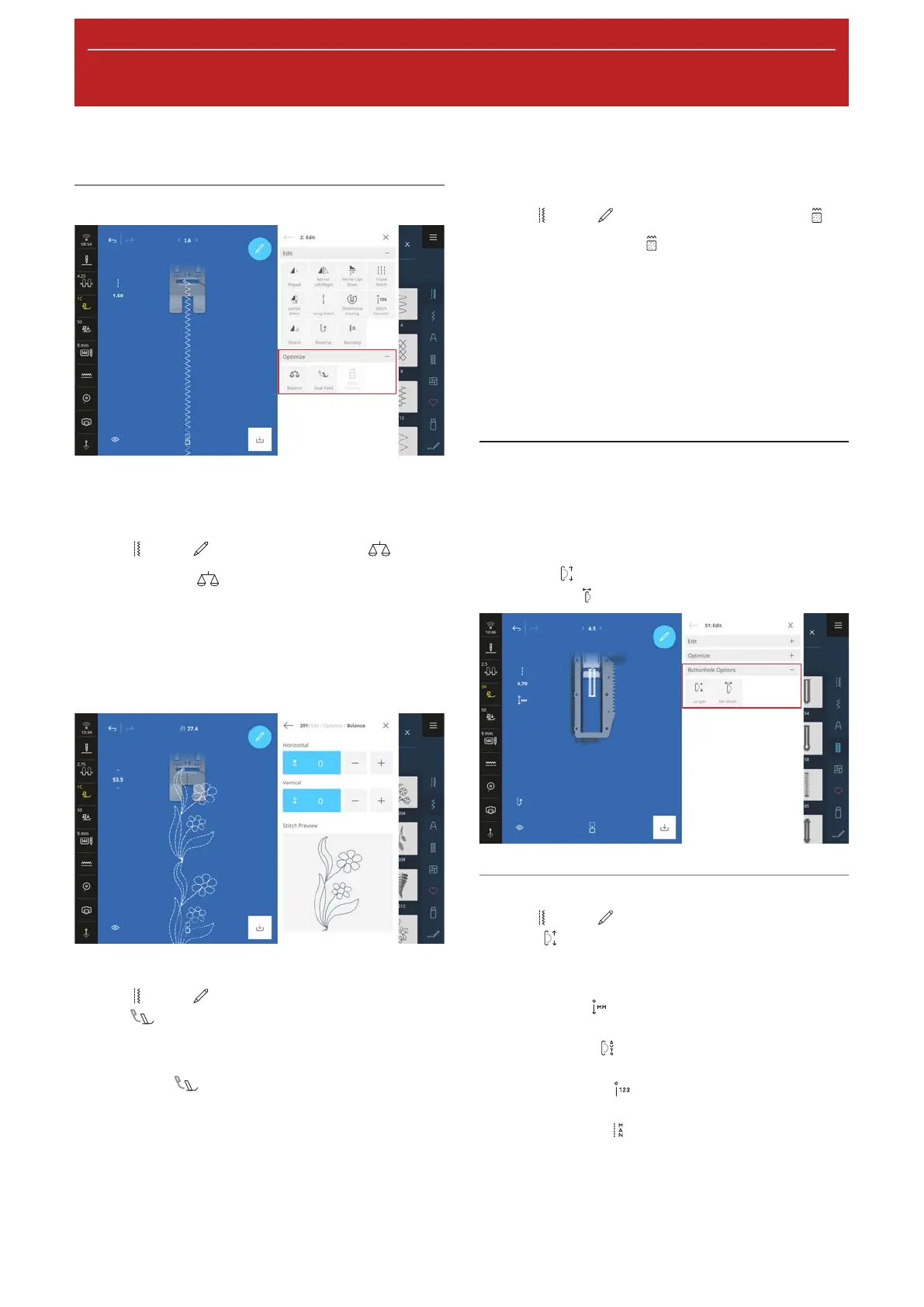
Optimization Functions
The optimization functions for stitch patterns are
grouped together in the Optimize submenu.
Balance
Sewing
►
Edit
►
Optimize
►
Balance
With the Balance function, you can fine tune any
stitch patterns that are not sewn correctly due to the
selected fabric.
Compare a sewn sample with the display in the Stitch
Preview section and adjust the balance so that the
preview corresponds to the incorrectly sewn stitch
pattern.
Dual Feed Balance
Sewing
►
Edit
►
Optimize
►
Dual Feed
Balance
If the fabric layers are not fed evenly despite the fact
that the Dual Feed is engaged, you can use the Dual
Feed Balance
function to optimize the Dual Feed.
n If the upper fabric becomes increasingly longer
than the lower fabric, set a positive value.
n If the upper fabric becomes increasingly shorter
than the lower fabric, set a negative value.
Stitch Density
Sewing
►
Edit
►
Optimize
►
Stitch Density
With the Stitch Density function, you can modify
the stitch density for some decorative satin stitches
(e.g.No.401).
n If you increase the stitch density, the stitch spacing
is reduced and the threads become closer.
n If you reduce the stitch density, the stitch spacing is
increased and the threads are further away.
The length of the stitch pattern is not affected.
6.3 Buttonholes
For buttonholes, you can adjust the buttonhole length
as well as the width of the slit. As soon as a buttonhole
stitch is loaded, the Buttonhole Options submenu
appears in the editing menu.
n Length
: Program the buttonhole length.
n Slit Width
: Adjust the width of the slit.
Buttonhole Length
Sewing
►
Edit
►
Buttonhole Options
►
Length
The following functions are available for adjusting the
buttonhole length:
n Record mm
: Program the buttonhole length in
mm. [}see page65]
n Auto Length
: Adjust the buttonhole length to
the button size. [}see page65]
n Stitch Counter
: Program the buttonhole
length with the stitch counter. [}see page65]
n Sew Manually
: Sew the buttonhole manually.
[}see page66]










 To Next Page