Sewing
6 Prepare and Edit Stitch Pattern 65
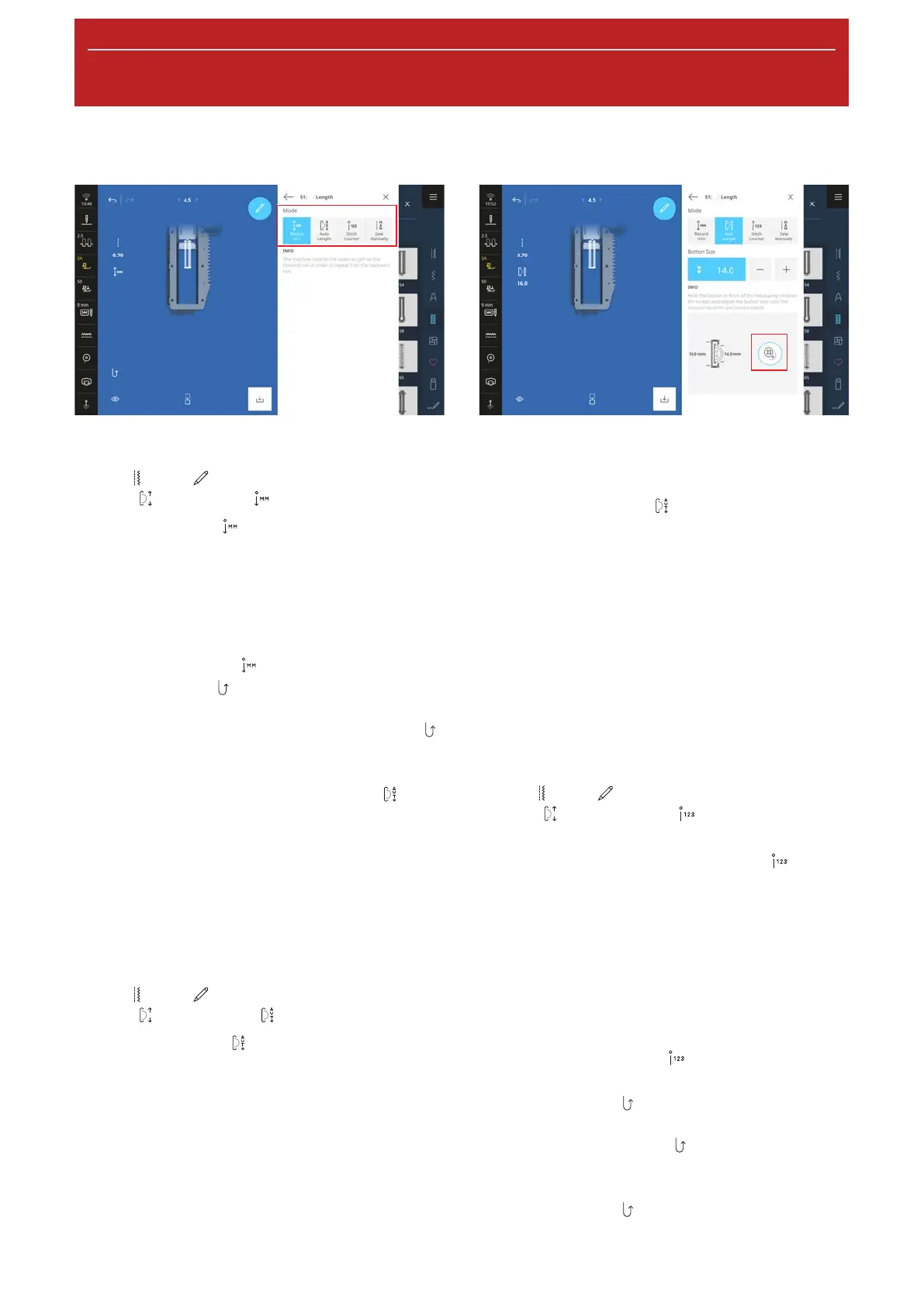
Record the Buttonhole Length in mm
Sewing
►
Edit
►
Buttonhole Options
►
Length
►
Record mm
With the Record mm function, the machine
measures the sewn length of the first bead and saves it.
The machine finishes the buttonhole automatically.
Prerequisite:
n A buttonhole is loaded.
n Buttonhole Foot#3A is attached.
1. Tap the Record mm
icon.
ð The Reverse
icon flashes on the Sewing
Screen.
2. Sew the first bead and press the Quick Reverse
button at the desired length.
ð The machine will complete the buttonhole.
ð The machine switches to Button Size
mode
and all additional buttonholes are automatically
sewn to the displayed length in mm.
ð The buttonhole length remains saved until it is
overwritten, cleared or the machine is switched
off.
Adjusting the Buttonhole Length to the
Button Size
Sewing
►
Edit
►
Buttonhole Options
►
Length
►
Auto Length
With the Auto Length function, you can measure
the diameter of the button. The machine automatically
adjusts the length of the buttonhole to the size of the
button.
Prerequisite:
n A buttonhole is loaded.
n Buttonhole Foot#3A is attached.
1. Tap the Auto Length
icon.
2. Place the button in the measuring circle on the
screen and adjust the size of the measuring circle
to the size of the button.
ð The measured buttonhole length is displayed in
the Sewing Screen.
3. Sew the buttonhole.
ð The buttonhole length remains saved until it is
overwritten, cleared or the machine is switched
off.
Programming the Buttonhole Length with the
Stitch Counter
Sewing
►
Edit
►
Buttonhole Options
►
Length
►
Stitch Counter
With the Buttonhole Foot#3C you can program the
buttonhole length with the Stitch Counter
function. The machine sews the left bead forward, the
lower bartack, the right bead in reverse and finally the
upper bartack. The length of the right bead is not
automatically adjusted to the length of the left bead,
but must be separately programmed.
Prerequisite:
n A buttonhole is loaded.
n Buttonhole Foot#3C is attached.
1. Tap the Stitch Counter
icon.
2. Sew the left bead and stop at the desired length.
ð The Reverse
icon flashes on the Sewing
Screen.
3. Press the Quick Reverse
button.
ð The machine sews the lower bartack and starts
to sew the right bead in reverse.
ð The Reverse
icon flashes on the Sewing
Screen.










 To Next Page