Embroidery
13 Embroidering the Embroidery Design 94
13.1 Stitchout Summary
Embroidery
►
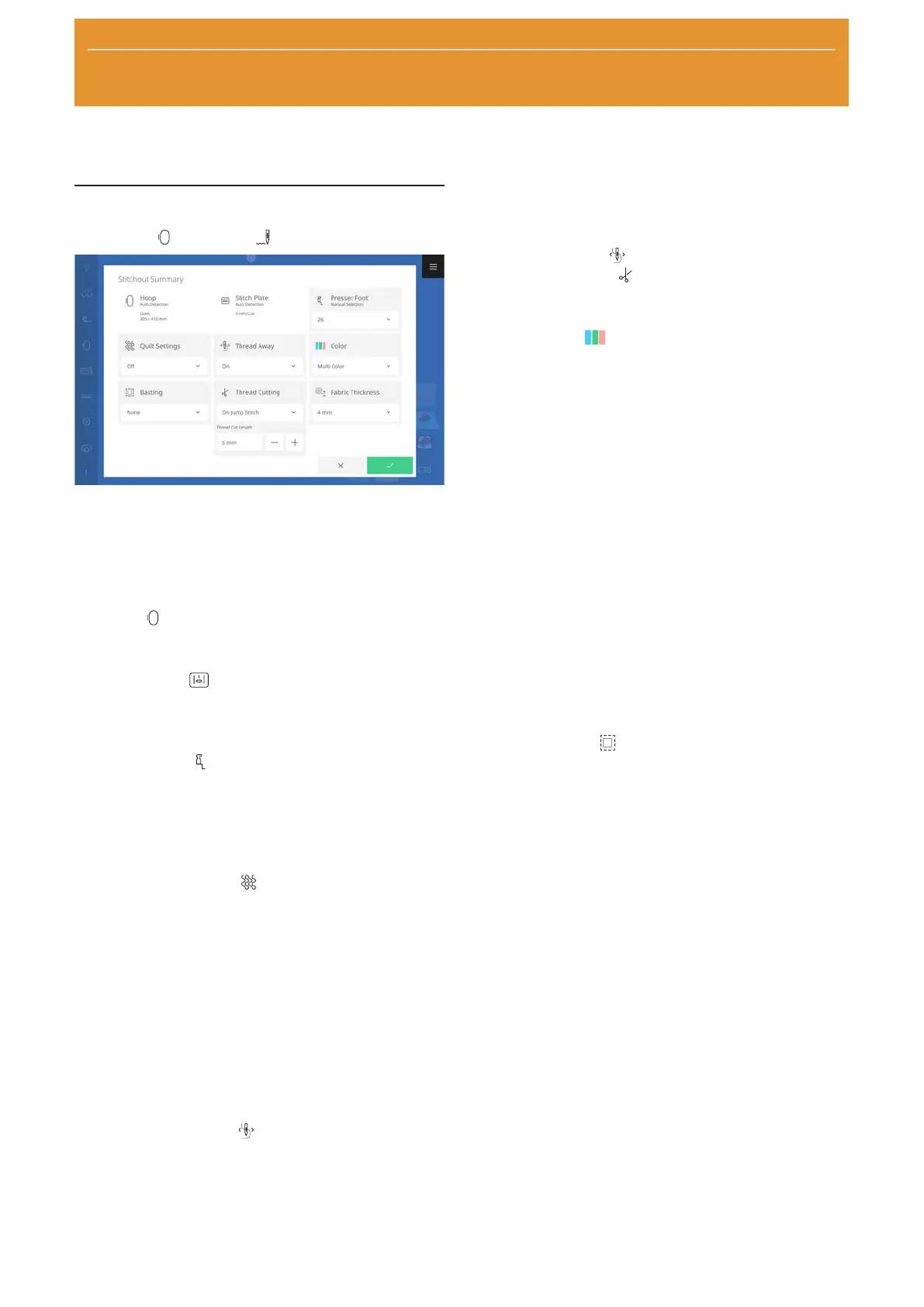
Stitchout
In the Stitchout Summary screen, you can modify the
most common settings for optimal stitchout quality
before entering the Stitchout. Additional settings can
be modified in Embroidery Settings. [}see page47]
Hoop
The Hoop
status shows the attached hoop.
Stitch Plate
The Stitch Plate
setting shows the attached stitch
plate.
Presser Foot
The Presser Foot
setting shows the selected presser
foot. If you use a different presser foot, you can select
it from the list. The list contains all presser feet that are
suitable for embroidery.
Quilt Settings
With the Quilt Settings
function, you can switch
on and off special quilt settings for thread cutting and
securing. The following options are available:
n On: Activate quilt settings.
n
Quilt Securing Stitches.
n
Thread Cut Disabled.
n
Thread Away Disabled.
n Off: Adopt the thread cut settings from the
embroidery settings. [}see page48]
Thread Away
With the Thread Away
function, you can set cut
threads to be pulled to the rear of the fabric for cleaner
embroidery on the top.
For embroidery designs with long stitches, it is recom-
mended to switch off the function because the presser
foot could get caught in the long stitches due to the
rapid movement of the embroidery arm. The same risk
applies when working with appliqué, water-soluble
non-woven materials or other raised decorations such
as buttons.
The Thread Away
function should not be used if
the Thread Cutting
function is switched off.
Color
With the Color
setting, you can define how thread
changes are handled during embroidery. The following
options are available:
n Multi Color: The embroidery design is stitched
with multiple colors as indicated in the saved
design.
After each color, the machine stops so that you can
change the threads.
n Single Color: The embroidery design is stitched
with the thread that is currently threaded, without
changing threads.
n Reduce Thread Changes: The embroidery design
is regrouped so that the fewest possible thread
changes need to be made.
Use this function when sewing Customizable Quilt
Designs to avoid multiple starts and stops.
If this function is activated, the colors are also
regrouped in edit mode.
Basting
With the Basting
function, you can secure
materials in the hoop that cannot be hooped, e.g., felt,
organza and silk. The basting can also be used to
prevent top stabilizers from moving or as a guide for
trimming after embroidery. The following functions are
available:
n None: No basting is stitched.
n Around Design: The machine sews a basted seam
around the embroidery design.
If you sew a basted seam around the embroidery
design, you can determine the distance between
the basted seam and the embroidery design. Use
the basted seam around the pattern if the
embroidery design is substantially smaller than the
hoop, or if you are only embroidering a small piece
of fabric.
n Around Hoop: The machine will sew a basted
seam along the inner edge of the hoop.










 To Next Page