Application Label Types
BBP
®
35/37 User’s Manual 128 Rev A
4. In the list, touch the desired label size, then touch Next .
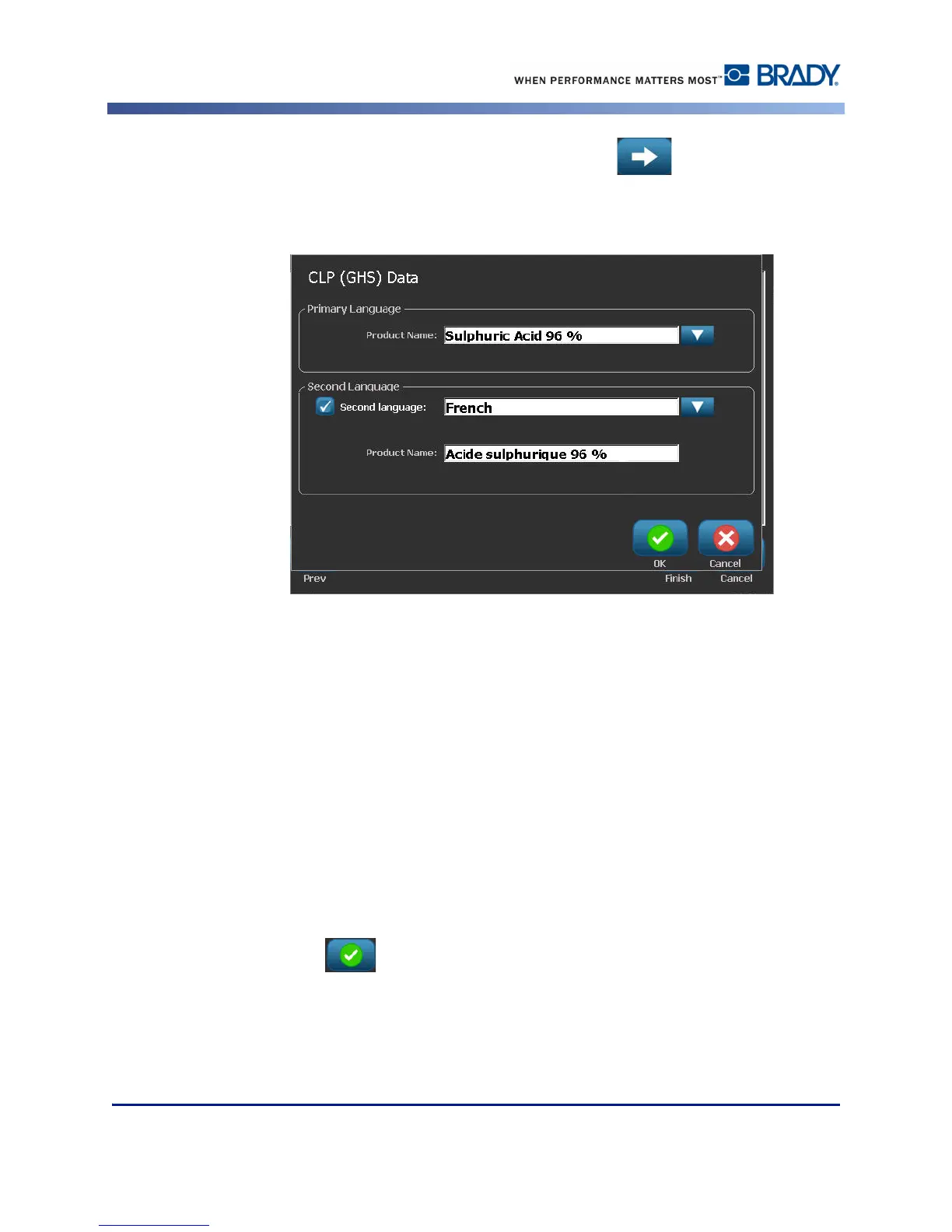
5. Touch anywhere on the displayed label to bring up the CLP (GHS) Data dialog box.
6. In the Product Name: data field, enter the name of the chemical (product) you want to use.
OR, if chemical names have been saved (previously used):
Under Primary Language, touch the down arrow next to Product name to display a list of
products, then touch the desired product.
If a second language is to be used on the label, under Second Language:
7. Touch the Second Language option box.
8. Touch the down arrow next to Second Language: data field to display a list of languages.
9. Use the up/down arrows in the list scroll bar to display more languages, then touch the
desired second language.
If using a second language, the product name automatically displays in the chosen language.
10. Touch OK .
11. On the displayed label, touch one of the statements to bring up the CLP (GHS) Statements
dialog box.



 To Next Page