Application Label Types
Rev A 129 BBP
®
35/37 User’s Manual
12. Touch Add for the statement you want to add (Hazardous, Precautionary,
Supplementary).
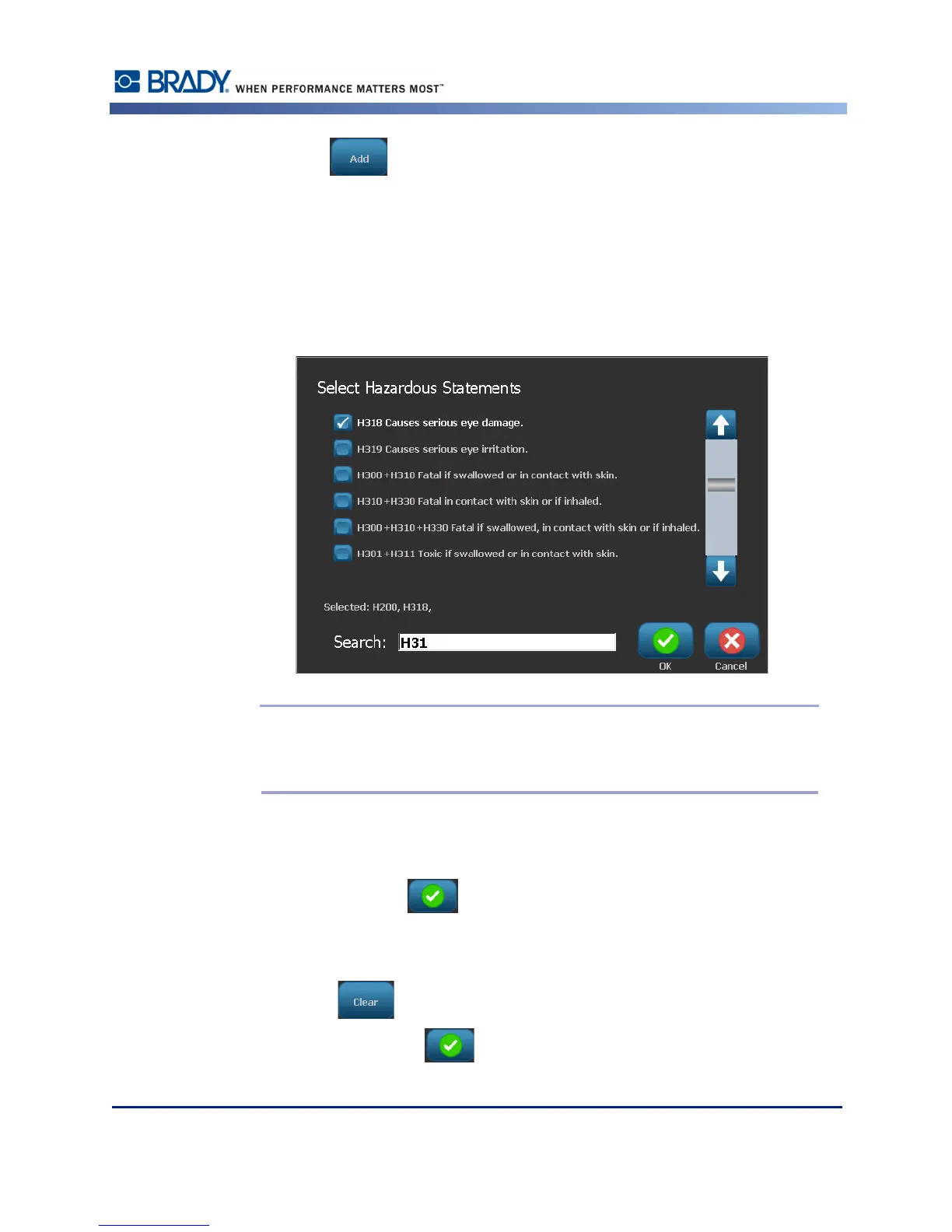
13. On the Select Hazardous Statements screen, touch the up/down arrows in the scroll bar to
view more statements.
OR, if you know the code number, or wording, of the statement you want to use:
Touch the Search data field and enter the number or wording.
Note: As you enter the data in the Search field, or portions of the data, the list
immediately abstracts those statements that have the entered characters in that
position in their statement. The list narrows after each letter entered.
14. In the abstracted list, touch the option box in front of the statement you want to use. (You
can select more than one.)
15. When ready, touch OK .
16. Repeat Steps 14 through17 for other statements that you want to add.
OR, to remove a previously added statement:
Touch Clear for the statement(s) you want to remove.
17. When ready, touch Finish .



 To Next Page