5 - 5
Electronic Parts
Failure Investigation
for Electronic Parts
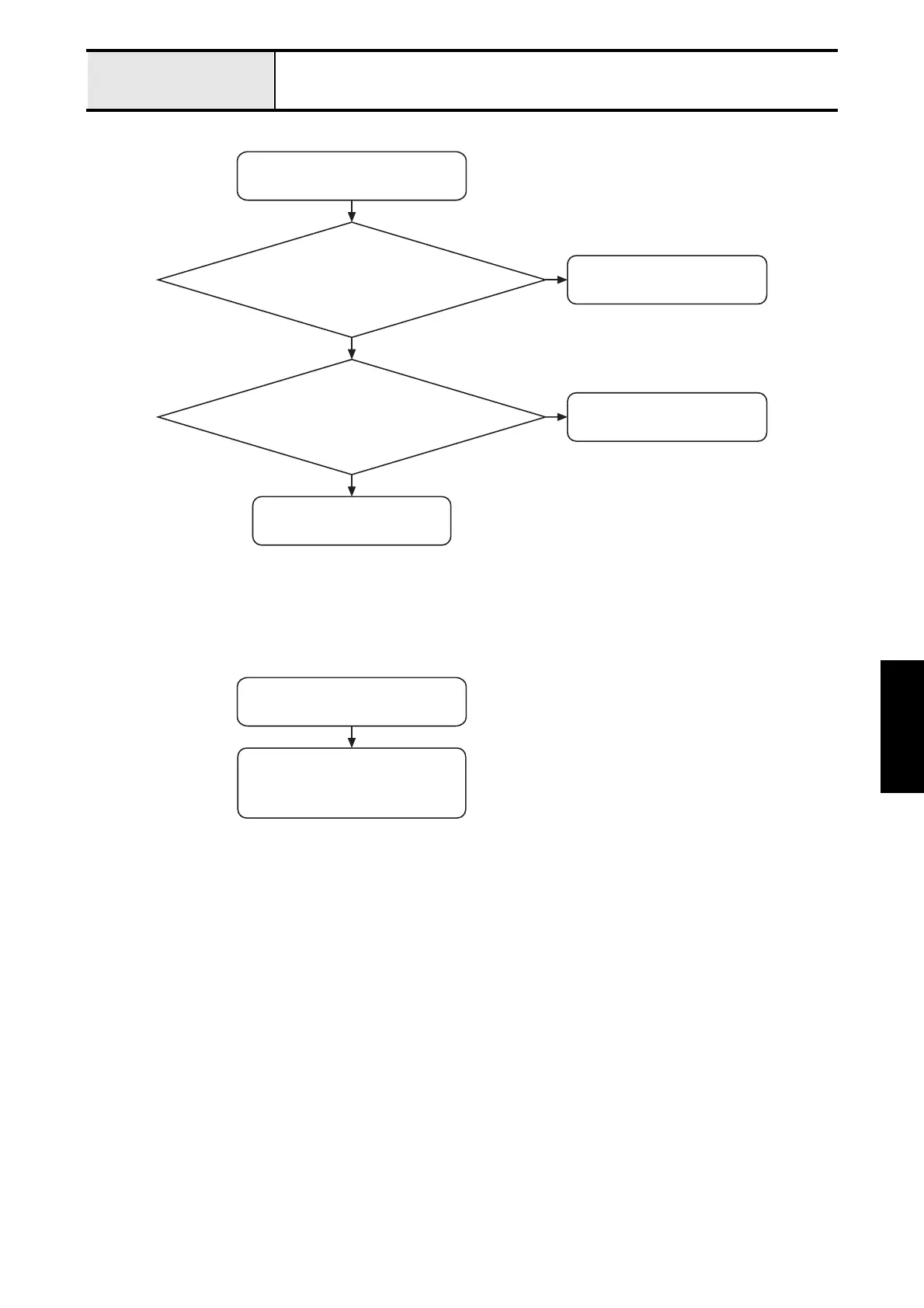
Error message is displayed
Attach the main PCB assy.
correctly.
Is the main PCB assy. attached
correctly?
N
Y
Clean the timing shutter.
Is the timing shutter of the upper
shaft dirty?
N
Y
Replace the main PCB assy.
"F5" is displayed.
Replace the SSVR PCB assy.
or
Replace the main PCB assy.
"F7" is displayed.


 To Next Page
 Loading...