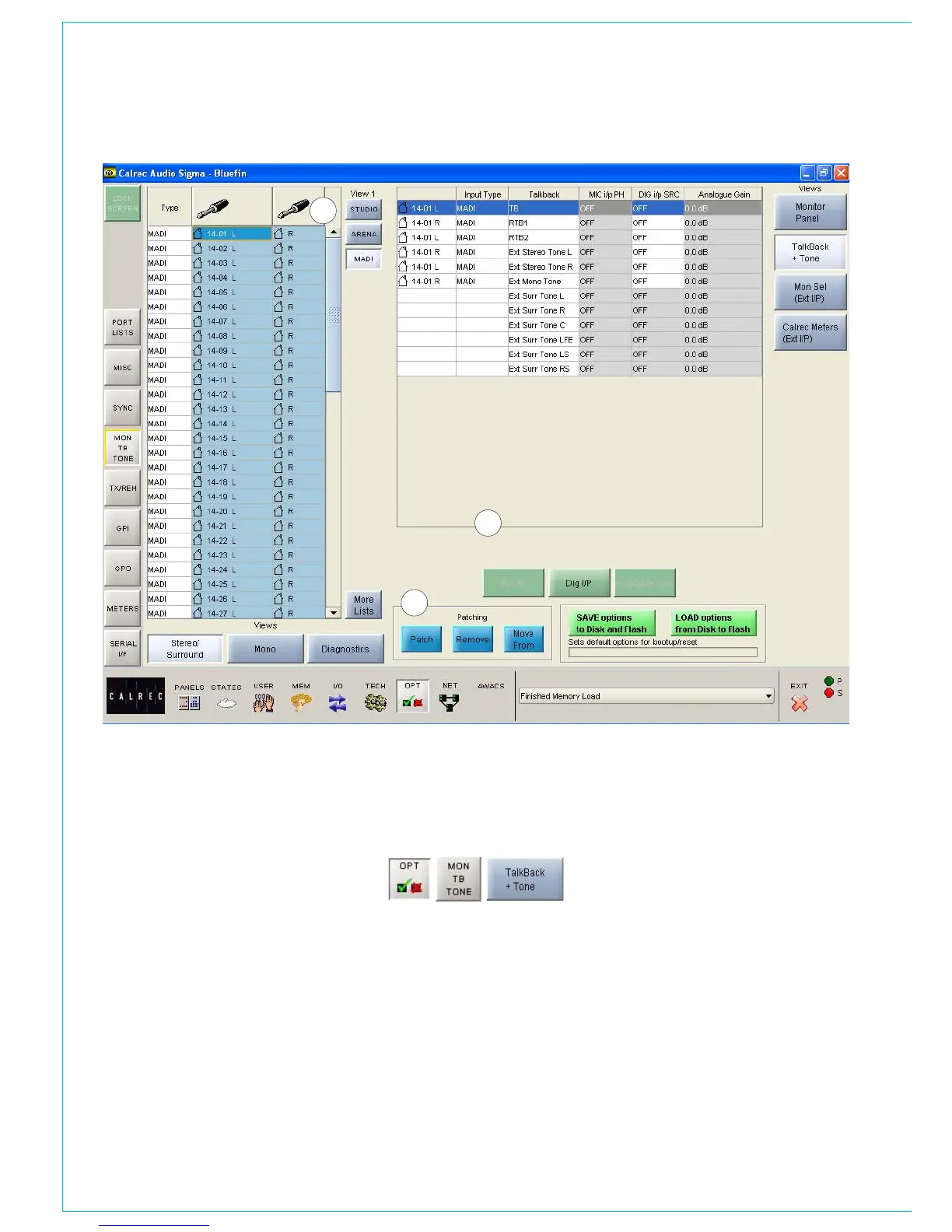
TALkbACk ANd TONE INPUTS
Talkback and
oscillator
(1) Source Lists
Talkback and tone input ports can be
any kind of port, selected from the list on
the left of the screen. Different lists are
accessed using the selection buttons.
The sources can be viewed as pairs (for
patching to stereo or surround paths),
individual (for patching to mono paths),
or individual with the actual rack number,
card slot and input shown (for diagnostic
purposes).
1
3
2
(2) Patching
The Talkback and tone inputs are listed in
the main section of the screen. Assignment
is made by selecting a source and an input,
and selecting Patch.
(3) Parameters
The parameter buttons provide controls
for analog gain control (coarse), Phantom
Power (mic/line) and SRC switching for
the input (AES). When selecting analog
gain, a box will appear where the gain can
be selected. Selecting Mic i/p PH will turn
phantom power on for mic/line inputs. Dig
I/P SRC will switch SRC on for AES inputs.



 To Next Page