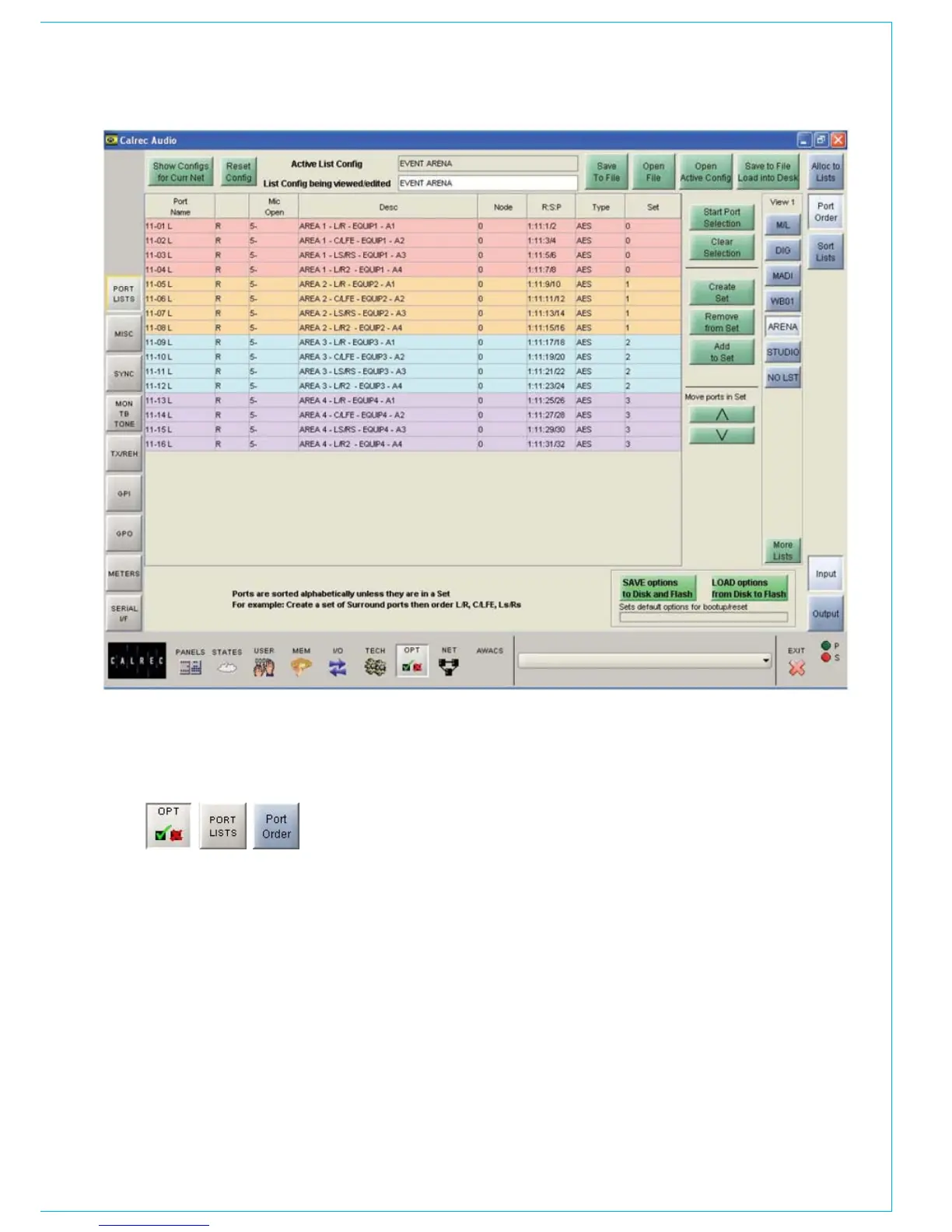
PORT LIST ORdER
The “More Lists” button gives access to
lists which have been set up on different
“views” on the Options - Port Lists - Sort
Lists screen. When selected, the ports in
that list are displayed in alphabetical order
in the main section of the screen.
Sets
Ports within a list can be grouped into
“sets” by selecting them from the list
and selecting “Create Set”. Sets remain
together in the list. Ports within a set are
sorted alphabetically, but can be moved
into a different order using the nudge
arrow buttons. Each Set is given a number
and ports belonging to different sets are
highlighted in a different colour.
“Start Port Selection” allows a number of
ports to be selected from the list. Once the
required ports are selected, they can be
added to a new set using “Create Set”, or
they can be added to an existing set using
“Add to Set”.
“Remove From Set” removes any selected
ports from the set they occupy.



 To Next Page