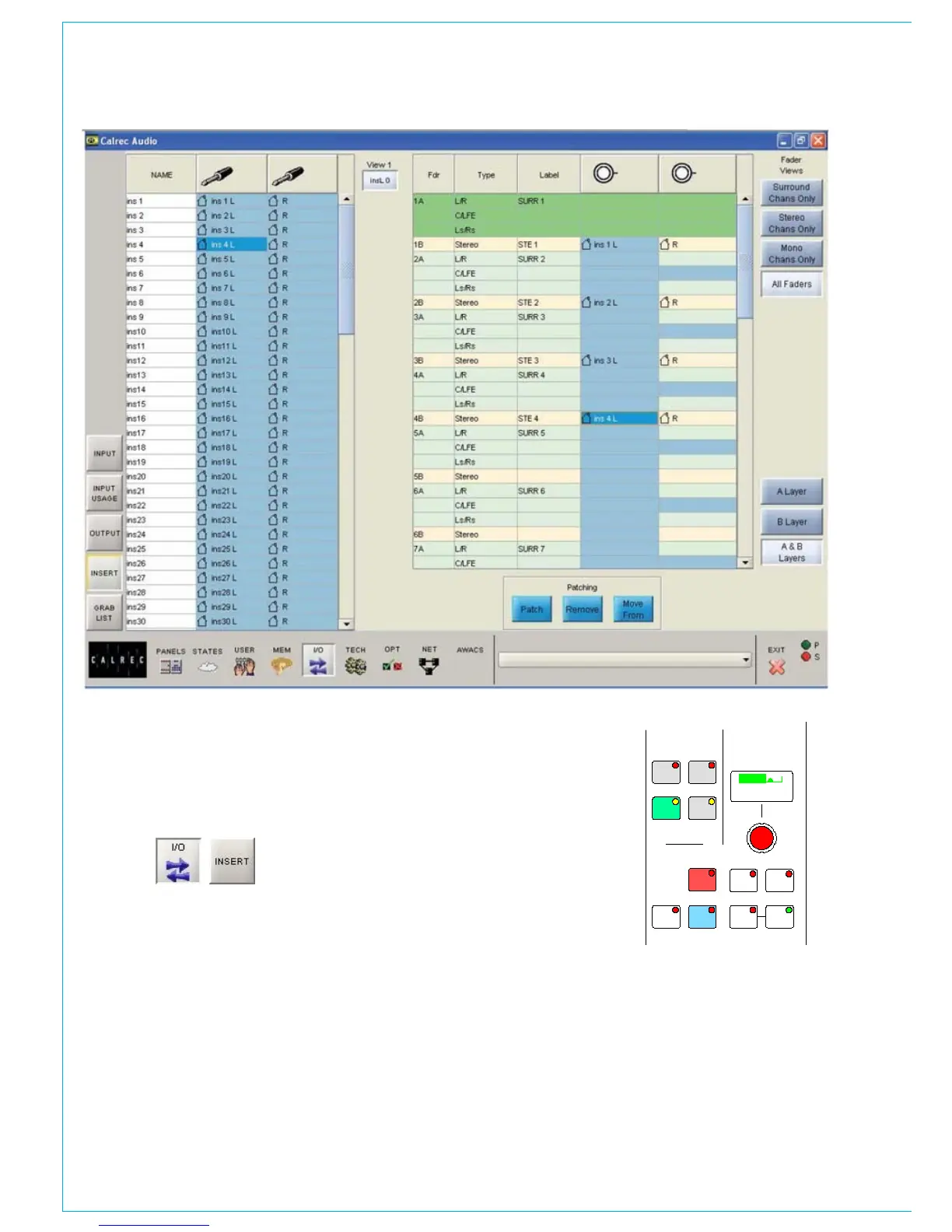
INSERT SCREEN
The Fader View buttons select which
paths are on display.
All the inserts can be accessed on the left
hand side of the screen. Most inserts are
treated as pairs in the labelling. L and R
are used to distinguish the two halves of
the pair. This makes it easier for them to
be used as a stereo insert but does not
necessarily mean they are stereo. The
two halves of the pair can be used for
separate mono signals. The inserts can be
viewed as pairs (best for patching to stereo
paths) or individual (best for patching to
mono paths).
Note: If groups are set to be mono, only the
left insert will have a signal on it.
The assignable inserts can also be
patched to channels and groups by using
the I/O Matrix panel. Once connected, the
insert is switched into the channel path
using the buttons on the Input/Output
panel.



 To Next Page