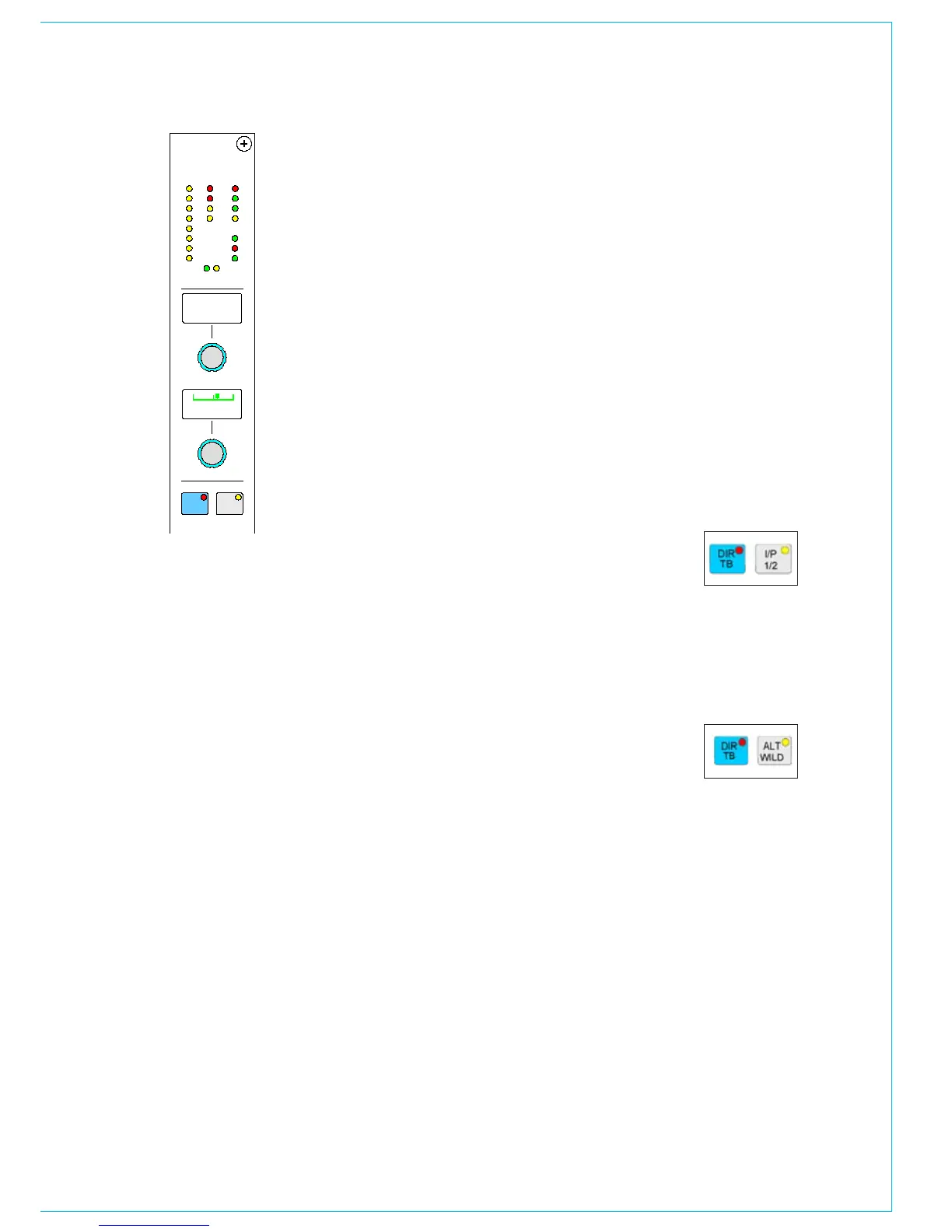
A set of LEDs provide good visual
feedback of :
Routing to groups and mains
•
The currently selected input type (mic, •
analog line, or digital)
If the Sample Rate Convertor (SRC) is
•
switched in (for AES inputs)
Routing to any track
•
Whether the direct output is feeding •
the mix minus bus.
Whether the direct output is being fed
•
with a mix minus feed
The active path A or B
•
CHANNEL CONTROL
Wild Controls
There are two WILD controls per fader.
Almost any assign panel rotary control
for the selected path can be assigned to
either Wild control on the fader, including:
Input Gain
•
Aux Send Level •
Dynamics•
EQ•
Direct Output Level•
Pan and Balance •
Stereo Width•
Track Output Level •
Wild controls are assigned using the
USER-CHAN screen. Once assigned,
the Wild controls “FLIP” with the fader
providing the same function for each of
the two paths.
The A and B faders may also be assigned
to a Wild control, in which case it will
be the opposite fader which is being
controlled.
The colour of the Wild control display will
show which fader the control is related to:
Green for A, Amber for B.
Multiple Wild Control Assignment
It is possible to assign controls to more than
one fader path at a time, either by selecting
individual fader assign buttons (A or B), or
by defining a “block” or “Region” of faders.
It is possible to assign the same control to
Wilds 1 or 2 for all fader paths.
Wild Control Push-Switch Option
If a wild control has the Aux Send or Front
Pan controls assigned to it, the user can
control the ON/OFF or IN/OUT status of
these controls using the Wild control push-
switch. This feature is optional, so it can
be enabled or disabled using the Options
- MISC screen.
Talkback
Talkback is available to direct outputs
using the DIR TB button. All Talkback
buttons are subject to On-Air inhibits,
set up on the Options - TX/REH
screen.
Button Options
Depending on the options purchased,
the button next to DIR TB can
perform different functions.
Option 1
Each channel path can select
between two inputs 1 and 2. This is
usually done using the Input/Output
panel for the currently assigned fader.
As an option, these buttons can be
duplicated for each path on this panel.
Input 1 is selected when the button
LED is off, and input 2 is selected with
the button LED on.
Option 2
The ALT WILD button allows
switching between two complete
sets of alternate wild settings. This
would then allow up to 4 available wild
controls per fader.
Input 1 and 2 selection is only
operational from this panel when a
port is attached to the selected input
(unlike selection from the Input/
Output panel which is not dependent
upon port attachment).
Option 3
If Direct Talkback switching is not
required from the fader these buttons
can allow Left to Both and Right to
Both switching instead.



 To Next Page