INSERTS
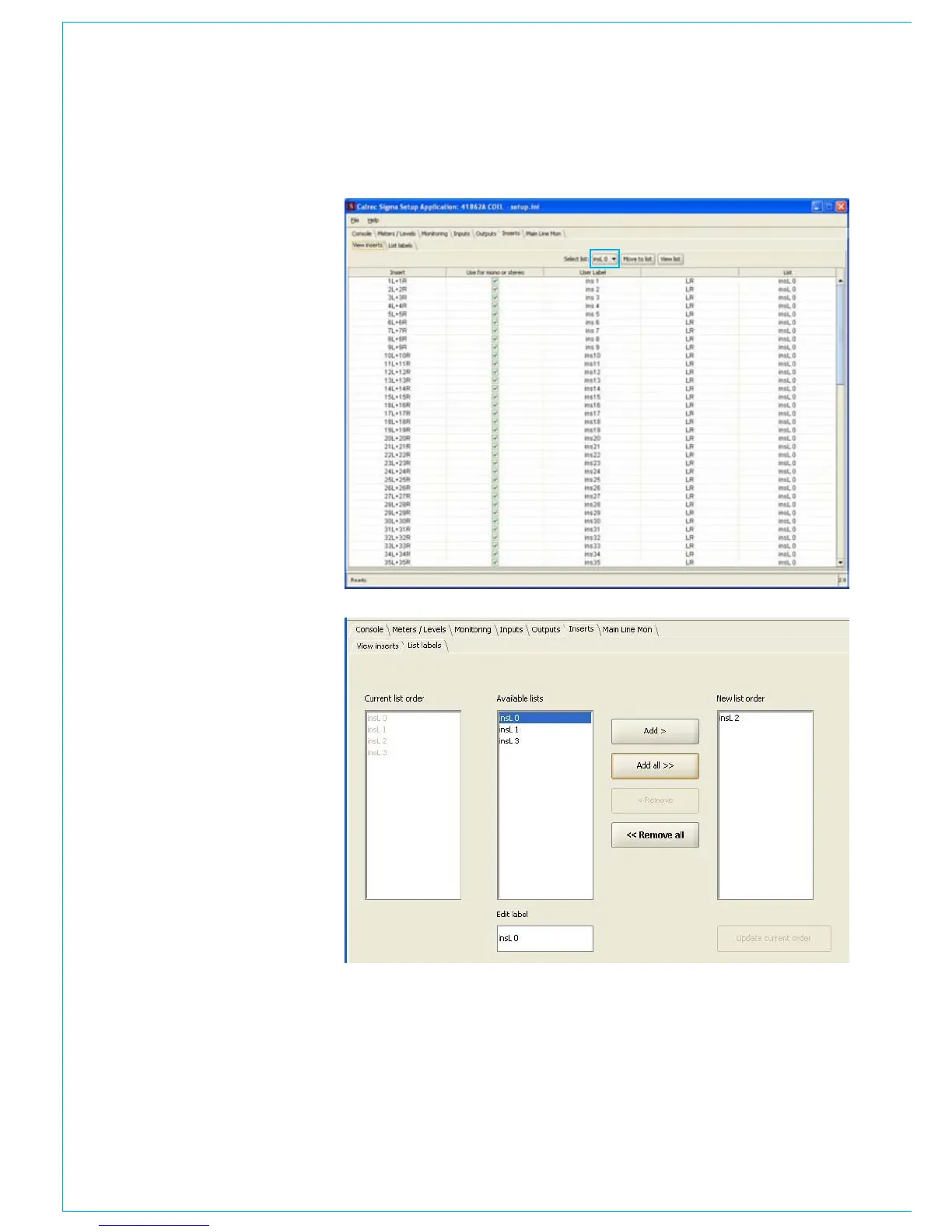
The insert ports can be configured like
the input and output ports using the page
below. Also using the page below the
inserts can be assigned to inserts lists.
Lists allow ports to be grouped together
by type, so ports can be more easily
located.
To move a port to a different list, first
select the list from the pull down box
highlighted by the blue box. Then highlight
the port, or ports, to be moved simply by
clicking on the port name and then select
‘move to list’.
List names can be edited and the order of
the lists set using the page below.
To edit a list name click on the required list
from the ‘available lists’. That list will then
appear in the ‘edit label box’ which can
be changed simply by clicking on it. List
names can be no more than 6 characters.
The order in which the lists appear on the
PC main application and port selector
control is shown in the ‘current list order’
section. To change the list order select
each list in turn from the ‘available lists’, in
the order you wish them to appear. After
each list is selected click on the ‘add’
button. The selected lists will then appear
in the ‘new list order’ section. When
you are happy with the list order, select
‘update current order’.
Lists for input and output ports are
configured using the PC Main application.



 To Next Page