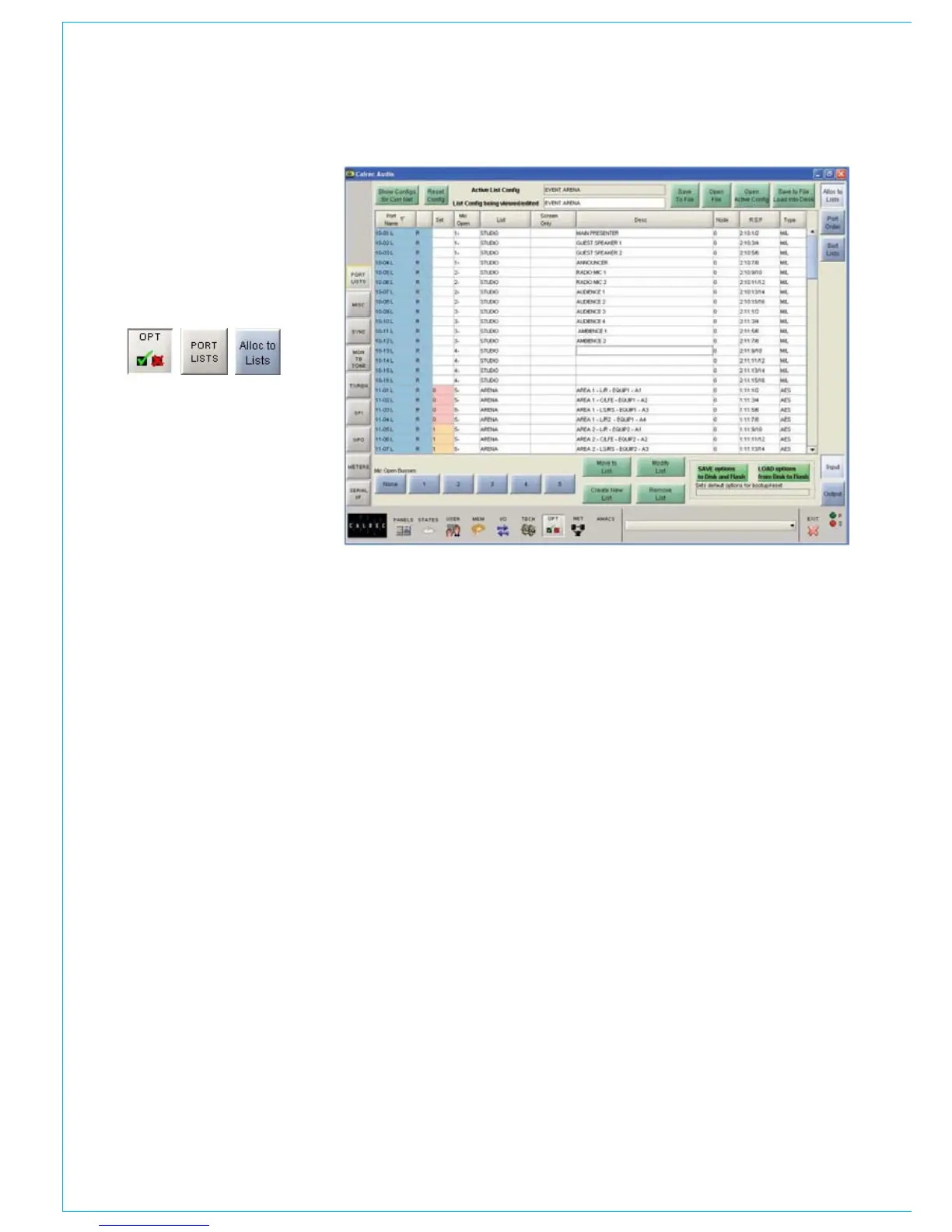
PORT LIST ALLOCATION
Up to 20 lists for input ports and 20 lists
for output ports can be made available
on the control surface. There can be an
unlimited number of lists available on the
screens. The buttons at the bottom right
corner of the screen switch between input
port lists and output port lists.
Allocating Ports To Lists
To add ports to lists, select the port from
the Port Name column (multiple ports can
be selected by dragging down the column)
and select “Move to List”. A window will
appear for the user to choose which list to
move the port to. Alternatively, with a port
or ports selected, choose “Create New
List” to add the port or ports to a new list.
List Management
New lists are created using the “Create
New List” button. “Remove List” deletes
lists from the configuration (once lists are
removed from a configuration they are
deleted permanently). “Modify List” allows
the user to change the name of a list.
Accessing Lists using the Port
Selection Controls
For input port assignment and direct
output port assignment, the port selection
controls on the control surface can be
used. Its display shows the current port
on the top half of the display, and the list it
occupies underneath. Pressing and turning
the rotary control gives access to other
lists. Lists appear in the viewing order set
on the Options - Port Lists - Sort Order
screen.
Screen Only Lists
When creating or modifying a list, the
user can choose whether the list is to be
made available from the screen only. This
means that the list will not be available
for selection on the control surface port
selection controls. This makes control
surface port selection easier, as it ensures
only the relevant lists are displayed. All lists
are always available on the I/O patching
screens.
Port Description
Each port can be given a long description,
which could describe the port’s use, or it
could be some information on where to
find the connection within the installation,
for example, its location on a patchfield.
Descriptions are typed directly into the
description column. In addition to being
displayed on the port list management
screens, these descriptions appear on the
I/O patching screens under the “DESC”
button, and on the I/O - Inputs Usage
screen.
Mic Open Busses
Each input port can be assigned to a
MIC OPEN buss, such that if the input is
patched to a channel input, it will operate
the mic open circuit when that channel is
faded up and routed to the program output.
First select the input from the list and then
select the required mic open buss button.
The mic open buss number will appear in
the “Mic Open” column (There will be two
digits if both legs of a pair of inputs are
assigned to a mic open buss). If a pair of
inputs are patched to a stereo channel, the
channel will operate the buss to which the
left of the pair is assigned.
Each buss can be set to automatically
cut the studio loudspeaker output (two
separately cut outputs are provided, one
for each buss) and/or fire a relay. These
are set on the Options - TX/REH and
Options - GPO screens.
Networked Ports
Hydra input and output ports can
be allocated to lists along with local
I/O. When a network configuration is
saved, it is associated with the current
list configuration. When the network
configuration is restored at a later
date, if the system does not match the
expected list configuration, the user will
be prompted to load it, or to resave the
network configuration with the new list
configuration.
If a network configuration is edited to
remove ports, the list configuration should
be re-sent to the console before the
changes to the lists will take effect.



 To Next Page