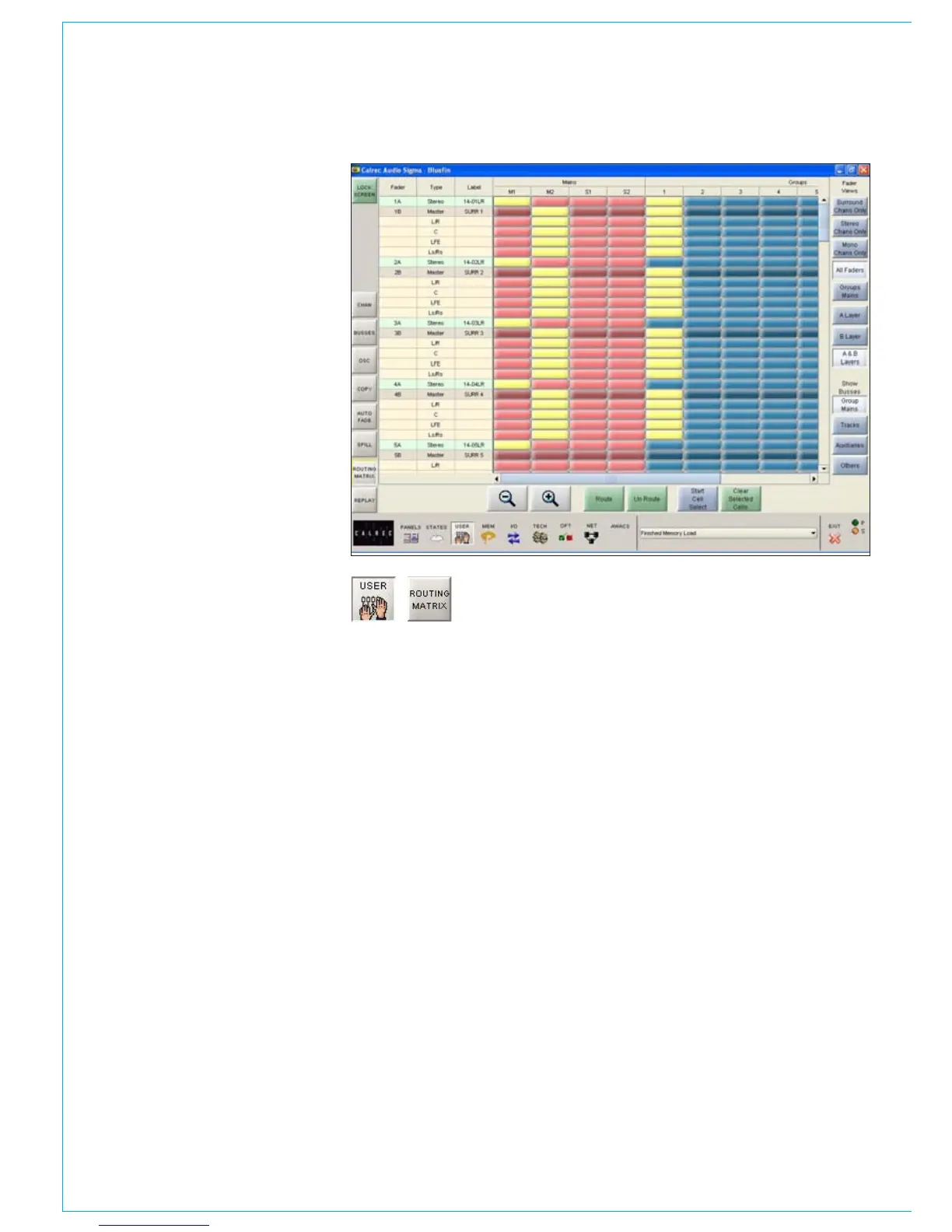
ROUTING MATRIx
Allocations to the mix minus bus, dynamics
link busses and side chain independence
can also be made here.
This screen not only provides alternative
controls to the routing buttons on
the control surface, it also gives a
comprehensive visual representation of the
routes made in the system, and allows the
user to evaluate and control the routing
more effectively.
Making Routes
The channels are listed on the left side
of the screen, and the destinations are
shown across the top. Routes are made
by selecting the intersecting cells, which
change colour to show the route is made.
If a route is made on the surround master,
its spill paths are also routed, and their
cells also change colour to show this. De-
selecting the cell will remove the route.
If surround channels or groups are routed
to surround busses, all the spill legs will
be routed. If surround channels or groups
are routed to mono or stereo busses,
only the LR, C and Ls/Rs spill legs will be
routed. Individual legs can always be routed
seperately, using the spill panel and routing
buttons or spill screen.
A surround master cannot route to the mix
minus bus, the spills are routed individually.



 To Next Page