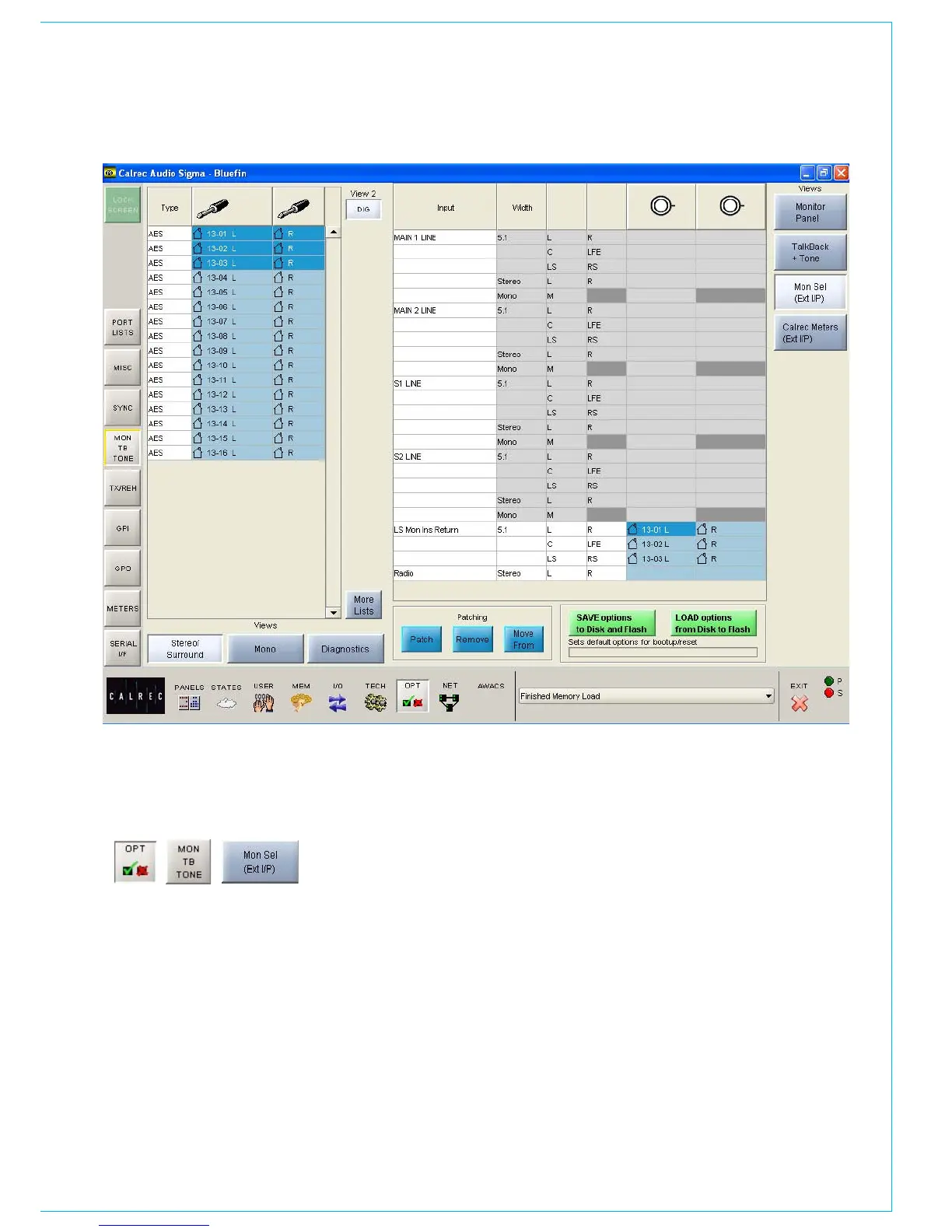
ExTERNAL MONITOR INPUTS
Return ports for the LS monitor insert
are also patched here. The send ports
are patched on the I/O - Outputs - Mon
TB & Osc Screen. The LS monitor insert
is switched in and out using the button
on the monitor LS panel. When using the
traditional style monitor panels, the LS
monitor insert can be switched in and out
on the States Screen in addition.
The main line monitor inputs are applicable
when the main line output monitor is set to
be returned into the desk via an external
distribution. Otherwise, the main line
monitor points are taken from the main
outputs within the desk, before they have
passed though the output ports.
External monitor input ports are selected
from the lists in just the same way as
channel inputs. Different lists are accessed
using the selection buttons. The sources
can be viewed as pairs (for patching to
stereo or surround paths), individual (for
patching to mono paths), or individual with
the actual rack number, card slot and input
shown (for diagnostic purposes).
Assignment is made by selecting a source
and a monitor input, and selecting Patch.



 To Next Page