GETTING STARTEd
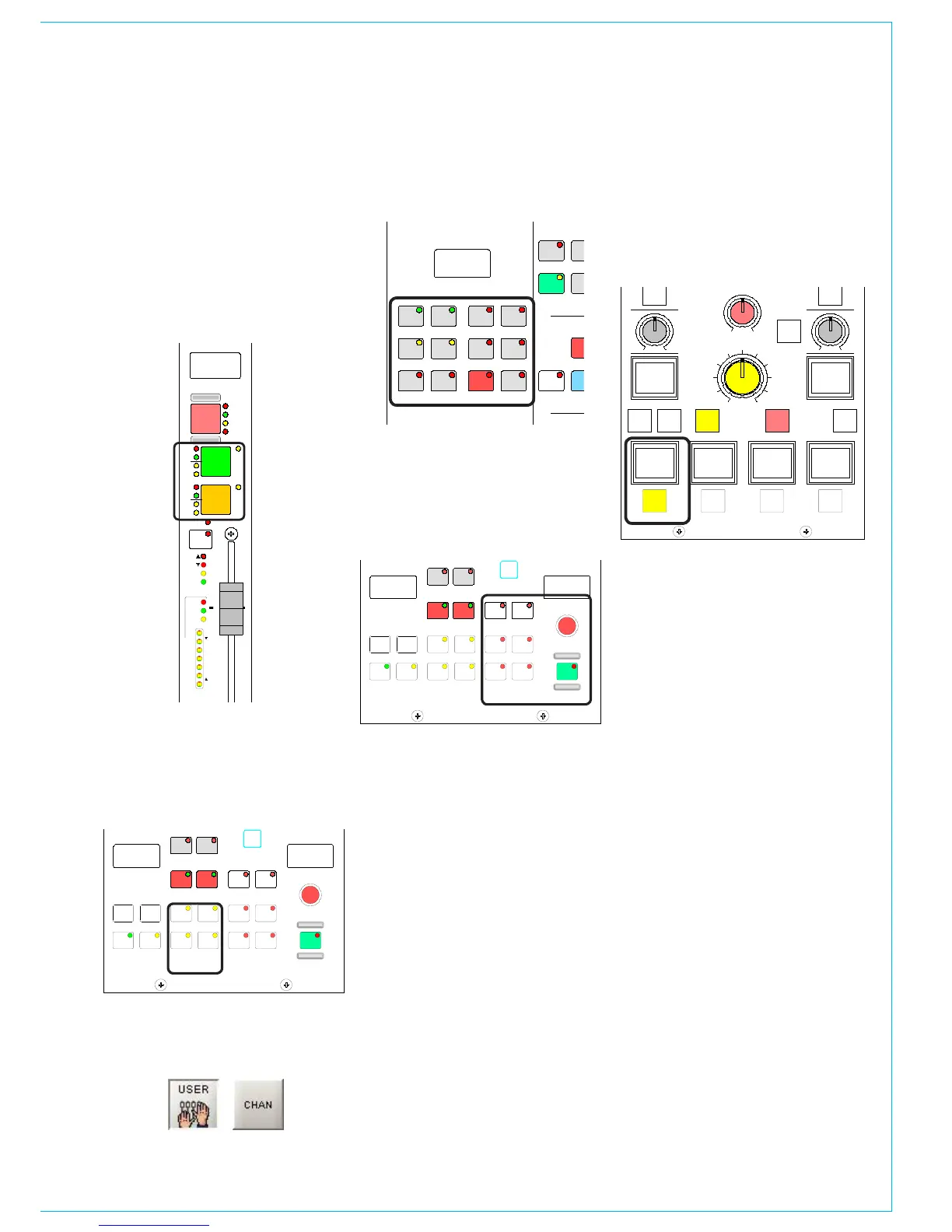
As a safety measure, ensure that all faders
are minimised, and the control room level
control is no more than half way up.
Check that the basic system ports have
been set up and the control room monitor
speakers are connected to the appropriate
outputs. Then, choose a channel fader
by pressing the A (or B) button on the
channel fader panel.
Next, go to the I/O Matrix panel and, if a
path type is not already indicated, press
either the mono or stereo buttons to
assign a mono, stereo or 5.1 surround
channel to the fader.
Channel path type selection can also be
done using the USER - CHAN screen.
Next, go to the Input/Output panel and
select one of the channel’s two inputs 1
or 2.
Return to the I/O Matrix panel and also
select Input 1 or 2 in order to assign a
port to it. Do this by turning the selector
control knob to scroll through the
available ports.
Pressing the knob down and turning it
will switch to another list of input ports
(providing these have been set up on the
Options - Port List screens). Once you
have arrived at the port you want, press
the ON button to connect it (this is like
inserting the patch cord).
Port assignment can also be done using
the I/O screens.
Set the input gain, panning, etc, on the
Input/Output panel, the EQ and Dynamics
on their respective panels, and route the
signal, to Main 1 say, using the Routing
controls.
Now fade up the Main 1 fader and
select Main 1 SURR as a Control Room
Pre-Select (Monitor LS panel), and
press HEAR. If the channel fader and LS
controls are set correctly you should hear
the signal.
Refer to the descriptions of the individual
control panels and screens for more
detailed descriptions.



 To Next Page